What is Mumble Note?
Mumble Note is a state-of-the-art AI-driven voice notetaker designed to transform the way individuals capture and manage their thoughts, ideas, and tasks. The central problem it addresses is the challenge users face in translating spoken words into structured, actionable notes in a fast-paced environment. Whether users are in meetings, brainstorming sessions, or capturing spontaneous ideas, Mumble Note leverages advanced AI technologies to deliver quick and accurate transcriptions, ensuring that vital information is preserved in an organized manner. By enabling users to simply speak their thoughts, Mumble Note eliminates the barriers typically associated with manual note-taking, providing an efficient way to manage the various facets of their personal and professional lives.
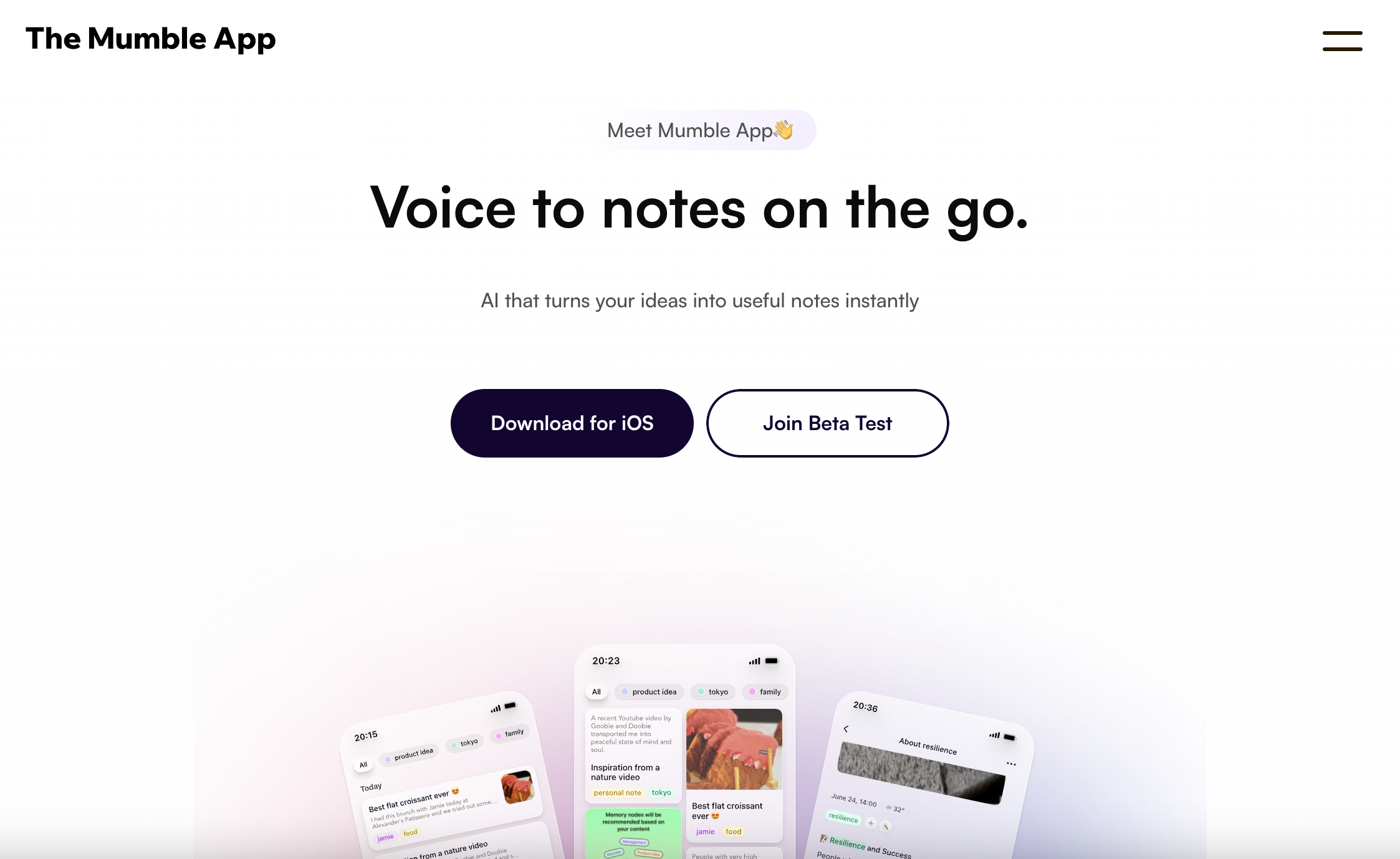
The core functionality of Mumble Note revolves around its intuitive voice recognition capability. Users can initiate recording sessions by tapping a button and speaking naturally, while the AI technology processes the spoken content in real-time. Once recorded, Mumble Note automatically generates structured outputs such as meeting summaries, task lists, and detailed transcripts. This seamless integration allows users to convert scattered thoughts into beautiful notes within seconds, highlighting the application’s emphasis on speed and efficiency. Furthermore, Mumble Note facilitates instant reformatting and rewriting of notes, empowering users to create meaningful content from their raw voice inputs with minimal effort.
One of Mumble Note’s standout capabilities is its ability to automatically detect to-dos during user interactions. As users articulate their thoughts or tasks, Mumble Note identifies actionable items and compiles them into an organized inbox for easy access. This feature is particularly useful for professionals juggling multiple responsibilities, as it allows them to maintain focus on discussing projects while ensuring that critical tasks are not overlooked. Additionally, the platform supports capturing ideas, facilitating brainstorming sessions, and organizing concepts into collections—all of which energize users’ creative processes. Advanced features like translation into over 40 languages, voice notes on Apple Watch, extract image text capabilities, and integration with popular applications further enhance its utility.
Mumble Note is targeted at a wide spectrum of users, including professionals, creators, thinkers, and makers. Individuals involved in industries such as consulting, content creation, and product management are likely to find Mumble Note particularly advantageous. Real-world use cases include capturing detailed notes during meetings, brainstorming creative content strategies, journaling personal experiences, and collecting quick thoughts on the go. Users like UI/UX designers, university students, and content creators have already applauded Mumble Note for its capacity to quickly record ideas and transcribe them accurately, helping them streamline their workflows and improve their productivity.
In comparison to other note-taking applications, Mumble Note positions itself as a specialized tool that focuses on voice-driven interaction. Its real-time transcription capabilities and actionable task integration set it apart from traditional typing-based notetaking solutions. Offering a unique blend of functionalities powered by top-tier AI models, Mumble Note appeals to those who prioritize rapid idea capture and organization over manual entry. This focus on voice recognition not only enhances user convenience but also reflects a growing trend toward voice technology adoption in everyday applications.
Despite its many strengths, Mumble Note does have some limitations. The application relies heavily on its voice recognition prowess, which may be challenged in noisy environments or for users with strong accents. Additionally, while the AI-generated outputs are generally accurate, users should still expect the occasional error in transcription that may require manual review. As the app is currently in open beta for Mac, users on this platform may encounter bugs or instability, although this is typical for beta products. Lastly, those accustomed to more traditional text-based interfaces may face a learning curve as they adapt to a voice-first approach to note-taking.
Who it's for
What Mumble Note can do
13 capabilities, verified from the product.
- Real-time voice recognition and transcription
- Automatic summarization of meetings
- Task identification and inbox integration
- Note organization into collections
- Translation of notes into 40+ languages
- Apple Watch support for on-the-go notes
- Extraction of text from images
- Personal vocabulary customization for accuracy
- Long recording capacity of up to 2 hours
- Powered by top-tier AI models
- Easy reformatting and rewriting of notes
- Dark mode option for better visibility
- Instant access and sharing capabilities
Jobs people hire it for
- 01Capture detailed meeting notes and follow-ups
- 02Generate task lists from spoken ideas
- 03Discuss and brainstorm content ideas
- 04Journal daily experiences and reflections
- 05Extract quotes or notes from images
Pros & cons
Where it shines
- Mumble Note provides efficient, voice-driven note-taking that is both fast and easy.
- The integration of AI allows for accurate transcriptions and smart task identification.
- It is designed with user privacy in mind, ensuring secure processing of sensitive information.
- The application's ability to capture and organize thoughts in real-time enhances productivity for various type of users.
Where it falls short
- Voice recognition performance may decline in noisy environments or with strong accents.
- Some users may need time to get used to a voice-first note-taking method.
- Occasional transcription errors require user verification or correction.
- Functionality may vary since Mumble Note is currently in open beta for macOS, potentially leading to bugs.
- Users reliant on robust search features may find limitations in AI-generated organization.
Pricing
Free
N/A
Basic features available at no cost, with premium options in future updates.
Basic free features with advanced options available via subscriptions Pricing can change — always confirm on the vendor's site.
Frequently asked about Mumble Note
What is Mumble Note?
Mumble Note is an AI-powered voice notetaker that allows users to capture their thoughts, ideas, and tasks quickly and efficiently by simply speaking. It converts spoken input into structured notes, task lists, and detailed transcripts.
What do I use Mumble Note for?
Users utilize Mumble Note for various purposes, including taking meeting notes, capturing spontaneous ideas, brainstorming sessions, personal journaling, and generating organized task lists directly from voice input.
Can I use Mumble Note to record meetings?
Yes, Mumble Note enables users to capture full-length conversations during meetings and provides detailed summaries, transcripts, and follow-up actions to aid in post-meeting clarity.
What Large Language Models does Mumble Note use?
The app employs top-tier AI models to deliver high-quality transcriptions and note organization, ensuring that the generated content is accurate and comprehensible.
On which platforms is Mumble Note available?
Mumble Note is available for iOS devices and is currently in open beta for macOS, making it accessible for users across both mobile and desktop platforms.
What integrations do you have?
The page does not specify any integrations; thus, it remains unclear if Mumble Note connects with other apps or services directly.
How do you ensure the privacy and safety of my notes?
Mumble Note prioritizes user privacy, with all information being securely processed. Sensitive data is automatically encrypted during transcription to safeguard against unauthorized access.
How do I contact the Mumble Note team?
For any queries related to Mumble Note, users should refer to the contact information provided on their website, ensuring clear communication with the support team.
Ready to try Mumble Note?
2,457 people checked it out on the directory — see it in action on the official site.
Keep exploring
Similar tools in Productivity & Agents
 Productivity & Agents
Zapier Agents
No-code AI agents that work across 7,000+ apps — automation that thinks.
 Productivity & Agents
Reclaim AI
An AI calendar that defends your focus time and schedules your tasks automatically.
 Productivity & Agents
Maestro Labs
AI tools for Outlook, Teams & Office, enhancing productivity in Microsoft 365.
 Productivity & Agents
Studyable
AI-powered study app offering instant homework help and flash cards.