
Maestro Labs
AI tools for Outlook, Teams & Office, enhancing productivity in Microsoft 365.
What is Maestro Labs?
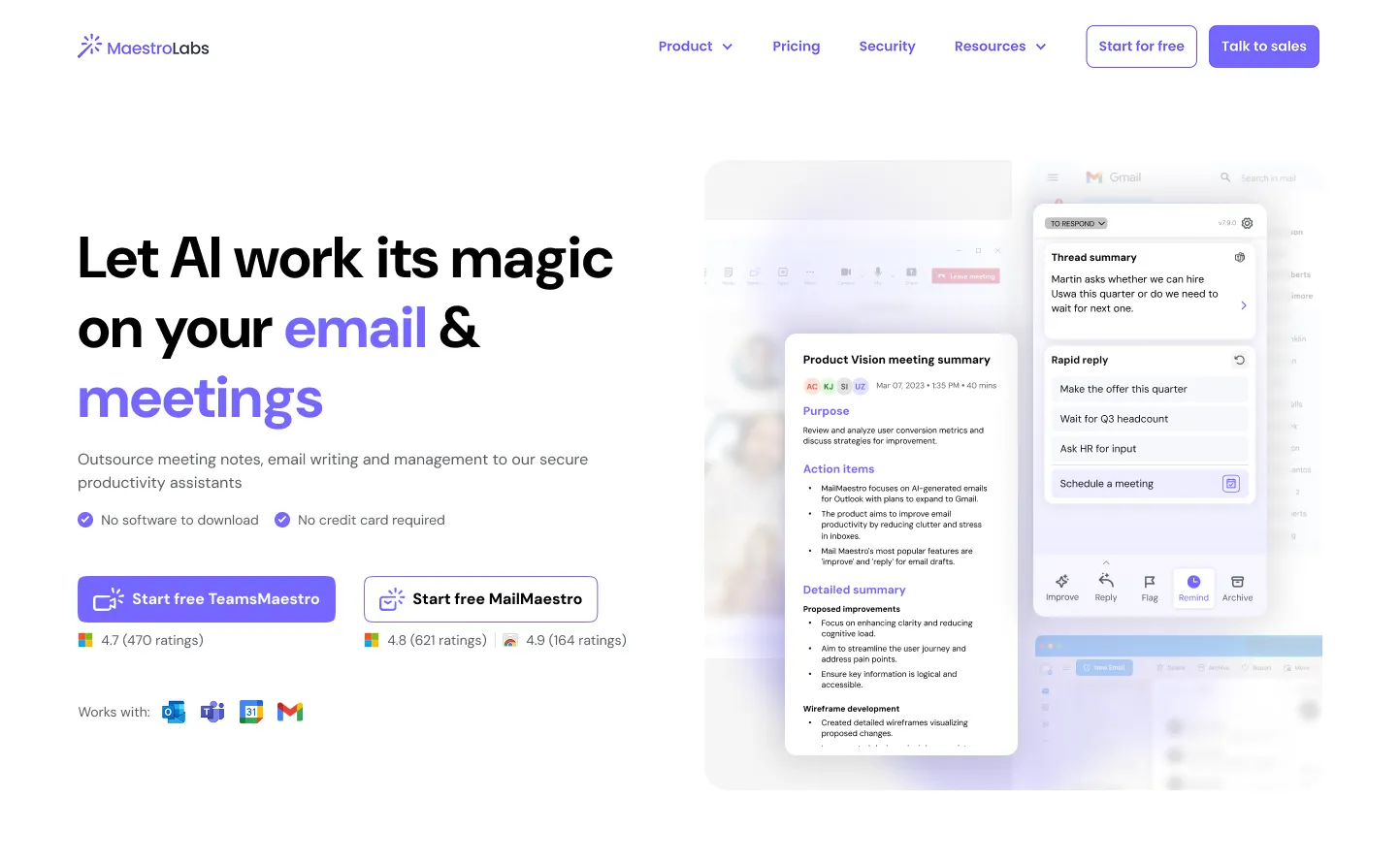
Maestro Labs develops innovative AI tools specifically designed to enhance user productivity within Microsoft 365 applications such as Outlook, Teams, and Office. Its flagship products, MailMaestro and TeamsMaestro, focus on streamlining email management and meeting organization, respectively. These tools provide essential AI assistance to users, allowing them to save time and reduce effort associated with mundane tasks like email drafting and meeting note-taking.
The core workflow of Maestro Labs' products revolves around integrating seamlessly into the user's existing environment without requiring any extensive setup or complex alterations to workflow. Users can install MailMaestro or TeamsMaestro as an extension in Outlook or Teams, providing immediate access to various AI features directly within their email or meeting interface. For example, users can generate email drafts by simply entering a short instruction and specifying the desired tone, language, and length. Moreover, these tools are designed to handle language intricacies, allowing for drafts in over 20 different languages, streamlining global communications.
One of the standout capabilities of MailMaestro is its AI email assistant which automates tasks such as summarizing email threads and drafting responses based on context. It significantly reduces the time spent on emails by allowing users to focus on their core tasks. The tool can detect action items and deadlines from conversations, ensuring that users are prompted for necessary follow-ups. Similarly, TeamsMaestro transforms meeting communication by capturing and summarizing discussions in real time, ensuring critical information is not lost. Users can request action items to be automatically assigned to meeting participants, which optimizes task management and accountability.
Maestro Labs products are ideal for professionals across various industries who frequently rely on Microsoft 365 applications for their communication and collaboration needs. This includes corporate employees, project managers, and administrative staff overwhelmed by the volume of emails and meetings. With features designed to save time—such as automatic email categorization, follow-up reminders, and streamlined note-taking—users are finding that they save upwards of 8 hours each week, allowing them to focus more on their strategic tasks and less on administrative overhead.
In comparison to other productivity tools, Maestro Labs stands out due to its deep integration with Microsoft services, providing a level of convenience that is hard to match. Unlike standalone applications that require users to switch between platforms, Maestro's tools function directly within the user’s existing workflow, making them incredibly user-friendly and efficient. Furthermore, the focus on security and compliance—being SOC 2 Type II, HIPAA, and GDPR compliant—positions Maestro Labs as a trustworthy solution for enterprises concerned about data security in productivity tools.
Despite the many advantages of Maestro Labs, there are some limitations to consider. Users have reported that while the AI is effective, it can occasionally require manual editing for drafted emails to achieve the desired output. Additionally, while the integrations are robust for Microsoft applications, users who rely on other platforms not supported by Maestro may find this to be a drawback. Furthermore, while the tools are free to start, potential costs for premium features or organizational deployments are not detailed, which may create uncertainty for some users looking to scale.
Overall, Maestro Labs offers powerful AI tools that can significantly improve productivity within the Microsoft 365 ecosystem, providing solutions tailored for modern communication challenges.
Who it's for
Works with
What Maestro Labs can do
8 capabilities, verified from the product.
- AI email drafting in multiple languages
- Automated email summarization
- Smart email management and triage
- Meeting note-taking and summarization
- Automatic action item extraction
- Integration with Outlook and Teams directly
- Real-time meeting transcription
- Customizable templates for repetitive emails
Jobs people hire it for
- 01Automate email responses to improve efficiency
- 02Capture and summarize meeting discussions
- 03Generate multilingual email drafts with custom tones
- 04Categorize and prioritize incoming emails effortlessly
- 05Capture key action items from complex meetings
Pros & cons
Where it shines
- Highly integrated with Microsoft 365 applications, enhancing workflow efficiency
- AI-driven email management saves hours of manual work
- Supports multiple languages for global communication needs
- Offers robust security features compliant with industry standards
Where it falls short
- Occasional need for manual edits on AI-generated emails
- Limited support for platforms outside Microsoft 365
- Uncertainty regarding costs for premium features or scaling
Pricing
Free to start, premium features may incur costs Pricing can change — always confirm on the vendor's site.
Frequently asked about Maestro Labs
What is an AI email assistant?
An AI email assistant, like MailMaestro, is a tool designed to help users manage their email communications more efficiently. It automates tasks such as composing emails, summarizing conversations, and extracting action items, thus saving time and reducing the cognitive load associated with handling emails.
Is MailMaestro's AI Email Assistant available for Microsoft Outlook?
Yes, MailMaestro is specifically designed for Microsoft Outlook and integrates directly within the application, allowing users to enhance their email management without switching tabs or applications.
Who is MailMaestro designed for?
MailMaestro is designed for professionals across various industries, particularly those who use Microsoft 365 applications extensively, such as corporate employees, project managers, and administrative staff looking to improve productivity.
How does MailMaestro protect my data?
Maestro Labs uses enterprise-grade security to protect user data, being compliant with SOC 2 Type II, GDPR, and HIPAA standards. Data is encrypted in transit and at rest, and options for zero-day data retention and PII obfuscation are available for enterprise clients.
Can AI manage my emails?
Yes, AI can assist in managing your emails through features like prioritizing inbox items, drafting responses based on email context, and summarizing conversations to streamline communication processes.
Does TeamsMaestro AI note taker support multiple languages?
Yes, TeamsMaestro is capable of generating meeting summaries in various languages, making it suitable for diverse teams working across different regions.
How do I access my meeting notes after a call?
After a call, users can receive their meeting notes directly via email. These notes include important details such as purpose, takeaways, and action points discussed during the meeting.
Ready to try Maestro Labs?
2,501 people checked it out on the directory — see it in action on the official site.
Keep exploring
Similar tools in Productivity & Agents
 Productivity & Agents
Zapier Agents
No-code AI agents that work across 7,000+ apps — automation that thinks.
 Productivity & Agents
Reclaim AI
An AI calendar that defends your focus time and schedules your tasks automatically.
 Productivity & Agents
Studyable
AI-powered study app offering instant homework help and flash cards.
 Productivity & Agents
ScheduleAI by Checkfirst
The Ultimate AI Schedule Planner for Audit & Inspection Teams