
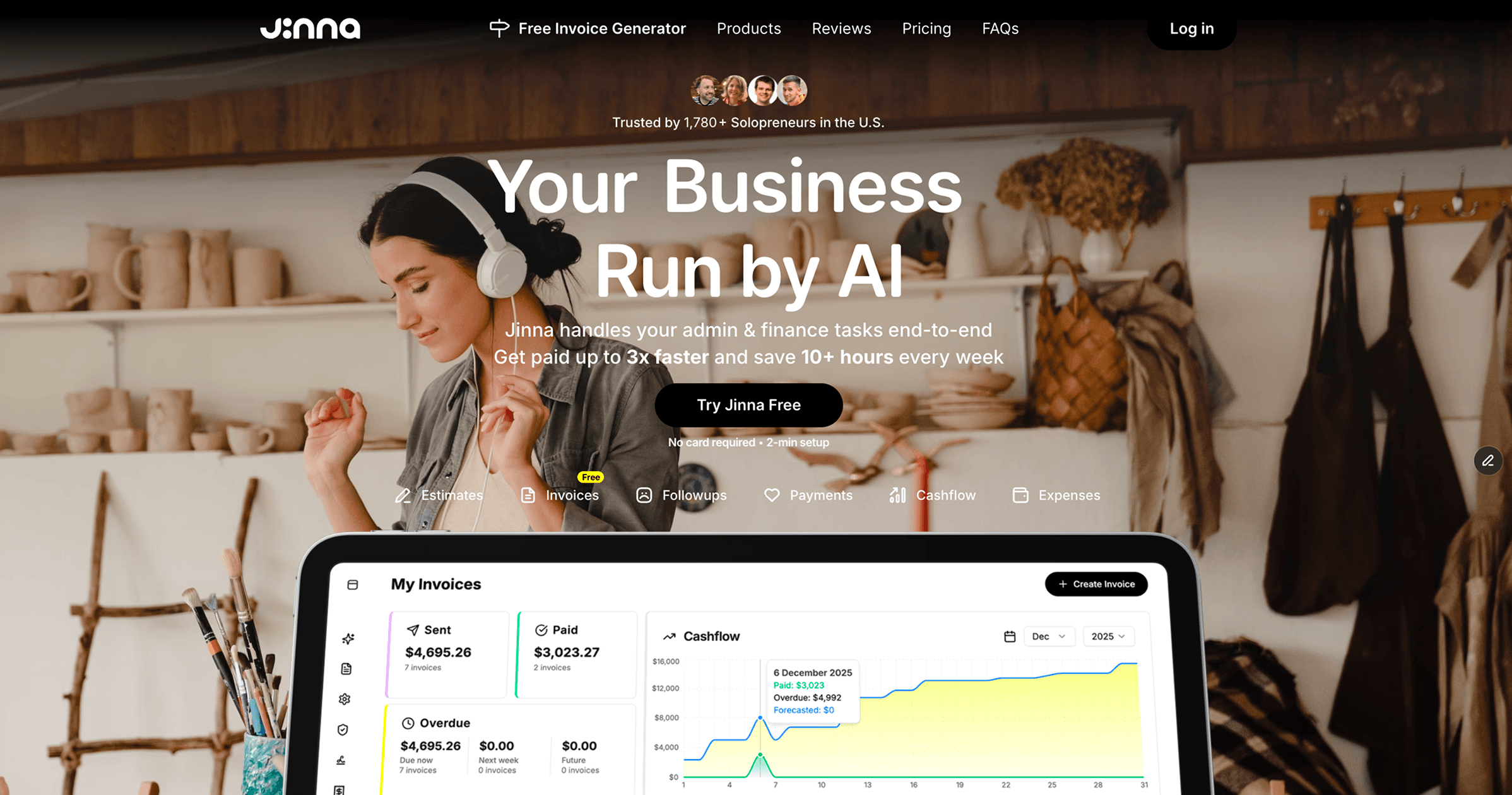
What is Jinna.ai?
Jinna.ai is a cutting-edge AI assistant designed to simplify and automate administrative and financial tasks for solopreneurs and freelancers. This innovative tool helps manage invoicing, proposals, client follow-ups, and payment tracking, significantly reducing the time users spend on tedious tasks. With Jinna, the goal is to allow users to focus on their core business activities by streamlining the processes involved in managing client relationships and finances, ultimately leading to increased efficiency and faster payments.
At the heart of Jinna's functionality is its ability to learn and adapt to individual business needs, making it a powerful tool that evolves over time. Users can add clients, create invoices, and manage their financial documents all from one centralized location. The system's intuitive design allows for quick setup and an easy-to-navigate interface, facilitating a smoother workflow. Jinna automates tasks such as following up on invoices or creating reminders, using artificial intelligence to understand when and how to engage with clients without being intrusive, thus ensuring bills are paid on time without awkward reminders.
One of Jinna's standout features is its free AI-powered invoice generation system. Users can create and send customizable invoices complete with payment links and personalized emails. This service addresses a common pain point for freelancers, who often find the invoicing process time-consuming and complex. Jinna not only enhances the aesthetic of invoices but also improves their functionality, ensuring quicker payments through effective follow-up reminders crafted by AI, thus processing cash flow more smoothly.
The tool is particularly beneficial for solopreneurs and small business owners who may not have the resources to hire additional administrative support. With Jinna, tasks that traditionally consumed hours can be handled in mere minutes, allowing users to reclaim valuable time in their workweek. Scenarios where Jinna excels include managing a wide range of client interactions, from sending proposals and estimates to converting these documents into invoices seamlessly. This capability reduces unnecessary friction in the conversion process and keeps the focus on actual business growth.
When comparing Jinna to competitors in the same space, its integration of AI for invoice creation and client engagement positions it as a forward-thinking alternative. Many similar tools often lack the intuitive learning aspect that Jinna provides, which helps tailor its services to the user's needs over time. Moreover, the ability to integrate with platforms like Xero enhances its utility for users already leveraging existing financial ecosystems, making Jinna not just a standalone tool but also a complementary one.
However, some users may find limitations in the features offered under its free plan, which restricts usage to a limited number of invoices per month. Moreover, while Jinna's AI capabilities significantly ease the administrative burden, some users may still prefer a more hands-on approach when managing client relationships. Users should also be aware that while Jinna learns and adapts to their needs, it may not possess the intricate contextual understanding that a human assistant could bring to highly nuanced or sensitive situations.
Who it's for
Works with
What Jinna.ai can do
8 capabilities, verified from the product.
- AI-powered invoice generation
- Client management and organization
- Automated follow-up reminders
- Seamless estimate creation
- Payment link integration with Stripe
- Customizable invoice templates
- Track client engagement metrics
- Mobile-friendly interface
Jobs people hire it for
- 01Generate professional invoices quickly and easily
- 02Manage client relationships in one place
- 03Send proposals and track client engagement
- 04Automate follow-ups to ensure timely payments
- 05Create custom estimates for various services
Pros & cons
Where it shines
- Jinna saves users significant time by automating administrative tasks.
- The AI-driven reminders and follow-ups enhance cash flow management.
- Users can customize invoices and proposals to maintain brand integrity.
Where it falls short
- The free plan limits the number of invoices that can be sent each month.
- Some users may feel a lack of control with too much automation.
- Not all features may be available on mobile devices compared to desktop.
Pricing
Free
Free
Create & send invoices with limited features.
Plus
$4.79 /mo
Includes unlimited invoices, estimates and additional features.
Free tier with limits + $4.79/month for Plus plan Pricing can change — always confirm on the vendor's site.
Frequently asked about Jinna.ai
What is Jinna?
Jinna is your AI assistant for business admin and finance. She helps you create invoices and estimates, follow up with clients, get paid, and stay on top of cash flow — so the boring stuff runs itself.
Is Jinna safe to use with my financial data?
While the page content does not explicitly state the security measures taken to protect financial data, the integration with Stripe suggests a level of security for processing payments, as Stripe is a widely used and trusted payment processing service.
Who is Jinna built for?
Jinna is specifically designed for solopreneurs and freelancers who need assistance managing administrative and financial tasks efficiently, allowing them to focus on their core business.
Can I use Jinna on mobile?
The tool is described as mobile-friendly; however, specific mobile app details are not provided.
How does Jinna learn my business?
Jinna learns daily to understand your business, clients, and finances, adapting its functions to run tasks more efficiently as it interacts with your data.
Is Jinna fully automated? Do I stay in control?
While Jinna automates many processes like invoicing and follow-ups, users still have control over notifications, reminders, and who gets contacted.
Can I customize my invoices and estimates?
Yes, Jinna allows full customization of invoices, including branding and layout, ensuring that presentations are aligned with your business identity.
Is Jinna hard to set up?
No, Jinna is designed for ease of use and setup is quick, reportedly taking only around two minutes.
Ready to try Jinna.ai?
2,198 people checked it out on the directory — see it in action on the official site.
Keep exploring
Similar tools in Productivity & Agents
 Productivity & Agents
Zapier Agents
No-code AI agents that work across 7,000+ apps — automation that thinks.
 Productivity & Agents
Reclaim AI
An AI calendar that defends your focus time and schedules your tasks automatically.
 Productivity & Agents
Maestro Labs
AI tools for Outlook, Teams & Office, enhancing productivity in Microsoft 365.
 Productivity & Agents
Studyable
AI-powered study app offering instant homework help and flash cards.