
- Views
- 1,312
- Upvotes
- 98
- Launched
- —
What is GanttPRO?
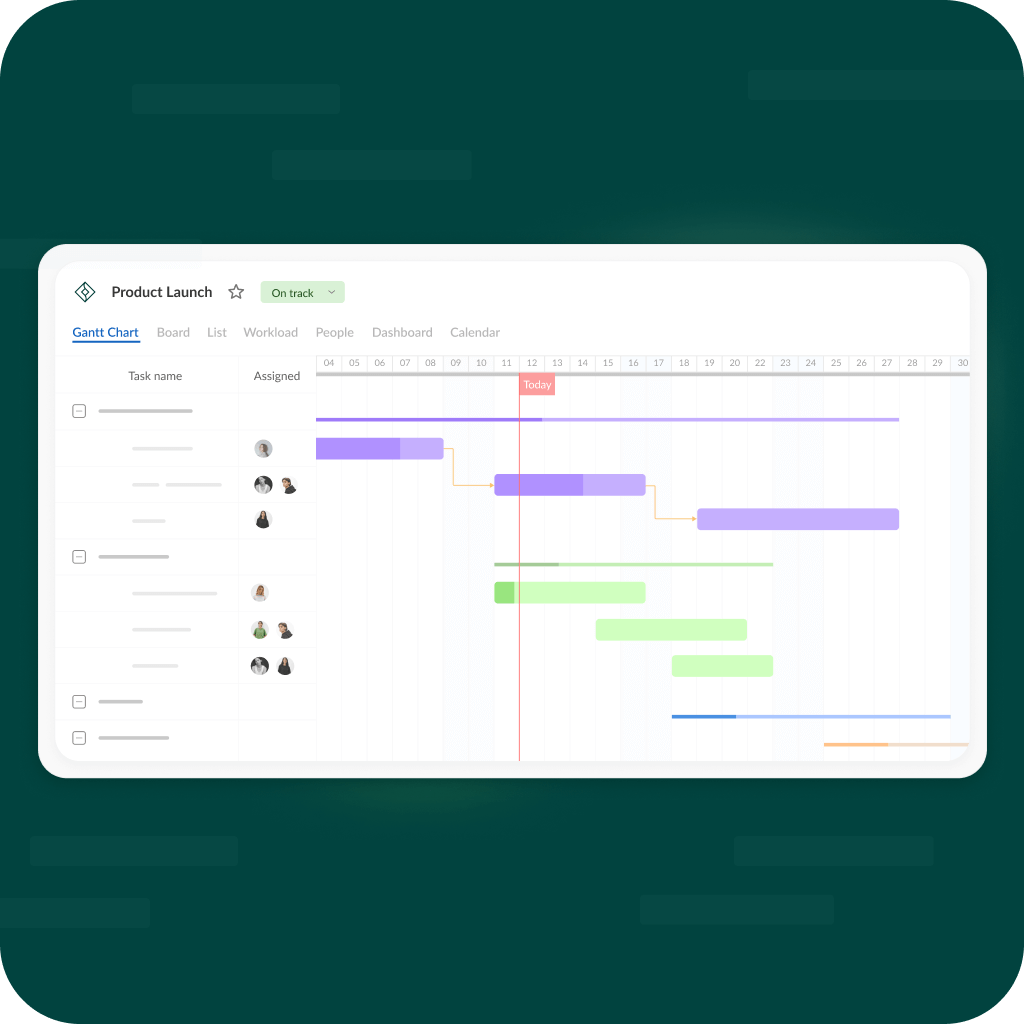
GanttPRO's Free AI Gantt Chart Maker addresses the challenges of project planning and visualization, allowing users to easily create timelines and manage workflows. With the increasing complexity of projects across various industries, having a reliable tool to visualize tasks, deadlines, and dependencies becomes essential. The AI Gantt Chart Maker empowers users to not only create these visual timelines effortlessly but also to tailor them to specific needs across different sectors including construction, healthcare, tech, and marketing.
The core workflow of the AI Gantt Chart Maker is designed for simplicity and efficiency. Users begin by selecting a project type relevant to their industry. From there, the tool offers a guided process to add tasks, assign deadlines, and set dependencies. The use of AI helps streamline this process by recommending best practices and potential adjustments based on the user's input. Once the timeline is created, users can further customize the Gantt chart by incorporating additional details, such as team assignments and progress tracking, ensuring that every stakeholder stays informed and aligned throughout the project lifecycle.
Standout features of GanttPRO’s AI Gantt Chart Maker include its diverse templates tailored for different industries, user-friendly drag-and-drop interface for task management, and real-time collaboration capabilities. Users can choose from templates specific to construction or marketing, for instance, which can drastically reduce the time spent in setup. The ability to add comments, attach files, and receive notifications enhances teamwork by facilitating communication directly within the chart. Furthermore, the software allows for efficient monitoring of task progress, enabling teams to quickly pivot as project timelines evolve.
GanttPRO targets project managers, team leaders, and professionals from a wide array of fields seeking a visual solution for project tracking. Typical scenarios include planning complex events, launching new products, or coordinating construction projects. Essentially, any team looking to improve their project management processes and visualize their workload can benefit from this tool. Organizations of all sizes, from small teams to large enterprises, will find the AI Gantt Chart Maker to be an invaluable asset in enhancing productivity and ensuring project success.
In terms of competitive positioning, the AI Gantt Chart Maker stands out among other project management tools due to its focus on ease of use and the incorporation of AI elements into project planning. While many project management tools offer Gantt chart functionality, few can match the operational efficiency and user-friendly experience that GanttPRO provides, making it particularly appealing to those who may not be as tech-savvy. The emphasis on sector-specific templates further tailors the user experience, enhancing its appeal across disciplines.
Despite its numerous strengths, potential users should be aware of some limitations. The free version, while robust, may have restrictions on advanced features compared to tiered paid plans, which could limit the tool’s full potential for larger projects requiring extensive customization and integrations. Additionally, while the templates are beneficial, they might not cater to every unique workflow, necessitating some manual customization for specialized cases. Users may also experience initial learning curves as they familiarize themselves with the AI's suggestions and parameters. Overall, the GanttPRO AI Gantt Chart Maker is a powerful ally for simplifying project management and enhancing collaboration in any organization.
Who it's for
What GanttPRO can do
8 capabilities, verified from the product.
- Visually create timelines in seconds
- AI-driven suggestions for task management
- Industry-specific templates for various sectors
- Collaborative tools for team communication
- Real-time tracking of task progress
- Drag-and-drop interface for easier management
- Attach files and comments to tasks
- Notification system for task updates
Jobs people hire it for
- 01Create project timelines to visualize tasks and deadlines
- 02Plan complex events with detailed logistical coordination
- 03Coordinate construction project schedules effectively
- 04Launch new products by mapping out critical tasks
- 05Manage healthcare projects with set milestones
Pros & cons
Where it shines
- GanttPRO offers an intuitive interface that simplifies project visualization.
- The AI-driven suggestions enhance efficiency by proposing best practices.
- Industry-specific templates save time on project setup.
- Real-time collaboration features improve communication among team members.
- Users can track task progress directly on the Gantt chart for better oversight.
Where it falls short
- The free version may have limitations compared to paid tiers.
- Templates might not cover highly specialized workflows.
- Users may face a learning curve with the AI features.
- Customization options can be limited in some pre-defined templates.
- Some advanced features require upgrading to a premium plan.
Pricing
Free tier available with limitations, full features in paid plans Pricing can change — always confirm on the vendor's site.
Frequently asked about GanttPRO
What is the GanttPRO AI Gantt Chart Maker?
The GanttPRO AI Gantt Chart Maker is a tool designed for creating visual project timelines and managing workflows easily. It incorporates AI to assist users in effectively planning and executing projects across various industries.
Is there a free version of the Gantt Chart Maker?
Yes, GanttPRO offers a free version of its AI Gantt Chart Maker, allowing users to create timelines without any costs, albeit with some limitations on features compared to premium plans.
What types of projects are suitable for the Gantt Chart Maker?
The Gantt Chart Maker is suitable for a wide range of projects including construction, marketing campaigns, product launches, healthcare initiatives, and more, thanks to its customizable templates.
How does the AI help in project management?
The AI helps by providing suggestions for task management, optimizing workflows, and recommending best practices based on user inputs, making project planning more efficient.
Can I collaborate with my team using GanttPRO?
Yes, GanttPRO facilitates real-time collaboration, allowing team members to communicate, comment, and track progress directly within the Gantt chart.
What limitations should I be aware of?
Potential limitations include feature restrictions in the free version, the need for manual customization in some cases, and a learning curve associated with using the AI capabilities.
What platforms does GanttPRO support?
GanttPRO operates on the web, allowing users easy access from any device with internet capabilities.
Who is the ideal audience for the Gantt Chart Maker?
The ideal users include project managers, team leaders across various industries, and professionals looking to enhance their project planning and visibility.
Ready to try GanttPRO?
1,312 people checked it out on the directory — see it in action on the official site.
Keep exploring
Similar tools in Productivity & Agents
 Productivity & Agents
Zapier Agents
No-code AI agents that work across 7,000+ apps — automation that thinks.
 Productivity & Agents
Reclaim AI
An AI calendar that defends your focus time and schedules your tasks automatically.
 Productivity & Agents
Maestro Labs
AI tools for Outlook, Teams & Office, enhancing productivity in Microsoft 365.
 Productivity & Agents
Studyable
AI-powered study app offering instant homework help and flash cards.