
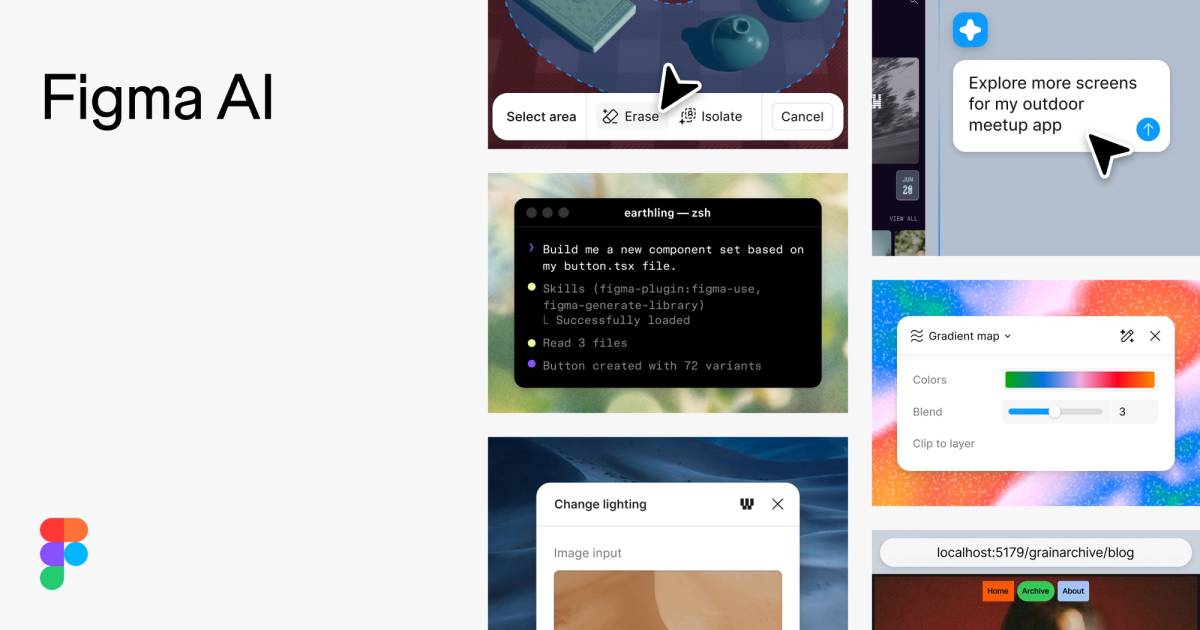
What is Figma AI?
Figma AI is a powerful suite of AI-driven tools designed to enhance the design workflow for teams by integrating intelligent features that streamline creativity, collaboration, and coding. It addresses the common challenge of managing lengthy design processes involving diverse team members, varied skill levels, and the necessity for constant iteration. By harnessing AI, Figma AI allows teams to generate ideas, refine designs, and transition seamlessly from conception to production in a fraction of the time typically required.
The core functionality of Figma AI revolves around facilitating a collaborative design environment enriched with AI capabilities. Users can leverage the Figma agent to explore new design possibilities by generating new directions directly within their Figma workspace. The design process is supported by features that allow for side-by-side comparisons of various design iterations, enabling teams to polish their work comprehensively. Viewing changes collectively ensures that all stakeholders are engaged, leading to better final outcomes.
One of the standout capabilities of Figma AI is its flexible use of AI credits, which gives team leaders control over how AI resources are allocated. Teams can opt for either a pay-as-you-go model or a subscription plan, allowing for optimal management of resources based on need. This is particularly beneficial for larger organizations where budget oversight and efficient use of resources are paramount. Moreover, Figma AI enables users to convert their existing codebases into prototypes or production-ready applications easily, ensuring that developers and designers can work in tandem without compromising on workflow or context.
Figma AI caters primarily to creative teams, product managers, and developers who thrive on collaboration and need to produce high-quality output rapidly. Typical scenarios include teams needing to create UI/UX designs while ensuring consistency across various projects, using AI to generate or edit assets, and drafting prototypes quickly. The platform is engineered to accommodate users with varying levels of expertise, making it accessible to a broad spectrum of professionals, from seasoned designers to new recruits just starting their careers.
In the broader landscape, Figma AI stands out by providing a robust set of tools specifically designed to integrate with existing workflows. Unlike other design software that may require teams to leave their primary platforms to access AI functionalities, Figma AI embeds these features directly into the design canvas. This positioning enhances efficiency by minimizing disruption to the creative process.
Despite its advantages, users should be aware of certain limitations with Figma AI. As the application is currently in beta for many features, users may encounter instability or limitations as the product continues to evolve. Additionally, not all features may be available universally, leading to potential discrepancies in functionality based on the specific plan a user or team selects. There is also the need for teams to judiciously manage their AI credit usage, which may require additional administrative oversight, particularly in larger organizations. Nonetheless, Figma AI represents a significant advancement in design technology, paving the way for a future where creativity can thrive unimpeded by logistical constraints.
Who it's for
What Figma AI can do
14 capabilities, verified from the product.
- Generate new design directions with AI
- Create diagrams seamlessly
- Edit images directly in Figma
- Search existing files with AI
- Collaborate with a built-in Figma agent
- Quickly turn designs into code-backed prototypes
- Custom reusable workflows for teams
- Prompt and use custom shader effects
- Integrate existing codebases for design
- Manage AI credits across teams efficiently
- Visualize design context directly in workflows
- Easily share pull requests with Figma
- Utilize AI to rename layers and add interactions
- Enhance textual content with AI-driven adjustments
Jobs people hire it for
- 01Create rapid design iterations for UI/UX projects
- 02Generate custom shaders for unique design elements
- 03Produce prototypes from existing codebases
- 04Manage AI credits for collaborative projects
- 05Enhance team productivity through tailored workflows
Pros & cons
Where it shines
- Figma AI enhances collaboration among team members throughout the design process.
- The pay-as-you-go credit system allows for flexible budget management.
- Built directly within the Figma environment, creating seamless workflows.
- AI tools aid in generating creative ideas quickly and effectively.
- Support for multiple features like visual search and design productivity tools.
Where it falls short
- Many AI features are still in beta, which may lead to instability and limited functionality.
- Users must carefully manage AI credit usage which could involve additional oversight.
- As certain capabilities are only available in specific plans, not all users may access every feature.
- There could be a learning curve associated with integrating AI tools into existing workflows.
- Dependence on internet connectivity for full functionality of AI-driven features.
Pricing
Free tier with pay-as-you-go AI credits Pricing can change — always confirm on the vendor's site.
Frequently asked about Figma AI
Where can I find Figma's AI features?
Figma's AI features are embedded directly within the Figma platform, making them easily accessible for users. The Figma AI tools are designed to enhance existing workflows and provide design functionalities without requiring users to leave their primary workspace.
What are AI credits and how do they work?
AI credits are a form of currency used within Figma AI to access its various features. Teams can purchase credits to share among members, enabling a flexible, pay-as-you-go model or a subscription plan for more substantial and consistent use.
Does the AI agent consume credits in beta?
Yes, using the AI agent in its beta form will consume AI credits, affecting how teams manage their resources throughout their design tasks.
Does using Make in your local code base consume credits in beta?
Using Figma Make on your local codebase will also consume AI credits during its beta phase, which requires teams to allocate their budget effectively.
Do you offer AI copyright protection?
Figma AI is built with a focus on protecting confidential information, but specifics about AI copyright protections are best confirmed through Figma's official policies.
Where can I learn more about Figma’s AI policies?
Details regarding Figma's AI policies can be found on their official website and documentation, where they outline usage, privacy, and ethical considerations related to AI.
Ready to try Figma AI?
2,278 people checked it out on the directory — see it in action on the official site.
Keep exploring
Similar tools in Productivity & Agents
 Productivity & Agents
Zapier Agents
No-code AI agents that work across 7,000+ apps — automation that thinks.
 Productivity & Agents
Reclaim AI
An AI calendar that defends your focus time and schedules your tasks automatically.
 Productivity & Agents
Maestro Labs
AI tools for Outlook, Teams & Office, enhancing productivity in Microsoft 365.
 Productivity & Agents
Studyable
AI-powered study app offering instant homework help and flash cards.