
What is Beautiful.ai?
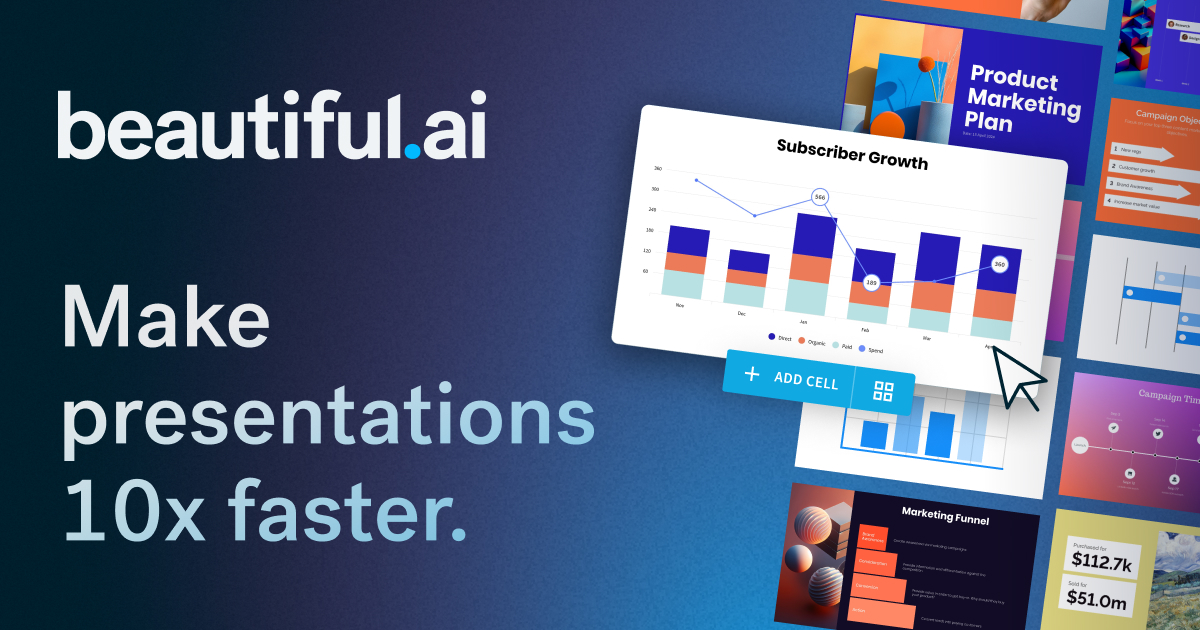
Beautiful.ai is a cutting-edge AI presentation platform that streamlines the process of creating polished, professional presentations for teams. Designed specifically for enterprise environments, the tool eliminates the complexities of presentation design, allowing users to focus on their message rather than formatting. With Beautiful.ai, users can produce visually appealing decks quickly and efficiently, significantly reducing the time typically required for presentation preparation. By combining AI technology with professionally designed templates and smart slide layouts, Beautiful.ai transforms the way teams collaborate on presentations, ensuring that every deck aligns with brand standards and looks cohesive.
The core workflow of Beautiful.ai revolves around its AI-powered tools and Smart Slides feature. Users can start building presentations from scratch or leverage over 300 auto-aligning slide templates specifically designed to meet various presentation needs. The AI-driven process begins by prompting a topic or using a detailed outline, thus allowing users to refine their content before generating the final slides. This iterative approach prevents the common pitfalls of traditional slide-making processes, such as layout issues and inconsistent branding. As teams work together to create presentations, Beautiful.ai assists in maintaining brand integrity by enabling users to define their brand colors, fonts, and logos once, with consistent application throughout the deck.
Beautiful.ai stands out due to its seamless integration of various capabilities that cater to a diverse range of presentation needs. The Smart Slides feature automatically aligns and animates content, making it easier for non-designers to produce work-ready decks. Data visualization options, such as charts and graphs, come integrated with dynamic linking to spreadsheets for real-time updates. Additionally, users enjoy access to an extensive library of free stock images and videos to enrich their presentations without disrupting their workflow. The platform supports built-in slide animations and offers voice-over capabilities, enhancing presentations with engaging multimedia content. This combination of features positions Beautiful.ai as a versatile solution that meets the demands of a modern workforce.
Primarily aimed at teams and enterprises, Beautiful.ai caters to professionals ranging from freelancers to Fortune 500 companies. Individual users will find it useful for rapidly crafting polished presentations, while freelancers and agencies can leverage the platform to create standout client proposals and reports. For larger organizations, Beautiful.ai provides robust presentation workflows that ensure consistency across teams, as well as compliance and security tools necessary for managing sensitive information under company policies.
While Beautiful.ai excels in numerous areas, some limitations remain. Although many users appreciate the intuitive interface, there may be a learning curve for those transitioning from platforms with more extensive features like PowerPoint. Additionally, while the AI assists greatly in streamlining the process, some users might find specific customization options limiting due to the structured nature of Smart Slides. Lastly, the platform operates under a subscription model which could be a consideration for budget-conscious users or smaller teams. Nonetheless, the efficiency gains and enhanced presentation quality often outweigh these drawbacks, making Beautiful.ai a compelling choice for teams seeking to elevate their presentation game.
Who it's for
What Beautiful.ai can do
13 capabilities, verified from the product.
- AI-driven presentation creation
- Over 300 auto-aligning Smart Slides
- Customizable brand templates
- Real-time collaborative editing
- Dynamic data-linked charts and graphs
- Built-in smooth slide animations
- Expansive library of stock images and videos
- Voice-over capabilities for presentations
- Detailed viewer analytics for tracking engagement
- Flexible permissions for team access
- Iterative workflow for slide refinement
- Customizable themes for brand consistency
- Multi-format export options including PDF and PPT
Jobs people hire it for
- 01Create business pitch decks with engaging visuals
- 02Draft sales presentations for potential clients
- 03Develop strategic reports for internal meetings
- 04Prepare educational content for workshops
- 05Generate proposal decks for project bids
- 06Design marketing presentations for product launches
Pros & cons
Where it shines
- Beautiful.ai dramatically reduces presentation preparation time, allowing users to build polished decks in minutes rather than hours.
- The integration of Smart Slides automates alignment and layout, ensuring professional-looking presentations without requiring design expertise.
- An extensive library of professional templates means users can avoid starting from scratch, providing a quick way to create visually appealing slides.
- The platform's dynamic customization features, such as brand controls, maintain consistency across presentations, which is crucial for organizations.
- Built-in voice-over and animation capabilities enhance engagement and storytelling, making presentations more interactive.
Where it falls short
- Users might experience a learning curve when transitioning from traditional presentation software like PowerPoint that offers more custom features.
- Some customization options may be perceived as limited due to the structured nature of Smart Slides, potentially restricting creative freedom.
- The subscription-based pricing model may be a deterrent for smaller teams or individuals who are budget-conscious.
- Certain advanced presentation features may lack the depth found in more established platforms, which might be needed for complex presentations.
Pricing
See the official website for current pricing. Pricing can change — always confirm on the vendor's site.
Frequently asked about Beautiful.ai
How much does Beautiful.ai cost?
Beautiful.ai offers a variety of plans catering to individuals, small teams, and enterprises, including a 14-day free trial with unlimited access to all features. For detailed pricing information, users are encouraged to visit the pricing page directly.
What is the new Create with AI Workflow and why is it a big deal?
The Create with AI Workflow allows users to engage in a guided process that emphasizes story shaping and structure before finalizing design. Unlike typical one-off AI outputs, this workflow supports ongoing iteration and refinement, making it easier to reach polished presentations without starting from scratch.
How do you start a presentation in the Create with AI Workflow?
Presentations can be initiated from a simple topic prompt, a detailed outline, or even by pasting content from a source document. This flexibility allows users to ground their presentations in relevant, detailed context.
What are Smart Slides and how do they assist in creating presentations?
Smart Slides are intelligent layouts that automatically adjust the alignment, spacing, and hierarchy of content as it is edited, streamlining the design process and ensuring that presentations remain visually coherent.
How does Beautiful.ai's AI integrate into the slide design process?
AI is embedded throughout the process, assisting in transforming ideas into outlines, refining content, generating visuals, and maintaining design quality as users make changes. This integration helps in preserving the overall structure and coherence of the presentation.
Can I add my own images to the decks I create?
Yes, users can incorporate their own images into any presentation, in addition to utilizing Beautiful.ai's stock images and AI-generated visuals, providing flexibility in content customization.
Is Beautiful.ai suitable for individual professionals?
Absolutely, Beautiful.ai is designed to cater to individuals needing to create engaging presentations quickly and efficiently. Users can leverage templates, brand controls, and easy-to-use tools to produce high-quality slides in less time.
Ready to try Beautiful.ai?
1,741 people checked it out on the directory — see it in action on the official site.
Keep exploring
Similar tools in Productivity & Agents
 Productivity & Agents
Zapier Agents
No-code AI agents that work across 7,000+ apps — automation that thinks.
 Productivity & Agents
Reclaim AI
An AI calendar that defends your focus time and schedules your tasks automatically.
 Productivity & Agents
Maestro Labs
AI tools for Outlook, Teams & Office, enhancing productivity in Microsoft 365.
 Productivity & Agents
Studyable
AI-powered study app offering instant homework help and flash cards.