
Akiflow
The all-in-one digital planner for optimizing productivity and task management.
What is Akiflow?
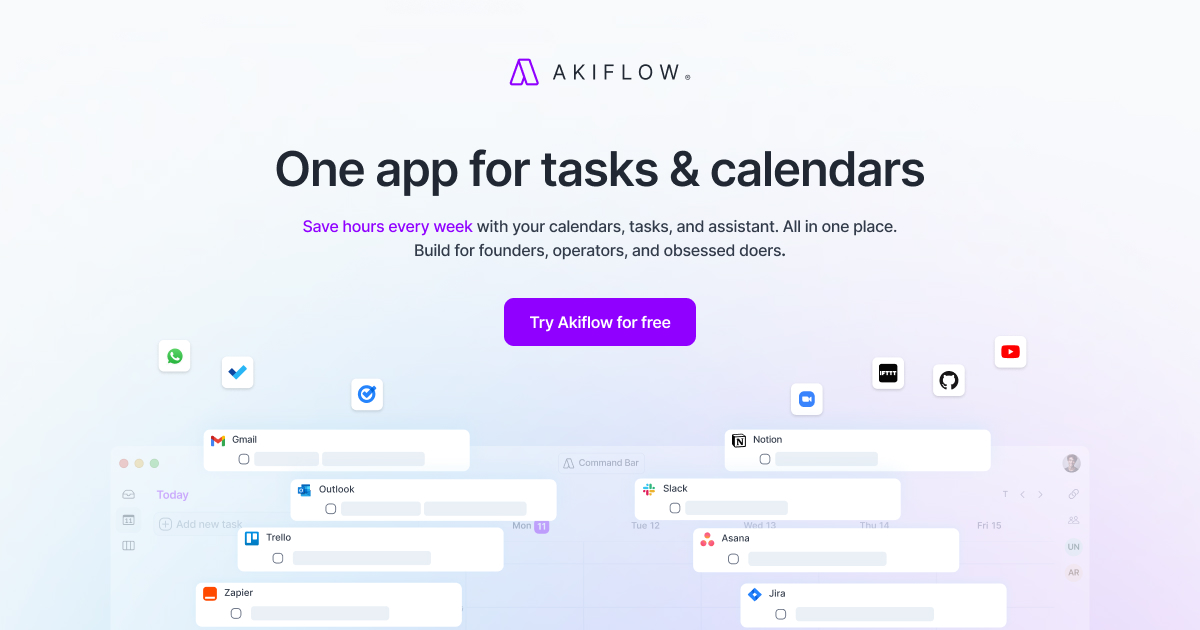
Akiflow is a premier digital planner and calendar designed to centralize tasks, unify schedules, and optimize productivity for busy professionals and teams. This application consolidates calendar management, task organization, and an intelligent assistant into a singular platform, significantly reducing the time it takes to coordinate daily activities, manage tasks, and keep everything aligned. It serves as an integrated solution for individuals and teams seeking to maximize their efficiency and productivity in an increasingly digital workspace.
The core workflow of Akiflow centers around its ability to seamlessly integrate tasks and calendars into a single view. Users can easily block time for specific activities, whether work-related or personal, leading to a structured day that respects individual priorities and goals. This time-blocking feature is supplemented by the application’s AI capabilities, which aid in scheduling and prioritizing tasks based on various factors. The executive assistant within Akiflow—referred to as Aki—adds another layer of dynamism by allowing users to manage their schedules using voice commands and handle tasks quickly, even while on the move. This makes Akiflow beneficial for founders, operators, and other professionals who need to maintain a high level of organization.
Standout capabilities of Akiflow include the universal inbox feature, encompassing all the tasks and emails from various tools via a two-way sync. This ensures that all work-related communications are organized and actionable—there is no chance of missing an important task. Integration with popular platforms through native integrations and automation options like Zapier and IFTTT expands its usability significantly. Furthermore, the application supports natural language input for task capture, making it incredibly user-friendly, enabling you to delegate responsibilities to Aki and streamline your day. The focus mode and offline capabilities enhance user experience further, allowing uninterrupted workflow regardless of internet accessibility.
Akiflow is designed for professionals across various sectors, particularly targeting those who juggle multiple responsibilities, including project management and personal commitments. Common use cases include centralizing project details from different departments, scheduling meetings efficiently with a built-in team scheduling feature, and facilitating personal time management through the app's thoughtful planning tools. Busy professionals benefit immensely from Akiflow as they can organize their days more effectively, act on commitments without unnecessary back-and-forth, and ensure they are progressing toward their goals each week. It's a suitable tool for anyone looking to regain control over their time and streamline their productivity workflow.
When compared to other productivity tools, Akiflow stands out due to its integration of both calendar and task management with an AI assistant in a single application. Traditional calendar applications may lack strong task integration, while standalone task management software might not offer a robust calendar experience. Akiflow successfully bridges this gap, providing a unique positioning in the productivity app landscape, cultivating an ecosystem where users do not need to constantly switch between tools. However, it is important to recognize that its success heavily relies on users committing to the workflow Akiflow provides, which may initially require a learning curve for some.
Despite its numerous capabilities, Akiflow has certain limitations. Users may find their productivity heavily reliant on how well they adapt to using Aki and the time-blocking method; those who prefer more traditional approaches may struggle initially. Additionally, while Akiflow integrates with many tools, there could be limitations in terms of depth of integration compared to specialized tools in the application ecosystem. It may also be priced out of reach for some comparing alternatives, particularly if budget constraints are a factor.
Who it's for
Works with
What Akiflow can do
8 capabilities, verified from the product.
- Universal inbox for task management
- Voice commands for scheduling
- AI-powered task prioritization
- Automatic time-blocking of tasks
- Integration with popular tools
- Two-way sync for emails and tasks
- Natural language processing for task input
- Daily reminders and briefings
Jobs people hire it for
- 01Consolidate tasks from different platforms
- 02Automatically schedule and manage meetings
- 03Organize personal and work-related tasks
- 04Capture tasks on the go using voice commands
- 05Enhance team collaboration through centralized scheduling
Pros & cons
Where it shines
- Streamlines both calendar and task management into one interface, reducing the time spent switching between tools.
- The built-in AI assistant can anticipate needs and handle scheduling on behalf of the user, increasing overall efficiency.
- Robust integration capabilities allow for comprehensive use across multiple applications, enhancing productivity.
- Offers a user-friendly experience with voice command capabilities, making task entry and scheduling more intuitive.
Where it falls short
- Initial learning curve as users adapt to Akiflow's unique workflow and time-blocking system.
- May not be cost-effective for users on a tight budget compared to other standalone calendar or task management apps.
- Limited features in some integrations compared to specialized applications had in the ecosystem.
- Reliance on AI's efficiency may not cater to users who prefer manual control over their tasks and scheduling.
Pricing
7 days free trial, cancel anytime Pricing can change — always confirm on the vendor's site.
Frequently asked about Akiflow
What is Akiflow?
Akiflow is a digital planner and calendar designed to centralize tasks and unify schedules. It integrates task management, calendar functionalities, and an AI assistant to streamline productivity for users.
How does Akiflow improve productivity?
Akiflow improves productivity by offering features like time-blocking for efficient scheduling, a universal inbox for task organization, and an AI assistant that prioritizes tasks and manages schedules based on user preferences.
Is there a free trial for Akiflow?
Yes, Akiflow offers a 7-day free trial for users who want to experience the application's features without commitment, with the option to cancel at any time.
What platforms does Akiflow support?
Akiflow is available on the web, iOS, and Android platforms, ensuring accessibility across various devices and operating systems.
Can I integrate Akiflow with other tools?
Yes, Akiflow supports integrations with popular tools through native connections and is compatible with many more through Zapier and IFTTT, enhancing its functionality.
Who is Akiflow designed for?
Akiflow is designed for busy professionals, teams, founders, and operators who need to manage tasks and schedules efficiently in one consolidated application.
What are the key features of Akiflow?
Key features of Akiflow include a universal inbox for task management, voice command capabilities, AI-powered task prioritization, automatic time-blocking, and compatibility with various integration tools.
What are the limitations of Akiflow?
Some limitations of Akiflow include a potential learning curve for new users, reliance on AI which might not suit everyone's preferences, and possible gaps in integration capabilities compared to specialized tools.
Ready to try Akiflow?
1,066 people checked it out on the directory — see it in action on the official site.
Keep exploring
Similar tools in Productivity & Agents
 Productivity & Agents
Zapier Agents
No-code AI agents that work across 7,000+ apps — automation that thinks.
 Productivity & Agents
Reclaim AI
An AI calendar that defends your focus time and schedules your tasks automatically.
 Productivity & Agents
Maestro Labs
AI tools for Outlook, Teams & Office, enhancing productivity in Microsoft 365.
 Productivity & Agents
Studyable
AI-powered study app offering instant homework help and flash cards.