
Transkriptor
Convert audio to text instantly with AI-powered transcription in 100+ languages.
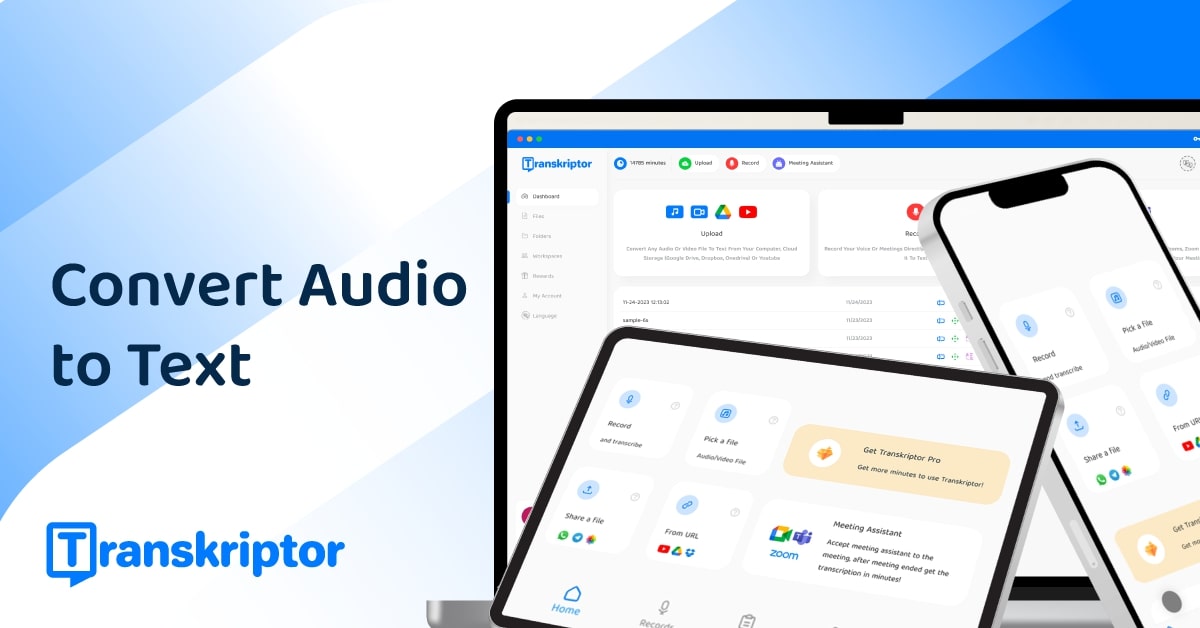
What is Transkriptor?
Transkriptor is an advanced AI transcription tool designed to convert audio and video recordings into accurate written text quickly and efficiently. Given the increasing need for accessible content in today’s fast-paced digital landscape, Transkriptor addresses the challenges faced by individuals and professionals alike in managing recording materials such as meetings, lectures, interviews, and more. By transforming audio to text instantly, it caters to users who require swift and precise documentation without the burden of manual transcription, thus enhancing productivity across various fields.
The core functionality of Transkriptor revolves around its user-friendly interface that allows users to upload or record audio files from multiple devices like desktops, tablets, and smartphones. The process is straightforward: after creating a free account, users can simply upload their audio or video files in popular formats such as MP3, MP4, and WAV. The system then employs advanced AI algorithms to generate a written transcript that can be edited, organized, and exported in different formats. This seamless workflow is designed to save user time while ensuring high accuracy by leveraging state-of-the-art speech recognition technologies.
One of Transkriptor’s standout features is its extensive language support, enabling transcription in over 100 languages, which makes it ideal for a global user base. Moreover, the tool facilitates Custom Vocabulary options, allowing users to incorporate industry-specific jargon or crucial terms for enhanced transcript accuracy. It also boasts capabilities like speaker identification through its diarization technology, which labels different speakers in conversations, thereby improving clarity and comprehension of meetings and discussions.
Transkriptor is particularly beneficial for professionals in various sectors such as legal, medical, education, and consulting, where accurate documentation is paramount. For instance, psychologists can efficiently capture therapy session notes, while lawyers can maintain searchable records of client discussions. Additionally, remote teams can transcend language barriers with the AI Meeting Translator, which provides translated transcripts to broaden accessibility. To enhance team cooperation, the tool integrates with leading applications like Zoom, Google Meet, and Microsoft Teams, capturing each meeting seamlessly without additional plugins or manual intervention.
Comparatively, Transkriptor distinguishes itself from other transcription platforms by offering a potent combination of accuracy, language diversity, and user-driven features like the ability to conduct sentiment analysis on conversations, identify speaker contributions, and pull up specific points during discussions. Unlike some other tools, Transkriptor's focus on real-time transcription and AI-driven insights provides users with a unique edge in managing their audio data. This positions Transkriptor firmly within the marketplace as a preferred tool among transcription services.
However, potential users should take note of some caveats. While the accuracy of Transkriptor is high, it can still be affected by external factors such as background noise or speaker clarity, which may interfere with the transcription quality. Furthermore, while there is a free tier, its limitations may require users with extensive needs to look into premium options. Additionally, the reliance on AI for transcription may present challenges for individuals seeking manual oversight for nuanced discussions.
In summary, Transkriptor serves as an exemplary audio transcription tool that not only fulfills basic transcription tasks but also enriches meetings and lessons with actionable insights. With its robust features tailored for various professionals, it stands as a formidable resource in the transcription domain. Users looking for a tool that allows effortless conversion of spoken language into written content will find tremendous value in Transkriptor's offerings.
Who it's for
Works with
What Transkriptor can do
8 capabilities, verified from the product.
- AI-powered transcription for quick audio-to-text conversion
- Supports transcription in over 100 languages
- Integrates with Zoom, Google Meet, and Microsoft Teams
- Speaker diarization for accurate multi-speaker transcripts
- Custom Vocabulary for enhanced accuracy in specialized terms
- Cloud sync for access anytime, anywhere
- Access to AI-driven insights and summaries
- Automatic sentiment analysis of meetings
Jobs people hire it for
- 01Transcribe meetings and lectures for accessible notes
- 02Generate searchable documents from interviews
- 03Create structured summaries for consultations
- 04Automatically document client sessions in therapy
- 05Convert video content into searchable transcripts
Pros & cons
Where it shines
- Utilizes advanced AI technology for high accuracy
- Supports a wide array of audio and video formats
- Offers features like sentiment analysis and speaker identification
- User-friendly interface suitable for all skill levels
Where it falls short
- Transcription accuracy may diminish in noisy environments
- Free tier has limitations on transcription length
- Potential reliance on AI may overlook nuanced discussions
Pricing
Free tier + premium options available Pricing can change — always confirm on the vendor's site.
Frequently asked about Transkriptor
What is transcription?
Transcription is the process of converting spoken language from audio or video recordings into written text. It is widely used for meetings, interviews, lectures, podcasts, and media content. Transcription can be done manually by human transcribers or automatically using AI transcription software.
How does transcription work?
Transcription works by converting spoken words from audio or video into written text. You upload a file to a tool like Transkriptor, which uses AI to detect speech, identify speakers, and generate a timestamped transcript. You can then review and edit the text and export it in formats like TXT, DOCX, or subtitles (SRT/VTT).
What affects transcription accuracy?
Transcription accuracy is affected by several factors, including audio quality, background noise, speaker clarity, overlapping dialogue, accents, and the number of speakers. Poorly recorded audio or strong accents can reduce the effectiveness of AI transcription tools. High-quality microphones, clear speech, and minimal interruptions improve results.
Can transcription tools handle multiple speakers?
Yes, modern transcription tools like Transkriptor can handle multiple speakers by using speaker diarization technology. This feature identifies and labels each speaker in the transcript, making it easier to follow conversations in meetings, interviews, or group discussions.
What is the best transcription software?
The best transcription software is Transkriptor. It offers highly accurate AI-powered transcription with up to 99% accuracy. Transkriptor supports over 100 languages, lets users upload audio or video files in various formats, and includes features like speaker identification, subtitle generation, and a built-in transcript editor.
What is the best free transcription tool?
The best free transcription tool is Transkriptor. It provides highly accurate and AI-powered speech-to-text services, even on its free plan. Users can transcribe up to 30 minutes of audio per day without a subscription.
Is video to text conversion useful for SEO?
Yes, converting video to text improves SEO by making video content searchable, indexable, and accessible to search engines.
Who should use video to text tools?
Video to text tools are ideal for content creators, educators, journalists, marketers, students, and businesses needing fast transcription.
Ready to try Transkriptor?
1,589 people checked it out on the directory — see it in action on the official site.
Keep exploring
Similar tools in Video & Audio
 Video & Audio
ElevenLabs
Hyper-realistic AI voices — text to speech, voice cloning, and dubbing in 30+ languages.
 Video & Audio
Runway
Professional AI video generation and editing — text to video, image to video, and beyond.
 Video & Audio
Suno
Generate complete songs — vocals, lyrics, and instrumentals — from a text prompt.
 Video & Audio
Flowjin
AI video clipping: Repurpose long videos into engaging short clips effortlessly.