
What is Rows AI?
Rows AI is a powerful data analysis tool that revolutionizes how users interact with spreadsheets by allowing them to perform data analysis using natural language commands instead of traditional coding or formula writing. Tailored to eliminate the complexities of conventional spreadsheet software, Rows AI streamlines data transformation and insight generation, enabling users to quickly generate visualizations, run predictive analyses, and manipulate data efficiently. It is designed for those who want to handle data comprehensively without needing extensive training in more intricate data analysis software or coding languages.
The core functionality of Rows AI centers around its intuitive interface where users can simply type their requests in plain language. Inputs begin with the equal sign = followed by a verbal description of the desired operation, such as fixing formulas, creating charts, or extracting insights. This method drastically reduces the time spent on data manipulation tasks, allowing users to conduct complex analyses in seconds. Rows AI supports multi-table analysis by enabling users to join and append tables easily, add calculated columns without formal coding, and convert images or documents like PDFs into editable spreadsheets seamlessly.
Standout capabilities of Rows AI include its forecasting features, which allow users to make predictions based on existing data to inform business decisions. Users can identify outliers in their datasets to investigate anomalies and explore 'what-if' scenarios to assess potential outcomes. It also offers advanced text analysis capabilities, tagging data points, conducting sentiment analysis, and enriching data sets with contextual information from reliable sources across the web. The built-in Python integration further enhances its analytical capabilities, allowing non-coders to run complex analyses like cluster analysis and cohort tracking.
Rows AI caters to a diverse range of users, including data analysts, marketers, researchers, and business professionals who require a straightforward yet powerful tool for data analysis. Its fast-paced, no-code approach appeals to those who may not have a technical background but need to analyze and interpret data efficiently. Common use cases include generating reports from marketing campaign data, transforming sales figures into easily understandable charts, and conducting customer feedback analysis without needing extensive expertise in data manipulation.
When compared to traditional spreadsheet software like Google Sheets or Microsoft Excel, Rows AI stands out due to its integration of AI that runs natively within its interface, enhancing usability and productivity. Unlike conventional tools, which often necessitate a steep learning curve and extensive formula writing for similar functions, Rows AI simplifies these tasks, making it accessible for users at all levels. Its focus on real-time collaboration and ease of access further advances its position as a modern solution for data analysis compared to more established systems.
However, Rows AI does come with some limitations. Although it offers considerable versatility, users may find some advanced features lacking compared to specialized analytics software. The AI's performance can occasionally take longer than expected, leading to impatient users who are used to the instant responses of traditional spreadsheet functions. Furthermore, while Rows AI ensures the protection of user privacy, including data security measures, some concerns regarding sensitive information may still persist among users who handle confidential datasets. Nonetheless, what Rows AI provides is a comprehensive yet simplified approach to data analysis that empowers users to make informed decisions quickly and effortlessly.
Who it's for
Works with
What Rows AI can do
8 capabilities, verified from the product.
- Natural language data commands
- Multi-table data analysis
- Real-time chart generation
- Automatic text tagging and analysis
- Image and PDF to table conversion
- Forecasting and trend prediction
- Outlier detection and exploration
- Python integration for advanced analysis
Jobs people hire it for
- 01Transform marketing data into actionable insights
- 02Convert financial reports from PDFs into spreadsheets
- 03Generate predictive models for sales forecasts
- 04Analyze customer feedback sentiment without coding
- 05Create visual reports for quick business updates
Pros & cons
Where it shines
- Transforms data analysis into a no-code process, making it accessible to non-technical users.
- Offers real-time data transformations and charting, greatly speeding up reporting tasks.
- Integrates Python for advanced statistical analysis without requiring users to write code.
- Includes capabilities to automatically extract and classify data from text and images, enhancing analysis quality.
- Seamlessly combines multiple data sources in one interface for comprehensive data insights.
Where it falls short
- AI features may have execution limits in the free version, limiting extensive usage for heavy analysts.
- Some advanced analytical features may not match specialized software in terms of depth.
- AI processing times can vary, potentially leading to slower response during peak usage.
- Limited customization options for machine learning models might not cater to enterprise-specific needs.
Pricing
Free
$0
Limited executions per month with basic access to AI features.
Pro
$14
Unlimited executions and advanced features for serious users.
Premium
$20
Additional features and support for enterprise users.
Free tier with limited executions + $14/mo for paid plans Pricing can change — always confirm on the vendor's site.
Frequently asked about Rows AI
How do I access AI in Rows?
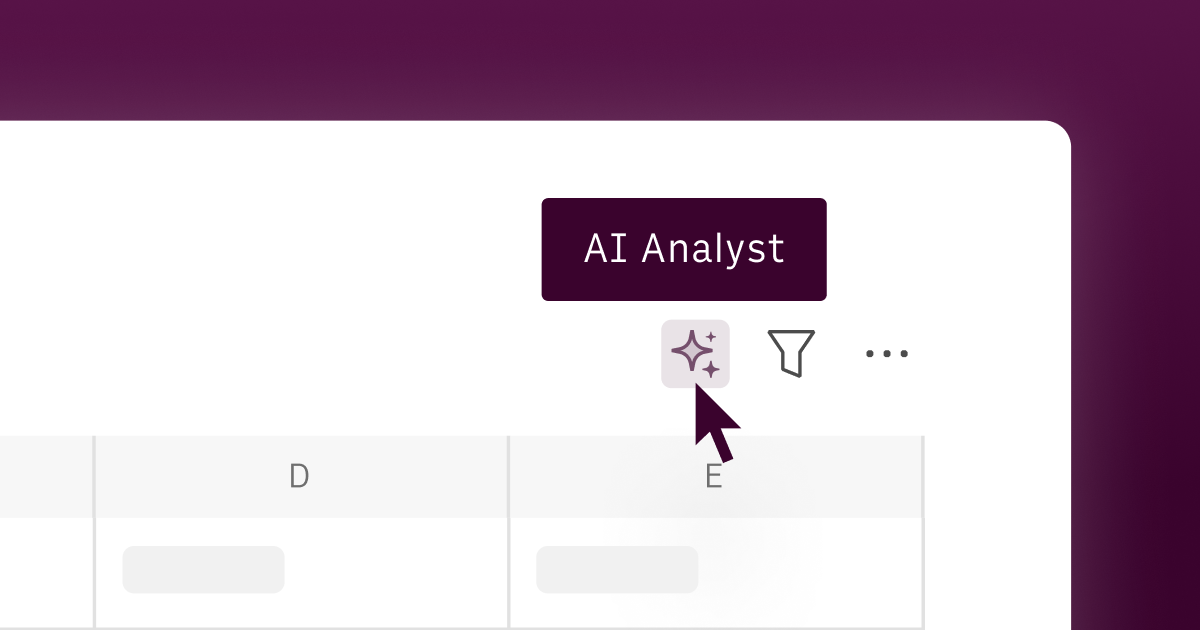
AI in Rows is easily accessible to all users by clicking the sparkle button ✨ in the bottom right corner of the spreadsheet page. You can also initiate commands by typing ‘=’ in any cell.
What is different about using AI in Rows?
Rows AI is unique as it is seamlessly integrated into the workflow, allowing users to ingest data from documents and images and import data from various third-party tools, all without needing to write code. It significantly accelerates data transformation and offers advanced analysis capabilities, including predictions and clustering. Users can transform their data 10x faster using natural language commands.
What are the limits of the free plan?
The free plan allows access to AI features but includes a limited number of executions per month. Paid plans offer unlimited executions, providing full access to all features.
Does Rows protect my privacy?
Yes, Rows ensures data privacy by sending only the minimum necessary information to the AI. No personal data is used to train AI models, and the sharing of data with the AI algorithm is strictly controlled.
What data is shared with the model?
In order to maintain privacy, only essential information such as table headers, a sample of up to five rows, and basic statistics like min and max values are shared with the AI model.
Which model powers AI in Rows?
Rows AI utilizes a combination of OpenAI's GPT models, Llama, and other LLMs, which are continuously updated to the latest versions to ensure optimal performance.
Can I use a different model with the AI Analyst?
Currently, users are limited to a curated set of models within Rows AI. For specific enterprise needs or custom requirements, users are encouraged to contact Rows for potential solutions.
What should I do if the AI is taking longer than expected?
If the AI takes more than 30 seconds to respond, it is recommended to stop the execution and try the request again. This can help overcome temporary delays.
Ready to try Rows AI?
1,421 people checked it out on the directory — see it in action on the official site.
Keep exploring
Similar tools in Data & Analytics
 Data & Analytics
Unlearn
Streamlining clinical trials with AI and digital twins of patients.
 Data & Analytics
ora
Evaluate your business's readiness for AI agents across multiple layers.
 Data & Analytics
crawler.sh
Local Markdown Extractor for AI Training and RAG
 Data & Analytics
Gong Revenue AI OS
AI-powered platform for enhancing sales team efficiency and effectiveness.