
Coursebox AI Training Video Generator
Efficient video creation for training courses without the hassle.
What is Coursebox AI Training Video Generator?
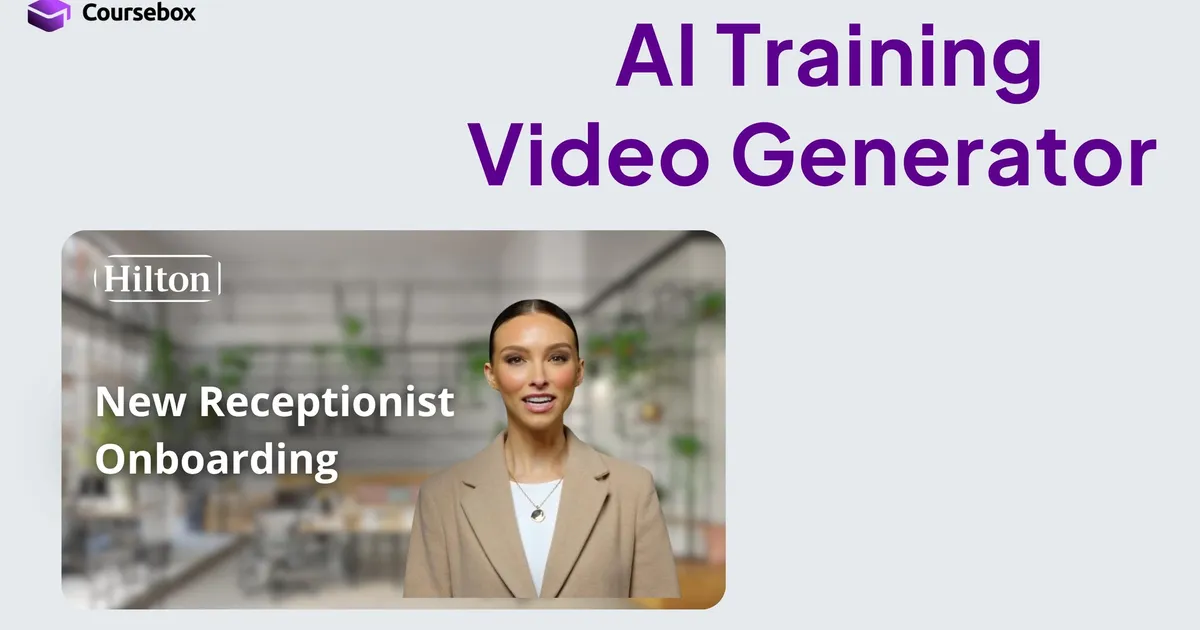
Coursebox offers a free AI Training Video Generator that simplifies the process of creating training videos. Users can generate videos quickly without the need for cameras, crews, or extensive editing time. The tool is user-friendly and allows for the selection of avatars, script writing, and video generation in just minutes. It caters to both education and business sectors, making it versatile for various training needs.
With over 500 avatars available, Coursebox allows users to personalize training videos by selecting avatars that match their requirements. Additionally, users can write their scripts, covering topics like onboarding, compliance, and industry-specific training. Coursebox supports over 100 languages and can produce polished videos that are compatible with various learning management systems (LMS).
Coursebox is designed for efficiency, boasting significantly faster video production times compared to traditional methods. It eliminates the costs associated with manual video production and allows for quick changes to be made, such as updating scripts, switching avatars, or modifying backgrounds without starting from scratch. This tool is ideal for companies looking to enhance training experiences without incurring additional costs or delays.
Who it's for
What Coursebox AI Training Video Generator can do
5 capabilities, verified from the product.
- Create videos in minutes
- Choose from over 500 avatars
- Supports over 100 languages
- Edit and update videos easily
- Upload slides for narration
Jobs people hire it for
- 01Corporate onboarding
- 02Sales training
- 03HR compliance training
- 04Educational course creation
- 05Healthcare training
Pros & cons
Where it shines
- Fast video production
- Cost-effective compared to manual methods
- Supports multilingual content creation
- Custom avatar creation option
- Mobile-friendly videos
Where it falls short
- Requires internet access
- Dependent on provided avatars for customization
- Might need adjustments for specific branding
Pricing
Free tier available with no credit card required Pricing can change — always confirm on the vendor's site.
Frequently asked about Coursebox AI Training Video Generator
Can I create my own AI avatar?
Coursebox lets you create a custom avatar by uploading a single photo, or choose from over 500 pre-built options with natural voice and facial expressions.
Can I edit or update videos after they are created?
Videos can be updated by editing the source content and regenerating. You can also swap avatars, change backgrounds, adjust tile colours, and insert your brand logo without starting from scratch.
Does Coursebox support multilingual training videos?
Training videos can be generated in over 100 languages, allowing the same content to be delivered to global teams without separate localisation workflows.
Can Coursebox videos integrate with existing LMS platforms?
Coursebox videos can be embedded or exported to most major LMS platforms and SCORM packages, or hosted directly inside Coursebox if you prefer a white label LMS with native AI course authoring.
Ready to try Coursebox AI Training Video Generator?
1,936 people checked it out on the directory — see it in action on the official site.
Keep exploring
Similar tools in Video & Audio
 Video & Audio
ElevenLabs
Hyper-realistic AI voices — text to speech, voice cloning, and dubbing in 30+ languages.
 Video & Audio
Runway
Professional AI video generation and editing — text to video, image to video, and beyond.
 Video & Audio
Suno
Generate complete songs — vocals, lyrics, and instrumentals — from a text prompt.
 Video & Audio
Flowjin
AI video clipping: Repurpose long videos into engaging short clips effortlessly.