
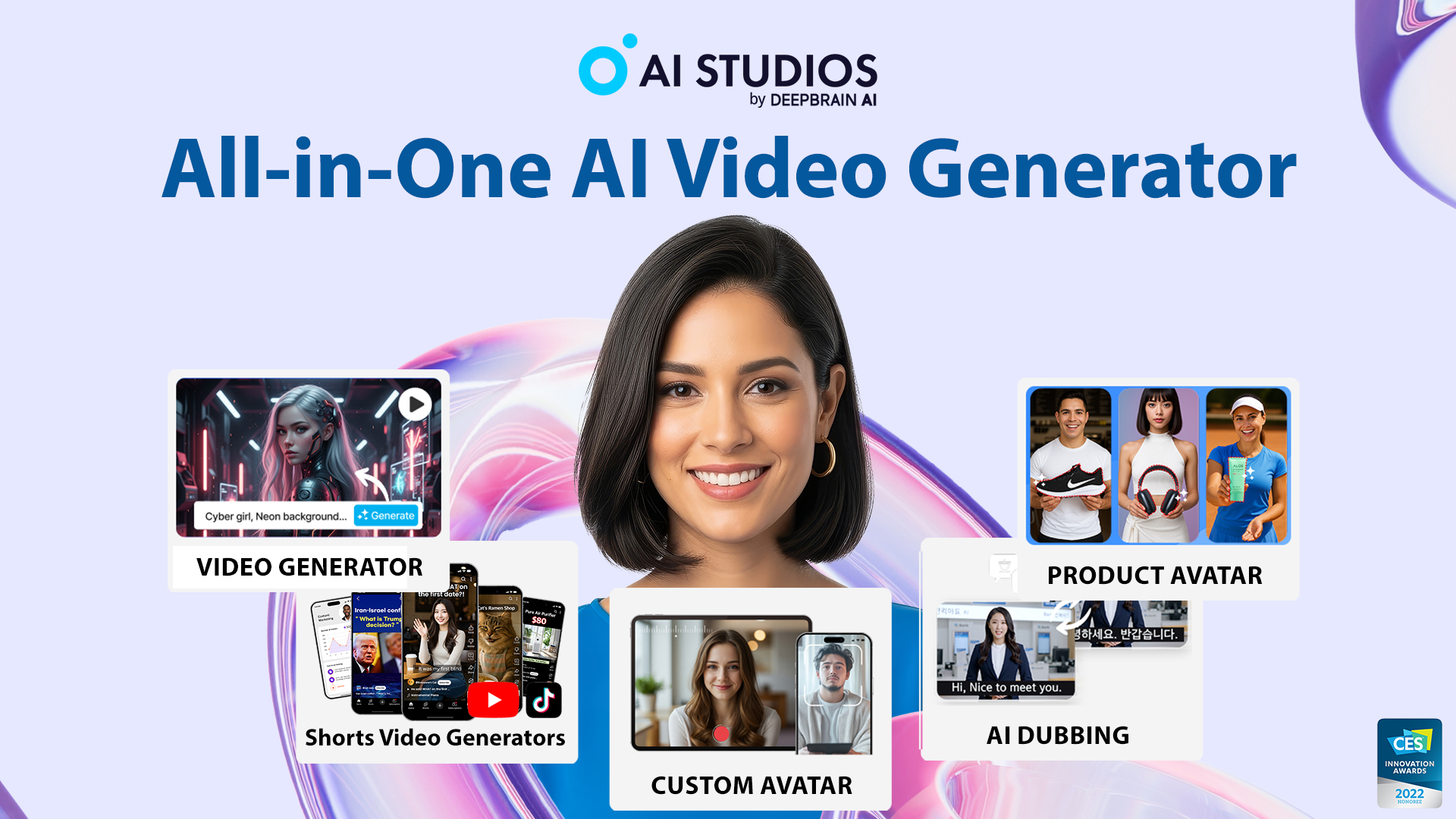
What is AI STUDIO?
AI STUDIO is a comprehensive AI video generation platform designed to simplify and expedite the creation of high-quality video content. The tool addresses the increasingly complex challenges of video production by allowing users to easily generate engaging videos from simple inputs such as scripts, documents, or URLs. With an intuitive interface and powerful features, AI STUDIO enables even those without prior video editing experience to create professional videos that effectively communicate messages while preserving the brand’s essence. This all-in-one solution integrates video generation, dubbing, and translation capabilities, supporting a diverse audience of creators, marketers, and educators.
The core workflow of AI STUDIO begins with users submitting a prompt, which could be a basic script, uploaded documents (like PowerPoint presentations), or a URL. The platform uses advanced AI algorithms to process this input and generate a comprehensive video output, complete with visuals, lifelike avatars, voiceovers, and translations. The latest version, Kling 3.0 Turbo, boasts enhancements in rendering speed, lip-sync accuracy, and overall cost efficiency, making the video creation process even smoother. Users can choose from over 2,000 AI avatars and more than 7,000 customizable video templates to ensure that the final product aligns seamlessly with their branding requirements.
One of the standout capabilities of AI STUDIO is its ability to create interactive training videos and courses equipped with AI avatars, embedded quizzes, and branching scenarios. The platform fully supports SCORM export, making it compatible with various learning management systems for educators looking to enhance learning retention and engagement. Moreover, the system's dubbing feature effectively translates and localizes content into over 150 languages, enabling a global reach for video messages while maintaining the original tone and delivery style through advanced voice cloning and automatic lip-sync features.
AI STUDIO caters to a wide array of users, from content creators on platforms like YouTube and TikTok to training professionals seeking to create dynamic educational content. Marketers can leverage the tool to produce engaging advertisements and product showcases efficiently, while businesses can utilize it for effective internal training videos and customer engagement automation. The provided images, avatars, and voice options allow for extensive customization, ensuring that various use cases—be it corporate training or interactive customer service—are fully supported.
When compared to competitors in the AI video generation space like Synthesia and InVideo, AI STUDIO distinguishes itself through its seamless integration of video generation and comprehensive avatar functionalities. While other platforms may specialize in either video creation or text-to-speech outputs, AI STUDIO combines these elements effectively into a singular user experience. However, it's essential to note that, contrary to some competing tools, AI STUDIO requires users to manage their Generative Credits for specific features like image generation and avatar creation, which may introduce a learning curve for new users unfamiliar with credit-based systems.
Despite its many advantages, AI STUDIO also presents certain limitations. Users may face restrictions on the video length, avatar options, and export capabilities depending on their chosen subscription plan. The initial offerings in the free tier can feel quite limited, necessitating an upgrade to access the full suite of features. Additionally, while the platform offers a remarkable range of tools, users must still ensure they have a stable internet connection and the requisite bandwidth for optimal performance since the bulk of the processing occurs on the cloud.
Who it's for
What AI STUDIO can do
8 capabilities, verified from the product.
- 2,000+ ready-to-use AI avatars
- 150+ languages supported for TTS
- 7,000+ customizable video templates
- Automatic lip-sync with dubbing
- Real-time AI avatar interaction
- Custom avatar creation in under 5 minutes
- SCORM-compliant course builder
- AI video dubbing features for translation
Jobs people hire it for
- 01Create training videos for employee onboarding
- 02Generate marketing videos for products and services
- 03Produce engaging YouTube content with avatars
- 04Translate and dub corporate training material
- 05Transform PowerPoint presentations into videos
- 06Generate UGC-style social media ads
- 07Create artificial intelligence-driven customer service avatars
Pros & cons
Where it shines
- Comprehensive platform for video creation, dubbing, and training
- Realistic avatars and voice options enhance engagement
- Supports extensive language capabilities for global reach
- User-friendly interface allows for quick video generation
- Enables interactive content creation for better learning retention
Where it falls short
- Generative Credits can limit usage of certain features
- Free tier offers limited capabilities and content
- Dependent on a stable internet connection for cloud processing
- May require time to fully explore all features and workflows
Pricing
Free tier + paid plans available for higher limits Pricing can change — always confirm on the vendor's site.
Frequently asked about AI STUDIO
What is an AI Video Generator and how does AI STUDIOS work?
An AI Video Generator automates the creation of videos from user inputs like scripts, documents, or URLs. AI STUDIOS generates polished videos with lifelike avatars and voiceovers in minutes, making it user-friendly even for those without video production experience.
Is AI STUDIOS free, and what features are included in the free plan?
Yes, AI STUDIOS offers a free plan with limited credits, allowing new users to explore core features like short AI videos, AI images, and basic dubbing. However, video length and export options are capped in this tier.
Can I convert text to video with AI STUDIOS?
Yes, AI STUDIOS can turn text into video by choosing a template, pasting a script, selecting an AI Avatar, and generating scenes automatically, offering a fast pathway from concept to a shareable video.
Does AI STUDIOS include Text-to-Speech features?
AI STUDIOS features built-in Text-to-Speech with a selection of over 2,000 natural AI voices across 150 languages, which users can apply for videos or as standalone audio, along with customized voice cloning capabilities.
What about translating and dubbing videos?
AI STUDIOS excels in translating and dubbing videos into 150+ languages with high-quality voiceovers that sync with the video lip movement, ensuring accurate and natural-sounding translations.
How does AI STUDIOS fit into my workflow compared to other tools?
AI STUDIOS integrates various functions like avatar video generation, editing, dubbing, and translation in one platform, streamlining the creation process and reducing the need to juggle multiple subscriptions.
What marketing or educational purposes can AI STUDIOS serve?
Marketers can use AI STUDIOS to create ads and short-form content, while educators can convert lesson materials into interactive videos. The platform supports diverse content, enhancing its utility for various audiences.
Is AI STUDIOS compliant with data protection standards?
Yes, AI STUDIOS is compliant with major international standards like ISO 27001, ISO 42001, SOC2, and GDPR, ensuring that user data is managed responsibly and securely.
Ready to try AI STUDIO?
2,147 people checked it out on the directory — see it in action on the official site.
Keep exploring
Similar tools in Video & Audio
 Video & Audio
ElevenLabs
Hyper-realistic AI voices — text to speech, voice cloning, and dubbing in 30+ languages.
 Video & Audio
Runway
Professional AI video generation and editing — text to video, image to video, and beyond.
 Video & Audio
Suno
Generate complete songs — vocals, lyrics, and instrumentals — from a text prompt.
 Video & Audio
Flowjin
AI video clipping: Repurpose long videos into engaging short clips effortlessly.