
- Views
- 1,774
- Upvotes
- 63
- Launched
- —
What is Wordlab?
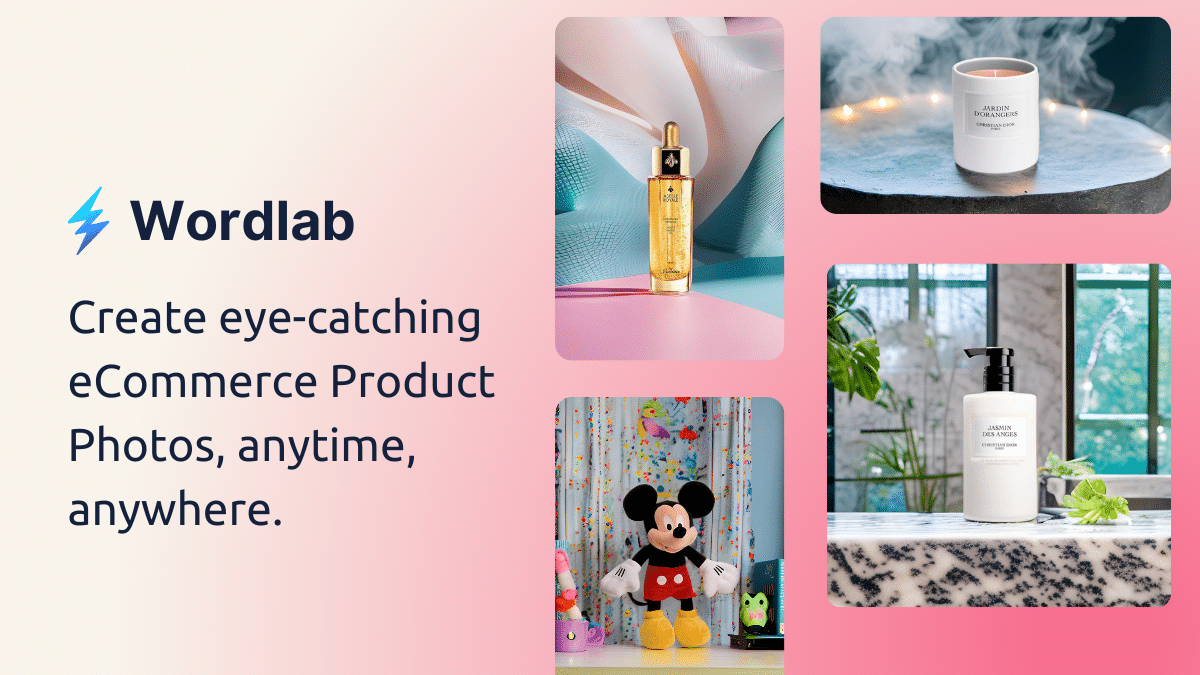
Wordlab allows users to produce professional-quality eCommerce product photos without the need for expensive studio shoots or complicated editing software. Simply upload a product photo and use the app's intuitive features to enhance the image with stunning backgrounds and effects.
Users can begin by uploading a quick snap of their product, regardless of whether it's taken with a phone or a camera. After uploading, they can enter a text prompt or choose from a list of template prompts to define the setting for their images. The app then generates up to four beautiful variations, allowing users to select their favorites for download.
The platform offers several handy features like instant background changes, background removal, and customizable background colors, making it easy to elevate product appeal with minimal effort. Ideal for eCommerce businesses, Wordlab streamlines the photography process, enabling quicker and more attractive visual content creation.
Who it's for
What Wordlab can do
5 capabilities, verified from the product.
- AI-powered photo studio
- Instant background changes
- One-click background removal
- Customizable background colors
- Generate up to 4 variations
Jobs people hire it for
- 01Creating product photography for eCommerce
- 02Enhancing visual appeal for online stores
- 03Rapid image editing for marketing materials
- 04Improving social media product presentation
- 05Facilitating seasonal product photography
Pros & cons
Where it shines
- User-friendly interface
- Fast and efficient image generation
- Cost-effective alternative to studio shoots
- Versatile features for various product types
- Direct download of enhanced images
Where it falls short
- Limited to 5 MB image uploads
- Dependence on quality of initial photo
- Requires text input for best results
- Limited customization options compared to full editing software
Pricing
Receive 10 credits every month for free Pricing can change — always confirm on the vendor's site.
Frequently asked about Wordlab
How do I start using Wordlab?
To start using Wordlab, simply upload a default product photo under 5 MB and enter a prompt to generate images.
What features does Wordlab offer?
Wordlab offers features such as instant background changes, one-click background removal, and customizable background colors.
Can I use Wordlab for seasonal product photography?
Yes, Wordlab is suitable for various use cases, including creating seasonal product photography.
Is there a free version available?
Yes, Wordlab provides a free tier with 10 credits each month.
Ready to try Wordlab?
1,774 people checked it out on the directory — see it in action on the official site.
Keep exploring
Similar tools in Image Generation
Midjourney
The image generator artists reach for — stunning, stylized visuals from text prompts.
 Image Generation
Stable Diffusion
The open-source image model you can run, fine-tune, and ship anywhere.
Ideogram
Text-to-image generation that actually nails typography, logos, and text inside images.
 Image Generation
AI Photo Filter
Transform your photos into unique artworks with AI filters.