
What is WebWave?
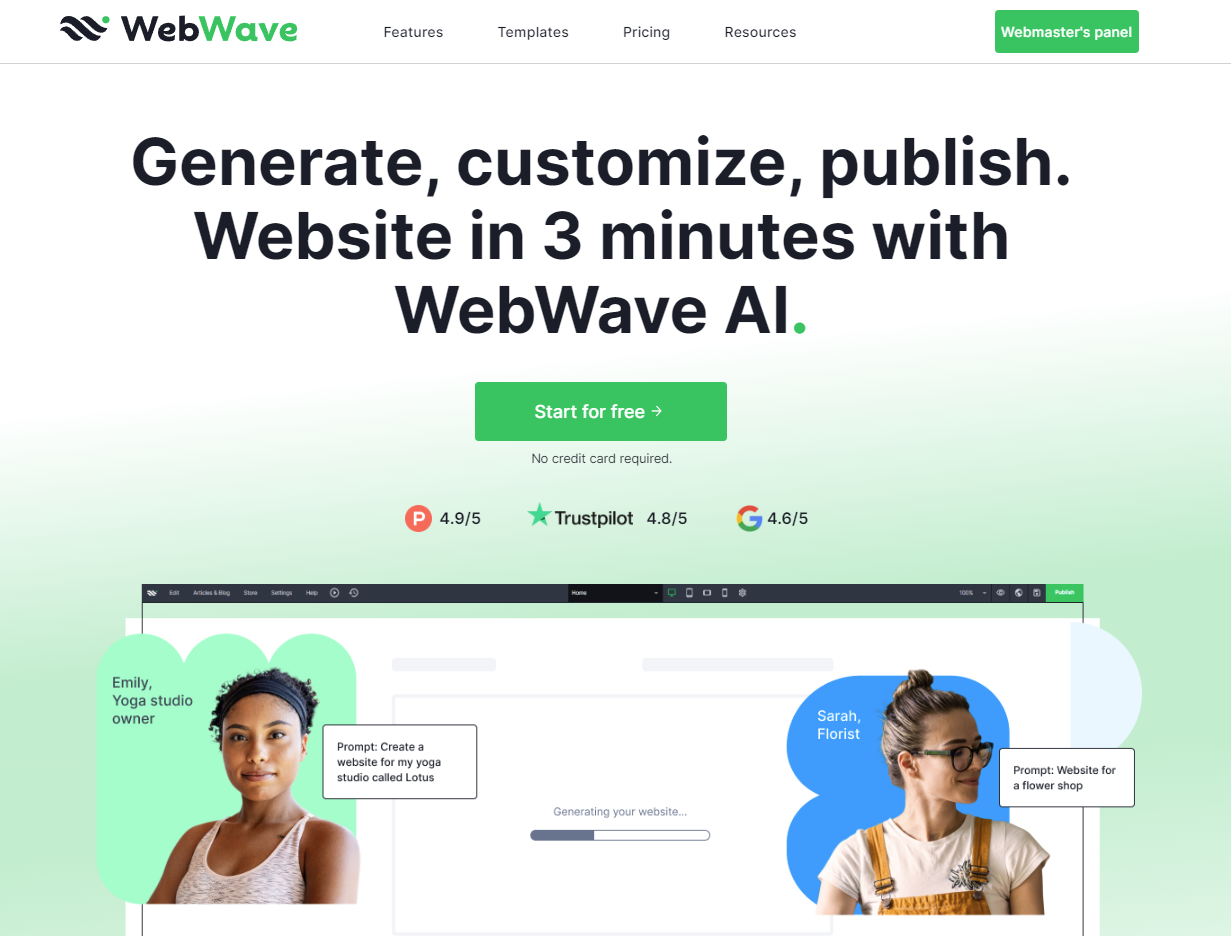
WebWave is a cutting-edge AI website builder designed to empower individuals and businesses to create websites without the need for coding. Addressing the challenge of time-consuming website creation, WebWave enables users to generate and customize a fully functional site in just three minutes. Tailored to meet the needs of small business owners, freelancers, and those with limited technical skills, the platform provides an intuitive interface where users can drag and drop elements onto their canvas, allowing even novices to achieve professional results. Each generated website can be easily customized, ensuring that users have complete control over the aesthetics and functionality of their site.
The core workflow of WebWave is straightforward yet powerful. Users can start by selecting one of three methods: starting with a blank page for total creative freedom, customizing from an extensive template library, or utilizing the AI generation feature. By simply describing their business, users can quickly generate a site that aligns with their brand identity. WebWave's AI not only suggests templates but also recommends content and structural layouts tailored to specific business models, enhancing the user experience by reducing the complexity traditionally associated with web design.
Among its standout capabilities, WebWave offers a multitude of features designed to streamline the website creation process. The platform includes a robust SEO analyzer that provides actionable insights to help users optimize their websites for search engines. In addition, it supports e-commerce functions such as online stores with secure payment gateways, allowing users to sell their products without incurring transaction fees. WebWave also comes with professional email address options, custom domain registration, and reliable hosting, ensuring users can run their businesses effectively online without juggling multiple services.
WebWave is particularly well-suited for small business owners, freelancers, and creative professionals who require an online presence but lack extensive web design experience. Typical use cases include creating business websites, blogs, portfolios, and even online stores. With a user-friendly interface reminiscent of graphic design tools, individuals with backgrounds in design can leverage their skills to create unique and visually appealing websites. The platform's flexibility and range of features make it an excellent choice for those needing to innovate their online presence quickly and affordably.
In comparison to other popular website builders like Wix or Squarespace, WebWave positions itself uniquely by offering a freehand canvas experience as opposed to a rigid section-based layout. This allows for greater creative freedom during the design process. Users can place elements wherever they choose without the constraints of pre-defined containers. While other builders offer convenience, they may not provide the same level of customization inspired by graphic design principles that WebWave champions.
However, users should note several limitations of WebWave. Although the platform emphasizes ease of use, those completely unfamiliar with web design might still face a learning curve. Additionally, while the AI generation feature is robust, the customizability of AI-generated sites may vary depending on the user's experience level and familiarity with the platform. Finally, while the initial access is free with a 14-day trial, users will need to transition to a paid plan after the trial period to unlock features like a custom domain and premium SEO tools, which could be a consideration for budget-conscious individuals or small businesses.
Who it's for
What WebWave can do
8 capabilities, verified from the product.
- AI generates websites in 3 minutes
- Drag and drop interface for customization
- Extensive library of free templates
- SEO analyzer for optimization insights
- E-commerce support with secure payments
- Custom domain registration included
- Professional email address options
- 24/7 customer support available
Jobs people hire it for
- 01Create a stunning business website in minutes
- 02Launch an online store with zero commission
- 03Establish a professional portfolio to showcase work
- 04Design a blog that ranks well in search engines
- 05Develop a unique landing page for marketing campaigns
Pros & cons
Where it shines
- Intuitive interface that requires no coding skills
- Rapidly generates websites tailored to specific needs
- Comprehensive design tools and features in one platform
- Affordable pricing plans with a free trial option
- Advanced SEO features to improve search visibility
Where it falls short
- Slight learning curve for complete novices
- Customization capabilities of AI-generated sites may vary
- Free plan limitations after the 14-day trial period
- Requires payment plan for advanced features
- Export functionality may incur additional costs
Pricing
One Pager
$3.50/mo
Ideal for professional online business cards or simple landing pages.
Pro
$5.00/mo
Best for growing businesses needing multiple pages and monthly AI-written articles.
Business
$7.50/mo
Designed for scalability with unlimited disk space and multilingual support.
14-day free trial + paid plans starting at $3.50/mo Pricing can change — always confirm on the vendor's site.
Frequently asked about WebWave
What is WebWave?
WebWave is a drag-and-drop website builder that allows users to create fully functional websites without coding expertise. The platform uses a visual interface where users can drag elements from a component bank onto a canvas, intuitively designing their sites while the backend coding is handled automatically.
Is WebWave free to use?
WebWave offers a 14-day free trial with full access to its features. During this period, users can create and publish a complete website under a WebWave subdomain. After the trial, users must choose a paid plan to keep their site live and access premium features.
What happens after the free trial ends?
After the 14-day free trial, users' websites will be paused, but all work is saved. Users can reactivate their sites by upgrading to a Premium Plan, which unlocks features like a custom domain, Google indexing, and advanced SEO tools.
What do WebWave's Premium Plans include?
WebWave offers tiered Premium Plans that include perks such as a free .com domain for the first year, Google submission, and various SEO features. Plans include options for simple landing pages to more complex business websites.
Can I connect my own domain?
Yes, users can connect a custom domain from another provider or register a new one through WebWave. Premium Plan users will have their domain automatically connected after purchase.
What types of websites can I build?
With WebWave, users can create a wide range of websites, including business sites, portfolios, blogs, and e-commerce stores. The platform excels at supporting business websites with multiple pages.
Does WebWave offer SEO tools?
Yes, WebWave includes a built-in SEO analyzer that evaluates website optimization based on a chosen keyword, providing recommendations for improvement. The platform also automatically optimizes generated code for better search engine performance.
Is WebWave a good solution for freelance web designers and agencies?
WebWave is an excellent choice for freelancers and agencies due to its advanced design features and white-label options, making it suitable for professional website development while offering unique customizability.
Ready to try WebWave?
1,931 people checked it out on the directory — see it in action on the official site.
Keep exploring
Similar tools in Marketing & SEO
 Marketing & SEO
Surfer
AI-driven SEO visibility platform for organic growth
 Marketing & SEO
GiftHuntr
Find the perfect gift in seconds using AI-generated suggestions.
 Marketing & SEO
SEO Content AI
Maximize Your SEO Results with AI-Driven Content Solutions
 Marketing & SEO
SEO GPT
Free AI tool for creating optimized SEO content with 300+ formats.