
Snaptrude
AI BIM platform for architects. From concept to BIM-ready models in your browser.
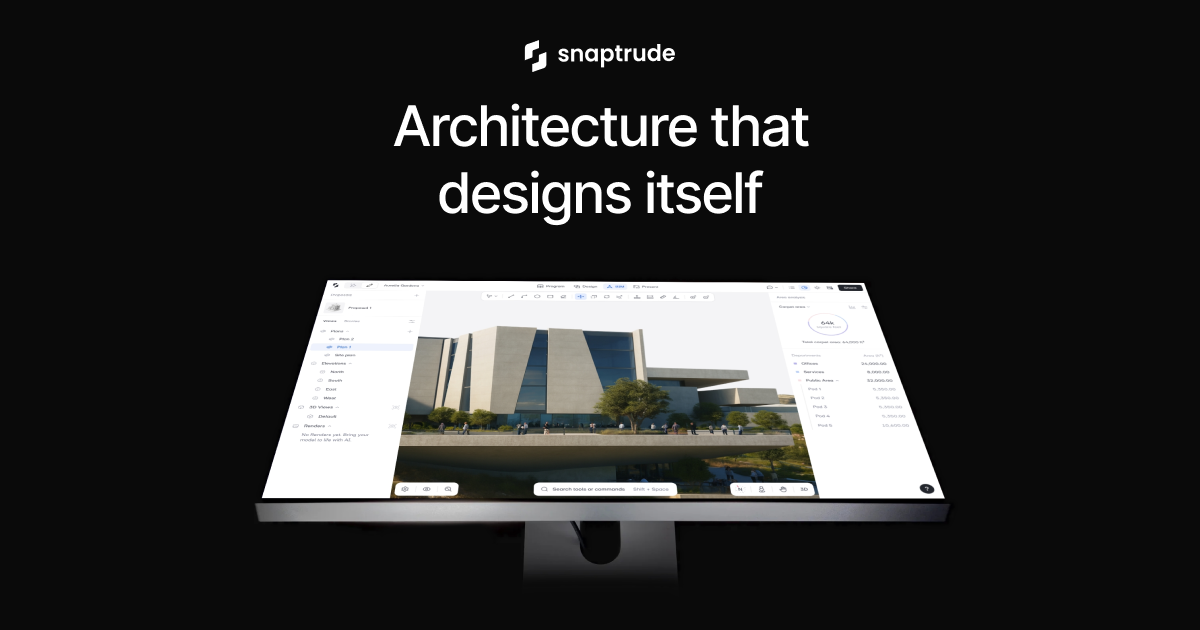
What is Snaptrude?
Snaptrude is an innovative AI-powered Building Information Modeling (BIM) software specifically designed for architects. This platform addresses the common challenges faced in the early stages of architectural design by providing an AI-driven workspace that integrates various design processes into a single environment. It allows designers to create everything from site analysis and massing to floor plans seamlessly, enhancing overall productivity and accuracy.
The core functionality of Snaptrude revolves around a streamlined workflow where users start by uploading a Request for Proposal (RFP) or project description and a selected site. From there, the software leverages its AI capabilities to generate preliminary designs, which architects can then manually refine and modify using the Snaptrude editor. The integration of AI accelerates the entire design process, allowing for quick iterations and a reliable foundation for further development.
One of Snaptrude's standout capabilities is its live-linked program feature. As architects develop their designs in a spreadsheet-like interface, any modifications made to the program or floor plans are instantly reflected in the 3D model, ensuring that teams can maintain cohesion throughout the design stages. This real-time update mechanism is pivotal for reducing errors and enhancing collaboration among team members and stakeholders. Additionally, Snaptrude offers tools for deep research into building regulations and zoning codes, which are essential for informed design decisions.
Snaptrude is aimed at architects and design teams who require a robust tool to facilitate the early-stage design processes. It's particularly beneficial for firms looking to enhance their efficiency, whether they are working on individual projects or collaborative ventures. Typical users may include students, educators, and experienced architects across various sectors, from residential buildings to large institutional projects. The appeal of Snaptrude also extends to its enterprise-grade security measures, which ensure that sensitive project data remains protected.
In comparison to other design tools on the market, Snaptrude distinguishes itself through its unique blend of AI reasoning aligned with authentic building logic. While many design tools provide merely a visual representation of ideas, Snaptrude enables architects to start with a smarter, editable base that facilitates further modifications and refinements in response to real-world criteria. This tight integration of AI into the design process poses a significant advantage over traditional drafting software.
However, potential users should be mindful of a few limitations. Although Snaptrude is designed to simplify the design process, there could be a learning curve associated with understanding its full capabilities and features. Additionally, while it boasts powerful automation and AI integration, the success of the tool largely depends on the quality of the input data. Users must ensure they are providing accurate and relevant information to achieve the best design outcomes. There are limited integrations mentioned specifically for third-party tools, which may require users to adapt their existing workflows to fit within Snaptrude's ecosystem.
Who it's for
What Snaptrude can do
8 capabilities, verified from the product.
- Integrated AI agents for zoning and site analysis
- Real-time updates between program and design
- Spreadsheet-style interface for program editing
- Instant conversion of massing to full BIM models
- Seamless export to Revit and Rhino
- Collaboration tools for team engagement
- AI-driven massing and floor plans generation
- Detailed research tools for regulations and codes
Jobs people hire it for
- 01Develop initial design concepts from RFP submissions
- 02Collaborate with teams in real-time on architectural designs
- 03Generate accurate building programs and diagrams instantly
- 04Refine designs with precise editing tools and AI assistance
- 05Export and import standardized objects to and from Revit
Pros & cons
Where it shines
- Snaptrude significantly reduces the time required for initial architectural design, turning days of work into hours.
- The integration of AI aids in generating detailed programs effortlessly, enhancing productivity.
- A live-linked interface ensures that changes are reflected in real-time, minimizing errors and improving coordination.
- The platform's focus on collaboration allows teams and clients to work together more efficiently on design proposals.
Where it falls short
- Users may face a learning curve when adapting to the new interface and AI tools.
- The effectiveness of Snaptrude is dependent on the quality of input data, which may require accurate and detailed specifications.
- Limited mention of integrations with other software may hinder users looking for an extensive toolkit.
- The pricing and specific tier details are not explicitly stated, leaving potential customers uncertain. Pricing may vary based on specific usage requirements.
Pricing
Free for students and educators; limited free trial for others Pricing can change — always confirm on the vendor's site.
Frequently asked about Snaptrude
How does the live link between the program and design work?
The live link operates through a spreadsheet-style interface that is directly connected to the 3D design environment. Any changes made to the program are instantly updated in the 3D model, providing immediate feedback for team members.
How is Snaptrude different than other early stage design tools?
Snaptrude stands out as the only early-stage design tool combining AI reasoning with real building logic. This provides architects with a smarter starting point that is editable, unlike many tools that offer only visual sketches.
Can designs created in Snaptrude be imported/ exported?
Yes, users can upload firm-standard Revit objects for use within Snaptrude. Once designs are exported back to Revit, users retain the ability to edit these designs, maintaining their integrity.
Are firm-standard object types supported in Snaptrude?
Yes, users can include firm-standard object types in their models, which can be downloaded or transferred directly into Revit using the Snaptrude Manager plugin.
What security measures does Snaptrude implement?
Snaptrude adheres to SOC Type 2 compliance, featuring continuous monitoring and strict access controls. Data is encrypted in transit and at rest, ensuring safeguard of sensitive project information.
What kind of render outputs can Snaptrude generate?
Snaptrude allows users to create stunning architectural renderings, showcasing various views of the building designs they develop within the platform.
Is there a free version of Snaptrude?
Yes, Snaptrude offers free access to students and educators, enabling them to explore the capabilities of the platform without financial commitment.
What types of projects can benefit from Snaptrude?
Snaptrude is beneficial for a wide range of architectural projects, including residential designs, educational facilities, and large institutional buildings, catering to different design needs.
Ready to try Snaptrude?
1,687 people checked it out on the directory — see it in action on the official site.
Keep exploring
Similar tools in Coding & DevTools
 Coding & DevTools
Cursor
The AI-first code editor — chat with your codebase and let agents write multi-file changes.
 Coding & DevTools
GitHub Copilot
Your AI pair programmer — code completions, chat, and agents inside your editor.
 Coding & DevTools
v0
Vercel's AI that turns prompts into production-ready React and Next.js UI.
 Coding & DevTools
E2B
The Enterprise AI Agent Cloud for secure AI workflows