
SaveMyLeads
Automate Facebook Lead Ads notifications to CRM, email, SMS, and spreadsheets instantly
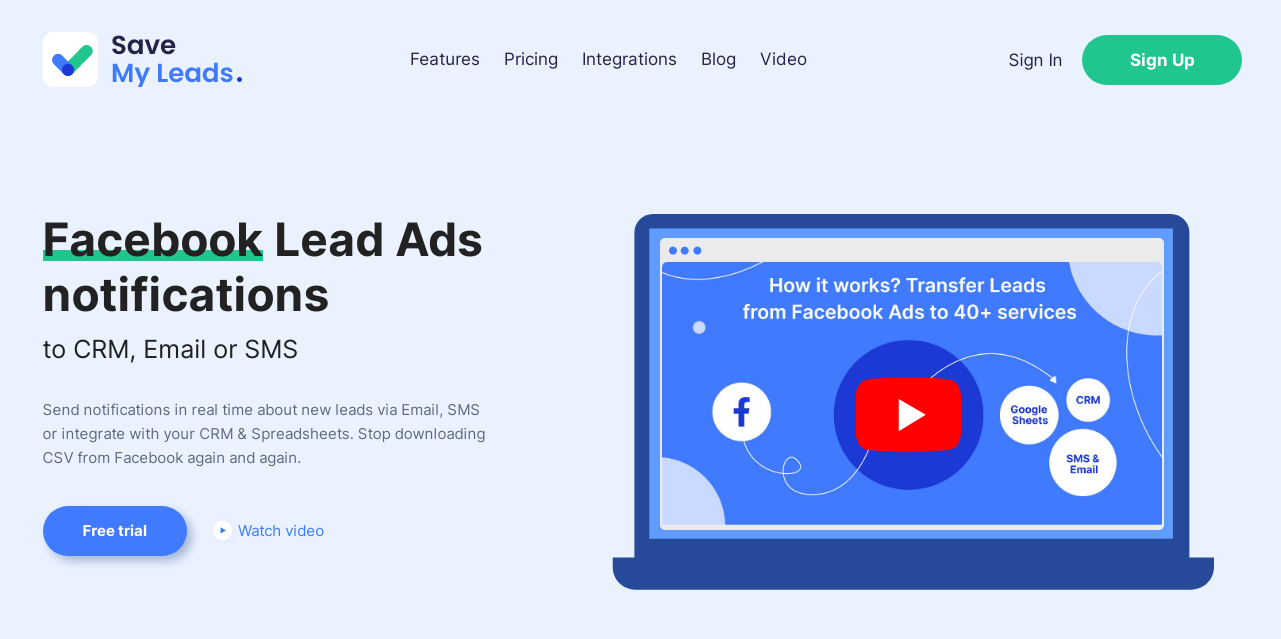
What is SaveMyLeads?
SaveMyLeads is a powerful automation tool designed specifically for managing Facebook Lead Ads. It gives marketers and businesses the capability to receive instant notifications about new leads via various channels such as email and SMS. This eliminates the repetitive task of manually downloading CSV files from Facebook to access lead data. For businesses that strive for a quicker response time, SaveMyLeads enables them to engage with potential clients within the critical window of five minutes—an essential factor for increasing conversion rates as research highlights that response times significantly influence sales outcomes.
The core functionality of SaveMyLeads centers around its ability to seamlessly integrate Facebook Lead Ads with multiple platforms for streamlined lead handling. As soon as a lead fills out a form on Facebook, the system automatically pushes that information to desired CRMs, email marketing tools, SMS services, or even spreadsheets like Google Sheets. Users can set up personalized email and SMS auto-responses to inform clients immediately that their inquiry has been received, fostering better engagement and satisfaction.
SaveMyLeads stands out due to its comprehensive set of capabilities: it supports automatic notifications through email and SMS, allows for the creation of contacts and deals in popular CRMs like HubSpot, Zoho, and ClickSend, and integrates effortlessly with a variety of email marketing services, including MailChimp, MailerLite, and GetResponse. Furthermore, the tool offers users the ability to automate not just lead notifications but also the addition of contacts and tasks across numerous other platforms such as Asana, Trello, and Airtable. The flexibility and speed of setting up these integrations mean businesses can save time while also mitigating risks associated with manual data entry.
The platform is particularly useful for marketers, agencies, and freelancers tasked with managing lead generation campaigns for multiple clients. With SaveMyLeads, such professionals can establish lead ad notifications for various clients simultaneously without requiring them to access the SaveMyLeads platform themselves. Each client can receive customized notifications that align with the branding of the agency, further enhancing the customer experience.
Despite its numerous strengths, SaveMyLeads has some limitations. Some users may find the initial setup complex, given the breadth of features and integrations available. Additionally, accessibility to specific automation features may hinge on user familiarity with various CRM systems, which can vary widely. Businesses must also ensure they adhere to data privacy regulations, as automated data handling may raise compliance concerns in certain jurisdictions.
In terms of market positioning, SaveMyLeads serves a niche within the digital marketing and automation space. By focusing on Facebook Lead Ads, it taps into a significant trend where businesses are leveraging social media for lead generation. While there are similar solutions available, SaveMyLeads distinguishes itself through its user-friendly integrations and the breadth of platforms it connects with, making it a formidable player in the lead automation landscape. Users looking for comprehensive lead management solutions would do well to explore the capabilities of SaveMyLeads as it empowers teams to prioritize their outreach strategies and increase overall lead conversion rates.
Who it's for
Works with
What SaveMyLeads can do
8 capabilities, verified from the product.
- Instant notifications of new leads via Email and SMS
- Automated email and SMS auto-responses
- Direct integration with major CRMs like HubSpot and Zoho
- Supports multiple client notifications for agencies
- Data automatically transferred to Google Sheets and other spreadsheets
- Create tasks automatically in project management tools
- Add subscribers to email marketing platforms immediately
- Customizable notifications for different clients
Jobs people hire it for
- 01Automatically notify clients of new leads from Facebook ads
- 02Send personalized SMS responses to potential customers immediately
- 03Add new leads to CRM systems instantly without manual input
- 04Create tasks in project management tools as leads are received
- 05Collect leads' information into spreadsheets for record-keeping
Pros & cons
Where it shines
- Instant notification capability improves lead follow-up times significantly.
- User-friendly interfaces for setting up integrations with multiple platforms.
- Ability to automate repetitive tasks saves time and reduces error risks.
- Offers robust capabilities for agencies managing multiple client leads.
Where it falls short
- Initial setup can be complex due to the many integrations available.
- Users may need prior knowledge of CRM and automation systems.
- Data privacy compliance must be handled by the user, which could require additional resources.
Pricing
Free trial available, specific pricing details unknown Pricing can change — always confirm on the vendor's site.
Frequently asked about SaveMyLeads
What is SaveMyLeads?
SaveMyLeads is an automation tool that enables marketers and businesses to receive instant notifications about new leads from Facebook Lead Ads through email and SMS. It eliminates the need for manual downloads of lead data by automating notifications directly to various platforms.
How does SaveMyLeads improve lead response times?
Research shows that responding to leads within five minutes significantly enhances the chances of converting them. SaveMyLeads sends automated notifications immediately upon receiving a lead, allowing teams to engage potential customers promptly.
Does SaveMyLeads support integrations with other platforms?
Yes, SaveMyLeads integrates with a variety of popular CRMs, email marketing platforms, and productivity tools, including HubSpot, MailChimp, and Google Sheets, enabling seamless data transfer and automation.
Who can benefit from using SaveMyLeads?
SaveMyLeads is beneficial for marketers, agencies, and freelancers who manage lead generation campaigns. It helps them efficiently notify clients about new leads and automate repetitive tasks associated with lead management.
Can I try SaveMyLeads before committing to a subscription?
Yes, SaveMyLeads offers a free trial, allowing users to test its features and functionalities before making any financial commitments.
What are some limitations of SaveMyLeads?
While SaveMyLeads offers powerful automation capabilities, users might find the initial setup complex. Additionally, proper adherence to data privacy regulations is necessary, as automated data handling could pose compliance challenges.
Is there support available for setting up SaveMyLeads?
Yes, SaveMyLeads includes a help section with resources. Users may need to refer to these materials to understand how to leverage its full capabilities effectively.
How does SaveMyLeads ensure data privacy?
While SaveMyLeads facilitates automated data handling from Facebook leads, it is the user's responsibility to ensure compliance with data privacy regulations in their region, as automated data transfers can raise compliance concerns.
Ready to try SaveMyLeads?
2,332 people checked it out on the directory — see it in action on the official site.
Keep exploring
Similar tools in Marketing & SEO
 Marketing & SEO
Surfer
AI-driven SEO visibility platform for organic growth
 Marketing & SEO
GiftHuntr
Find the perfect gift in seconds using AI-generated suggestions.
 Marketing & SEO
SEO Content AI
Maximize Your SEO Results with AI-Driven Content Solutions
 Marketing & SEO
SEO GPT
Free AI tool for creating optimized SEO content with 300+ formats.