What is QR Code AI?
QR Code AI is a powerful online generator that enables users to create customized QR codes for a wide array of content types, including URLs, WiFi credentials, business cards, and more. The platform stands out by offering a suite of features that combines artistic customization with advanced tracking capabilities. Users can create branded QR codes that not only look appealing but also serve specific marketing objectives. In doing so, QR Code AI addresses a common pain point faced by businesses and individuals alike: the need for functional yet visually attractive QR codes that can also be leveraged for analytics and engagement tracking. With its blend of creative design options and robust functionality, QR Code AI provides an innovative tool in the evolving landscape of digital interactions.
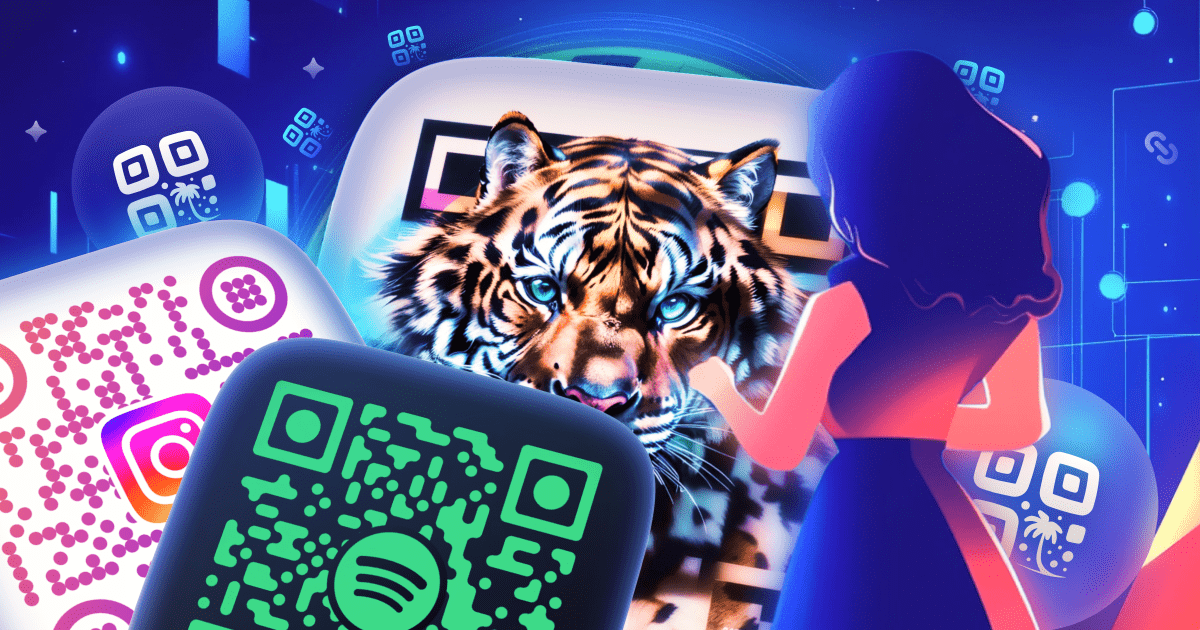
At its core, QR Code AI simplifies the QR code creation process into a three-step workflow: selecting the type of QR code desired, customizing its design, and downloading the finished product. Users begin by choosing from over 60 content types, ensuring that their QR code meets their unique needs whether for marketing, networking, or personal use. Once the type is selected, customization options abound. Users can easily add logos, select brand colors, and pick from various shapes, including hearts and circles, to create visually engaging codes. For those looking for something more artistic, the QR Code Art feature lets users input prompts to generate uniquely designed QR codes. This feature differentiates QR Code AI from more basic generators by integrating AI artistry into the design process while maintaining scannability.
One of QR Code AI's most compelling features is its comprehensive track-and-analytics capabilities. Every QR code generated can track its scan performance, providing users with insights such as scan locations, device types, and time of interaction. This data can be invaluable for users looking to optimize their marketing efforts and understand user behavior better. Moreover, integrating with Google Analytics via UTM parameters allows for even deeper insights into the effectiveness of campaigns. The tool also offers both static and dynamic QR code options; dynamic QR codes are particularly beneficial for businesses, as they allow users to edit the destination URL even after the code has been printed, ensuring that marketing materials remain relevant over time.
QR Code AI caters to a diverse audience, making it suitable for businesses of all sizes, marketers, event planners, and individuals needing a quick way to share information. For example, a restaurant could create a dynamic QR code linking to its menu, allowing for easy updates without needing to reprint materials. Social media marketers might utilize the platform to generate engaging promotional QR codes for Instagram and Facebook profiles, increasing traffic and engagement for their pages. Additionally, businesses aiming for higher customer interaction could use customized QR codes for Google Reviews, WiFi access, or even payment links, all tailored to their brand identity. This level of customization and functionality appeals particularly to small and medium-sized enterprises, startups, and creative professionals seeking to make a significant impact with their marketing strategies.
In terms of positioning, QR Code AI frequently compares itself to traditional QR code generators, such as those offered by Adobe or Canva. It distinguishes itself by providing three unique QR generation modes in one tool, along with an extensive library of templates and examples, enabling users to create codes that stand out. Unlike competitors who may focus solely on basic QR code functionality, QR Code AI emphasizes a holistic approach, integrating artistic design, comprehensive analytics, and security features like anti-scam protection. While QR Code AI is free to use, it is essential to consider that its extensive capabilities could be overwhelming for newcomers or infrequent users. Some may prefer simpler solutions, which could impact QR Code AI's user acquisition effectiveness among those seeking basic functionalities without a learning curve or complex options.
However, QR Code AI is not without limitations. Users should note that the service does require internet connectivity, meaning it cannot be used offline, which might restrict usage in certain scenarios. Also, while it provides extensive customization and tracking features, users must ensure that they are adequately aware of the potential privacy implications when generating codes that can lead to personally identifiable information gathering through linked forms or websites. Lastly, as the platform evolves, it may introduce additional features that could require users to adapt to changing interfaces or functionalities over time, necessitating ongoing engagement with the tool to stay current. Despite these considerations, QR Code AI offers a utility-rich platform capable of generating high-quality QR codes that can significantly enhance marketing strategies and resonate well with both users and their intended audiences.
Who it's for
Works with
What QR Code AI can do
8 capabilities, verified from the product.
- Create custom QR codes for 60 content types
- Add logo and brand colors for customization
- Use AI-generated art for unique designs
- Download codes in PNG, SVG, or PDF formats
- Track scan performance with analytics
- Integrate with Google Analytics for deeper insights
- Generate dynamic and static QR codes
- Built-in anti-scam protection for security
Jobs people hire it for
- 01Create personalized QR codes for social media profiles
- 02Generate QR codes for menu access in restaurants
- 03Share vCard information seamlessly at networking events
- 04Provide instant WiFi access with QR codes for cafés
- 05Use dynamic QR codes for quick promotional changes
Pros & cons
Where it shines
- Offers extensive customization options, including logos and colors
- Integrates AI art for unique design experiences
- Robust tracking analytics provide detailed insights
- Easy to use with a three-step creation process
- Supports 60 content types for diverse use cases
Where it falls short
- Requires internet access to generate QR codes
- Complexity may overwhelm users seeking simpler solutions
- Potential privacy implications when linking to forms
- Ordinary QR capabilities may still suffice for basic needs
- Learning curve associated with advanced features
Pricing
Free to use with no credit card required Pricing can change — always confirm on the vendor's site.
Frequently asked about QR Code AI
What is a QR code, and how do you use it?
A QR code (Quick Response) is a two-dimensional barcode that links users to online content when scanned. This could include websites, contact information, and functionalities like payments or RSVPs. They are ideal for quick information sharing in marketing and events.
Is there a free QR code generator that is safe to use?
Yes, QR Code AI is a free QR code generator that guarantees safety. It operates on GDPR-compliant encrypted servers with built-in anti-scam protection to prevent phishing redirects, ensuring user privacy and security.
How can I make a QR code for free?
To create a QR code for free using QR Code AI, simply enter your desired content in the generator, customize it as needed, and then download it in a chosen format like PNG or PDF.
What kind of analytics does QR Code AI provide?
QR Code AI offers detailed analytics, including scan locations, types of devices used, and when scans occur. This data allows users to optimize their marketing campaigns based on user engagement.
Can QR codes collect personal information?
QR codes themselves do not collect personal information, but if they link to online forms or surveys, that could prompt users to share their data. QR Code AI only collects anonymized analytics to ensure privacy.
How do I scan a QR code with my phone?
To scan a QR code, open your phone's camera (iOS 11 or Android version 9 and later should automatically detect QR codes) and point it toward the code. A link will usually appear for you to click.
Can I add a logo in the middle of my QR code?
Yes, QR Code AI allows you to add a logo within the QR code, which can help in branding without sacrificing the scannability of the code.
What formats are available for downloading my QR Code?
Users can download their QR codes in high-quality formats including PNG, SVG, PDF, and EPS, suitable for both digital and printed materials.
Ready to try QR Code AI?
1,400 people checked it out on the directory — see it in action on the official site.
Keep exploring
Similar tools in Marketing & SEO
 Marketing & SEO
Surfer
AI-driven SEO visibility platform for organic growth
 Marketing & SEO
GiftHuntr
Find the perfect gift in seconds using AI-generated suggestions.
 Marketing & SEO
SEO Content AI
Maximize Your SEO Results with AI-Driven Content Solutions
 Marketing & SEO
SEO GPT
Free AI tool for creating optimized SEO content with 300+ formats.