
PhotoEditor.ai
Free AI-powered photo editing and image generation with 30+ tools.
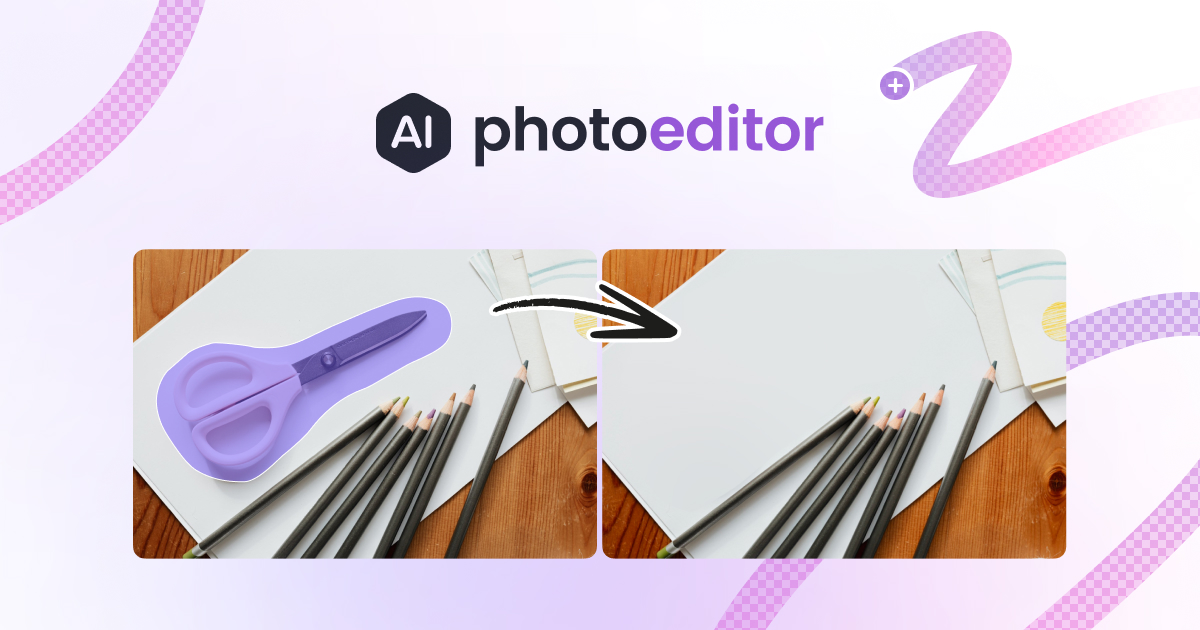
What is PhotoEditor.ai?
PhotoEditor.ai is an innovative and comprehensive platform designed to address a wide range of image editing needs through artificial intelligence. It offers users access to over 30 dedicated AI tools that cater to specific tasks, mitigating the common frustrations associated with traditional photo editing software. Unlike more generalist platforms, PhotoEditor.ai allows users to focus on individual tasks such as background removal, upscaling, object removal, and image generation from text prompts seamlessly in one place.
The core workflow of PhotoEditor.ai is straightforward and efficient, making it accessible to users of all skill levels. To start editing, users can upload images via drag-and-drop, copy-paste, or through a traditional file upload method. Once the image is uploaded, users select from various AI tools specifically tuned for different editing tasks. For example, if a user wants to remove blemishes or unwanted objects from a photo, they would select the Cleanup tool. After making their choices and adjustments, users can instantly download their results in standard quality or opt for higher resolutions with a premium subscription. This user-centric approach minimizes learning curves and increases productivity.
Standout capabilities of PhotoEditor.ai include its advanced AI-driven cleanup functionalities, which allow for the restoration of damaged or low-quality photos, plus a high-quality upscale feature that enhances images to 4K and 8K resolutions, maintaining clarity without introducing artifacts. The platform is equipped with a one-click background removal option that ensures pixel-perfect edges, even around complex objects like hair or glass. Furthermore, the image generators enable users to create new images from detailed prompts or by providing reference images, making the tool set robust for creative endeavors ranging from portraiture to product design. The use of state-of-the-art AI models, including Nano Banana, GPT Image, and Gemini, ensures that each tool operates at optimal efficiency for its designated task.
PhotoEditor.ai is ideal for a diverse range of users including creative professionals, photographers, designers, and e-commerce operators. For instance, marketers can utilize the platform to create visually appealing social media ads with clean backgrounds and attractive logos. Photographers can enhance family portraits or restore old photographs, transforming them into high-quality prints. Designers can generate logos or illustrations directly from descriptive text, streamlining their workflow significantly. The platform's versatility lends itself excellently to personal projects as well as professional assignments, giving users a strong advantage in both their creative and commercial efforts.
When comparing PhotoEditor.ai to traditional editing software like Photoshop, its simplicity shines through. Photoshop is known for its extensive capabilities but also comes with a steep learning curve; PhotoEditor.ai offers a more user-friendly and specialized experience with its targeted tools. Instead of fumbling through layers and tools, users can quickly run the exact processes they need in moments. In contrast to platforms like Canva or Picsart, which bundle numerous features into a single interface, PhotoEditor.ai's separation of tasks allows for a more focused approach to specific editing needs, avoiding the clutter that comes from all-in-one solutions.
However, there are some limitations to consider. While the platform is user-friendly, the reliance on internet access for operation could be a drawback for users within bandwidth-restricted environments. Additionally, the free version has limitations on output resolution, and access to some of the more advanced features and high-definition outputs require a premium subscription. Users should also note that the AI models and tools continually evolve, which may occasionally result in shifts in performance or available features as updates are rolled out. Overall, while PhotoEditor.ai represents a major leap forward in user-accessible photo editing and image generation, those seeking extensive manual manipulation or nuanced control similar to Photoshop may find it lacking in that specific area.
Who it's for
What PhotoEditor.ai can do
8 capabilities, verified from the product.
- 30+ AI tools for specific photo tasks
- Instantly remove backgrounds with precision
- Upscale images to 4K and 8K resolutions
- Restore and enhance old or low-quality photos
- Generate images from descriptive text prompts
- Automatic cleanup and object removal features
- Export images as transparent PNG or vector format
- Browser-based functionality for all devices
Jobs people hire it for
- 01Remove unwanted objects from photos quickly and efficiently
- 02Enhance old family photos for clearer prints
- 03Generate new logos or product images using text prompts
- 04Swap backgrounds effortlessly for professional portraits
- 05Create high-resolution images for marketing materials
Pros & cons
Where it shines
- Offers a dedicated tool for every specific image task, avoiding complexity and confusion.
- Streamlined workflow reduces editing time significantly compared to traditional software.
- Browser-based platform allows access from any device without installation.
- High-quality output options available for professional use, including HD and 4K.
- Robust privacy measures ensure user-generated content is not exploited or shared.
Where it falls short
- Limited free tier restricts output resolution to standard quality.
- Reliance on internet access can hinder usage in low-bandwidth scenarios.
- Some advanced features require a subscription, which may deter casual users.
- Regular updates may change tool performance or available features unexpectedly.
- Does not offer manual, pixel-level editing akin to what is available in Photoshop.
Pricing
Free
$0
Access to basic editing tools and standard-quality downloads.
PRO
Contact
Unlocks HD and 4K exports, plus the full 30+ tool suite.
Free access with limited features; PRO subscription for HD and full toolset. Pricing can change — always confirm on the vendor's site.
Frequently asked about PhotoEditor.ai
What is photoeditor.ai?
PhotoEditor.ai is a browser-based platform that provides access to over 30 dedicated AI tools for image editing, generation, and enhancement. Each tool is specifically designed to solve particular problems, and the platform uses advanced models like Nano Banana, GPT Image, and Gemini to deliver superior results.
What can I do with photoeditor.ai?
Users can perform a variety of tasks including inpainting, background removal, image enhancement, and generating new visuals from text prompts or reference images. Each tool is purpose-built to provide efficient solutions for specific editing tasks.
Which AI tool should I use for my photo problem?
Users can select tools based on their specific needs: for blurry images, use Unblur; for expanding image size, choose Upscale; to remove objects, utilize Cleanup; and for creating logos, the AI Logo Maker is ideal. Each tool comes with its own settings and examples.
Is photoeditor.ai free?
Yes, the platform offers several free tools such as Cleanup and Remove Background without requiring sign-up. However, access to premium features, including HD and 4K output, requires a PRO subscription.
What AI models does photoeditor.ai use?
PhotoEditor.ai employs a range of leading AI models like Nano Banana and GPT Image, chosen through comprehensive benchmarking for their effectiveness with various tasks. The default model for each tool is the best-performing one selected by the ML engineers of the platform.
How is photoeditor.ai different from Photoshop?
PhotoEditor.ai is a dedicated online platform designed for quick and easy photo edits through AI tools, contrasting with Photoshop which is industry-standard desktop software known for complex, layered editing. PhotoEditor.ai simplifies the process by providing one-click tools rather than manual controls.
How is photoeditor.ai different from Canva or Picsart?
Unlike Canva and Picsart, which offer a mix of design templates and general editing features, PhotoEditor.ai specializes in dedicated tools for specific tasks, allowing for more efficient and focused editing without the distractions of a multipurpose interface.
How does photoeditor.ai compare to using Gemini or ChatGPT for image editing?
PhotoEditor.ai offers a dedicated suite of tools specifically for image editing tasks, whereas Gemini or ChatGPT integrate image editing features within a broader conversational framework. This makes PhotoEditor.ai more suitable for users who regularly require image edits.
Ready to try PhotoEditor.ai?
1,962 people checked it out on the directory — see it in action on the official site.
Keep exploring
Similar tools in Image Generation
Midjourney
The image generator artists reach for — stunning, stylized visuals from text prompts.
 Image Generation
Stable Diffusion
The open-source image model you can run, fine-tune, and ship anywhere.
Ideogram
Text-to-image generation that actually nails typography, logos, and text inside images.
 Image Generation
AI Photo Filter
Transform your photos into unique artworks with AI filters.