
Luminar Neo
Transform your photos effortlessly with AI-powered editing tools.
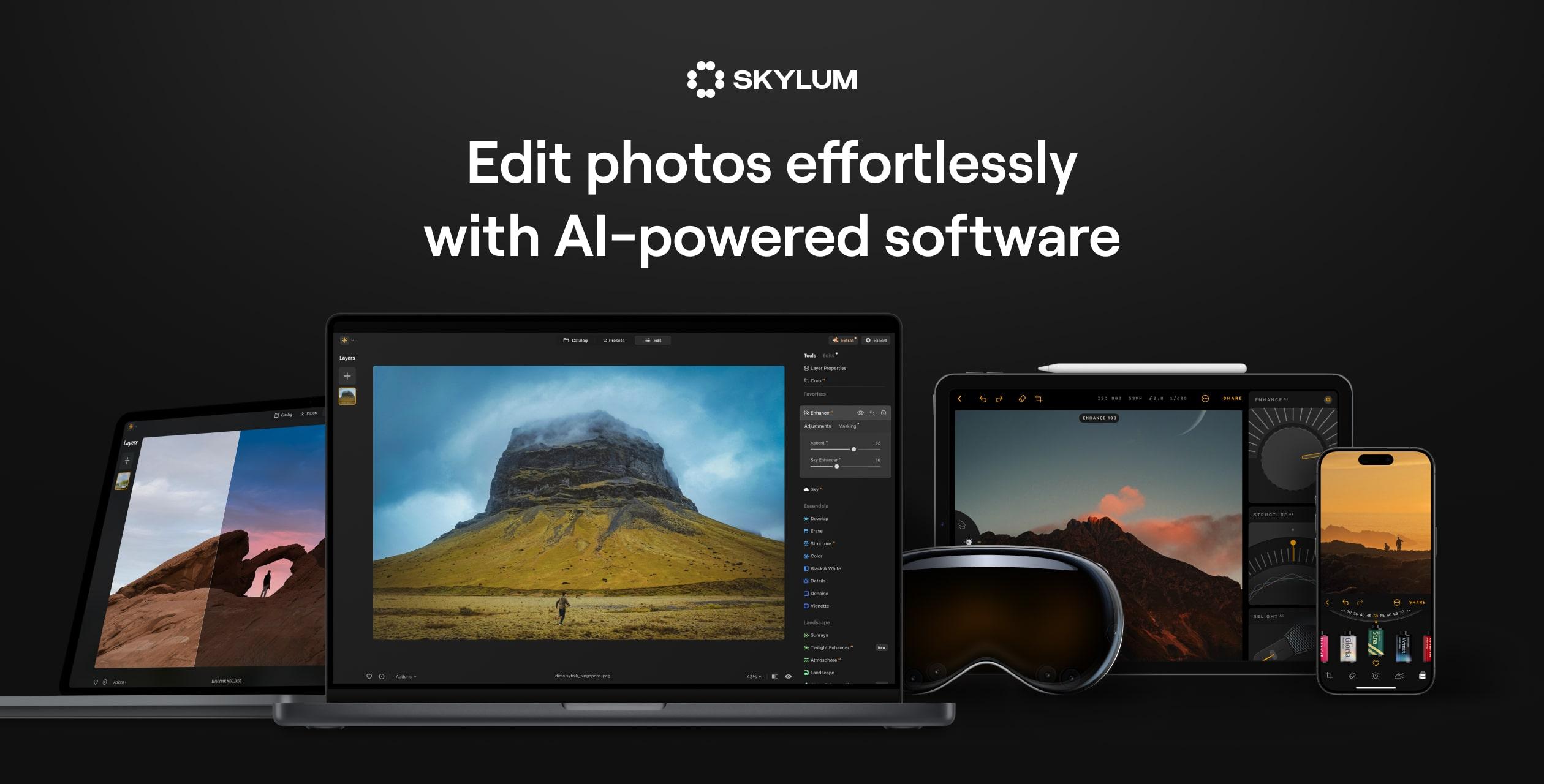
What is Luminar Neo?
Luminar Neo is an innovative photo editing software that harnesses the power of artificial intelligence to deliver seamless and impactful enhancements to your images. This application caters to users ranging from beginners to seasoned professionals by eliminating the complexities often associated with photo editing, while still providing high-quality results that can elevate photographs from ordinary to spectacular. The software allows users to perform a wide variety of editing tasks efficiently, streamlining workflows and fostering creativity by taking care of the more tedious manual editing processes.
At its core, Luminar Neo is designed to function as both a standalone application and a plugin for popular software like Photoshop and Lightroom, making it versatile for different editing environments. The AI-powered tools integrated into Luminar Neo allow for automated adjustments across numerous parameters, enabling users to quickly enhance landscapes, portraits, and everything in between. The software is equipped with more than 20 unique photo effects and editing features, including tools for sky replacement, portrait retouching, noise reduction, and much more. These features make it easier to produce professional-level edits, regardless of one's prior editing experience.
Among its standout capabilities, Luminar Neo excels in AI-driven enhancements such as Sky AI, which automatically identifies and replaces dull skies with vibrant alternatives. Accent AI is another intelligent tool that consolidates over a dozen adjustment options into a single slider for effortless fine-tuning. This makes achieving beautiful results much more intuitive. The software’s Atmosphere AI can add dramatic effects like fog or haze automatically, providing depth and context to images without requiring extensive manual masking. These features frequently result in striking edits that would typically require significant expertise and time.
Luminar Neo is particularly well-suited for a variety of photographic applications. Whether it’s landscape photography where capturing the right ambiance is crucial, or wedding photography that benefits from elegant retouching and scene enhancement, the software can accommodate diverse needs. Users engaged in real estate marketing or e-commerce can employ the editing tools to showcase properties and products compellingly, while beginners can leverage the intuitive interface to explore their creativity without the fear of complex workflows. This accessibility makes Luminar Neo appealing not only to professionals but also to those just starting their photographic journeys.
In its competitive landscape, Luminar Neo distinguishes itself through its depth of AI features and user-friendly interface. Many traditional photo editing software options can be overwhelming, especially for novices. In contrast, Luminar Neo’s design allows users to engage with powerful tools without a steep learning curve. This balance helps the software stand out among peers, as it provides robust capabilities without requiring extensive time commitment for learning.
However, while Luminar Neo's AI capabilities are innovative and effective, users might encounter limitations in certain advanced editing scenarios where manual adjustments and fine-tuning remain necessary. Additionally, the performance may vary based on hardware specifications, which means users should ensure that their systems meet the recommended requirements for optimal use. Despite this, users consistently trust Luminar Neo for its ability to deliver high-quality results and significantly enhance the creative process.
Who it's for
Works with
What Luminar Neo can do
14 capabilities, verified from the product.
- Sky AI for seamless sky replacement
- Accent AI offers smart adjustments
- Relight AI corrects lighting based on depth
- Bokeh AI simulates out-of-focus backgrounds
- Erase tool for unwanted object removal
- Enhance AI for automatic photo refinement
- Atmosphere AI adds realistic haze effects
- Portrait Background for focused subject editing
- AI Masking for intelligent object isolation
- Photo Restoration features
- Over 30 AI-driven editing tools
- Non-destructive editing and layering options
- Custom preset suggestions via AI
- Supports all major camera RAW formats
Jobs people hire it for
- 01Enhance landscape images for stunning visuals
- 02Retouch portraits effortlessly
- 03Create beautiful wedding album photos
- 04Edit real estate photography to attract buyers
- 05Prepare product images for e-commerce
- 06Apply advanced editing in food photography
- 07Edit drone-captured photos with ease
- 08Quick fixes for family photography
Pros & cons
Where it shines
- Intuitive interface that caters to both beginners and professionals
- Powerful AI tools significantly reduce manual editing tasks
- Supports a wide range of photography styles and cameras
- Robust editing options including layers and masks for precise control
Where it falls short
- Some advanced edits still require manual intervention
- Performance may be limited by lower hardware specifications
- Initial impressions might overwhelm with the sheer number of features
Pricing
Free trial plus paid options available Pricing can change — always confirm on the vendor's site.
Frequently asked about Luminar Neo
What cameras does your AI photo software support?
Luminar Neo supports all major camera brands and RAW file formats, including Canon, Nikon, Sony, and Fujifilm, ensuring compatibility with a wide range of photographic gear.
Is Luminar Neo suitable for professional photographers?
Yes, Luminar Neo is designed for professional workflows. It includes support for RAW files, non-destructive editing, layers, masks, and advanced AI tools, making it ideal for delivering high-quality results.
Can beginners use the Luminar Neo photo editor effectively?
Absolutely! Luminar Neo's intuitive design allows beginners to achieve impressive results without prior editing experience, making it accessible for users at all skill levels.
What makes Luminar Neo different from other AI editors?
Luminar Neo combines cutting-edge AI tools like Relight AI and Composition AI with an easy-to-navigate interface, providing unmatched creative control while simplifying the editing process.
How does Luminar Neo enhance workflow speed?
The software greatly simplifies workflows by automating routine edits, enabling batch processing, and facilitating one-click enhancements tailored to the specific needs of each image.
Why is Luminar Neo considered the best AI photo editor for PC users?
It offers powerful editing capabilities optimized for desktop performance, supporting high-resolution RAW files and providing both professional-grade control and automation for speedy edits.
Who can benefit from Luminar Neo AI photo editing software?
This software is suitable for anyone seeking efficient and powerful photo editing. It's perfect for photographers and visual artists looking for quality and creativity with less manual effort.
How does artificial intelligence photo editing enhance creativity?
AI-driven editing removes many technical barriers, allowing artists to focus more on their creative vision rather than getting bogged down by technical adjustments.
Ready to try Luminar Neo?
2,214 people checked it out on the directory — see it in action on the official site.
Keep exploring
Similar tools in Image Generation
Midjourney
The image generator artists reach for — stunning, stylized visuals from text prompts.
 Image Generation
Stable Diffusion
The open-source image model you can run, fine-tune, and ship anywhere.
Ideogram
Text-to-image generation that actually nails typography, logos, and text inside images.
 Image Generation
AI Photo Filter
Transform your photos into unique artworks with AI filters.