- Views
- 1,143
- Upvotes
- 288
- Launched
- —
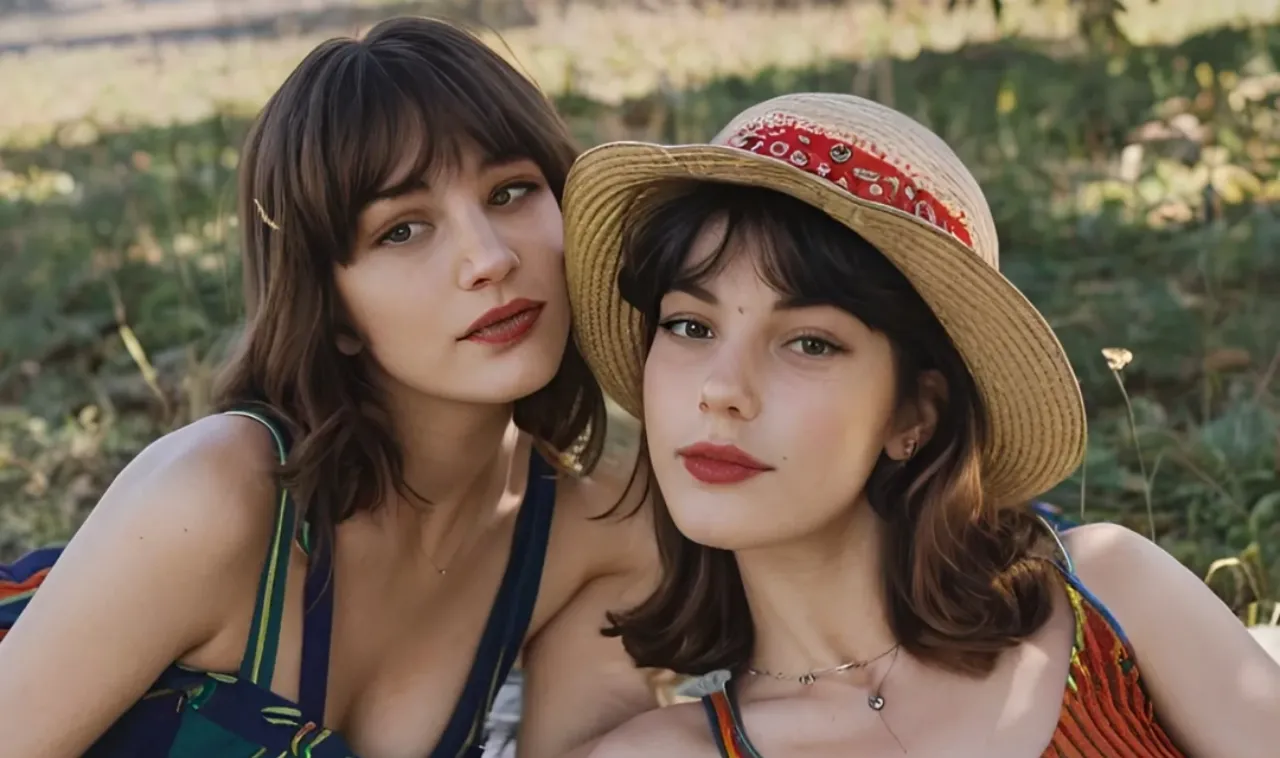
What is ImageColorizer?
ImageColorizer is an advanced AI tool designed to transform and rejuvenate old photographs, particularly black-and-white images. It addresses the common challenges faced when dealing with vintage photographs, such as faded colors, scratches, and blurriness. By leveraging artificial intelligence, ImageColorizer can effectively colorize black-and-white photos, restore faded details, repair visible scratches, and enhance overall clarity, allowing users to breathe new life into cherished memories and historical documents. Whether it's a family snapshot from decades ago or an important historical portrait, ImageColorizer makes it accessible to everyone, regardless of technical skill.
The core workflow of ImageColorizer is intuitive and user-friendly. Users begin by uploading a clear digital copy of their old photo, which can be in various formats. The tool then offers multiple functionalities, including colorization for black-and-white images, restoration to recover faded details, enhancement to sharpen blurry images, retouching to improve portrait clarity, and scratch repair for visible damage. By combining these processes in a single platform, individuals can effectively clean up their images and experience a seamless transition from aging photos to vibrant recollections of the past.
Among its standout capabilities, ImageColorizer provides powerful AI-driven colorization, which injects realistic colors into black-and-white photos with a keen understanding of natural skin tones and scenery details. This results in a rich, immersive visual experience that maintains the original mood of the photograph. Additionally, the restoration tool is particularly adept at enhancing the overall clarity and detail of faded or blurry images, making them suitable for modern sharing or printing. The retouching feature preserves natural facial details while smoothing out imperfections, ensuring that restored portraits retain a realistic appearance.
ImageColorizer caters to a diverse audience, including photography enthusiasts, historians, genealogy researchers, and anyone looking to restore their family photos. Typical scenarios include reviving family portraits for special occasions, preparing historical documents for publication or exhibition, and enhancing the quality of photographs before printing or archiving them digitally. As such, this tool is ideal for both personal and professional use, offering functionalities that elevate the quality and accessibility of old images.
In terms of comparison, ImageColorizer stands out in the field of photo restoration and enhancement, as it provides a comprehensive suite of tools within one platform. This all-in-one approach sets it apart from other online services that may focus on singular functionalities, such as just colorization or basic editing tools. Moreover, its reliance on AI technology ensures high-quality output that often rivals the results of professional photo restoration services.
While ImageColorizer boasts numerous advantages, it is essential to acknowledge some potential limitations. The quality of restoration is partly dependent on the original image quality, and users may need to experiment with different uploads to achieve optimal results. Additionally, while the tool offers free credits for initial usage, the premium features may require subscriptions for more extensive needs, which could limit access for users needing bulk processing or high-volume restoration. Overall, ImageColorizer presents a robust and efficient solution for anyone looking to revive and restore their old photographs while providing easy-to-use tools for users of all skill levels.
Who it's for
What ImageColorizer can do
8 capabilities, verified from the product.
- Colorize black-and-white photos effectively
- Restore faded details in old images
- Enhance blurry photos for clarity
- Retouch portraits while preserving details
- Repair scratches and visible damage
- Remove distracting objects from photos
- Intuitive user-friendly interface
- Accessible on iOS, Android, Mac, and Windows
Jobs people hire it for
- 01Revive family portraits for special family gatherings
- 02Prepare historical images for publication or exhibitions
- 03Enhance the quality of scanned old photos for printing
- 04Repair damaged pictures before archiving them digitally
- 05Create vibrant color versions of old black-and-white pictures
Pros & cons
Where it shines
- Utilizes advanced AI technology for high-quality restoration
- Offers multiple tools for comprehensive photo enhancements
- User-friendly interface suitable for all skill levels
- Supports a wide range of formats and devices for accessibility
Where it falls short
- Dependent on original photo quality for best results
- Premium features may require a subscription for additional credits
- File size and upload limits could restrict usage
Pricing
Free
Free
Initial credits for basic features and colorization.
Paid Plan
Custom
Additional monthly credits and features for high-volume needs.
Free tier + paid plans for more credits Pricing can change — always confirm on the vendor's site.
Frequently asked about ImageColorizer
What is the best way to restore old photos?
The best way to restore old photos is to scan or upload a clear digital copy, then use AI photo restoration to improve faded detail, repair scratches, enhance faces, and optionally colorize black-and-white images. ImageColorizer combines these tools in one online workspace.
Can I colorize old photos with free credits?
Yes. You can create a free account and use available credits to try ImageColorizer's AI photo colorizer. Paid plans add more monthly credits, higher limits, batch processing, and an ad-free workflow.
Can faded black-and-white photos be restored?
Yes. ImageColorizer can restore faded black-and-white photos by enhancing clarity, improving contrast, repairing visible damage, and optionally adding realistic color.
How long does it take to restore an old picture?
Restoring an old picture with ImageColorizer usually takes a few minutes, depending on the file size, selected model, and processing queue. You can upscale old pictures, add color, retouch faces, repair scratches, and sharpen blurry details from the same account.
How do you clean old and damaged photographs?
You can clean old and damaged photographs with AI photo repair and object cleanup tools. ImageColorizer helps reduce spots, dust, scratches, creases, and distracting marks while keeping the main subject visible.
Can I remove creases from an old photo?
Yes. Use AI Repair to reduce creases, scratches, and surface marks from old photos. The restored result is suitable for sharing, archiving, and preparing family photos for print.
Is there a limit on the number of images I can restore?
You can restore as many photos as your available credits and plan limits allow. Upload size, dimensions, and batch limits may vary by plan.
How can I enlarge old photos while preserving details?
Use AI Restore to enlarge old photos and improve their apparent detail. Results vary by the original scan quality, but the tool is designed to increase resolution, sharpen soft areas, and keep important facial and background details recognizable.
Ready to try ImageColorizer?
1,143 people checked it out on the directory — see it in action on the official site.
Keep exploring
Similar tools in Image Generation
Midjourney
The image generator artists reach for — stunning, stylized visuals from text prompts.
 Image Generation
Stable Diffusion
The open-source image model you can run, fine-tune, and ship anywhere.
Ideogram
Text-to-image generation that actually nails typography, logos, and text inside images.
 Image Generation
AI Photo Filter
Transform your photos into unique artworks with AI filters.