
Grammarly
AI writing assistance for clear, credible, and effective communication
What is Grammarly?
Grammarly is an AI-powered writing assistant that provides users with a suite of tools designed to enhance their writing by improving clarity, style, and correctness. It addresses common challenges such as grammatical errors, awkward phrasing, and tone misalignment, making it particularly useful for individuals seeking to articulate their thoughts effectively across various platforms, from emails to social media posts. With both free and premium subscription models, Grammarly aims to make writing accessible and polished for everyone, enabling clearer communication in both personal and professional contexts.
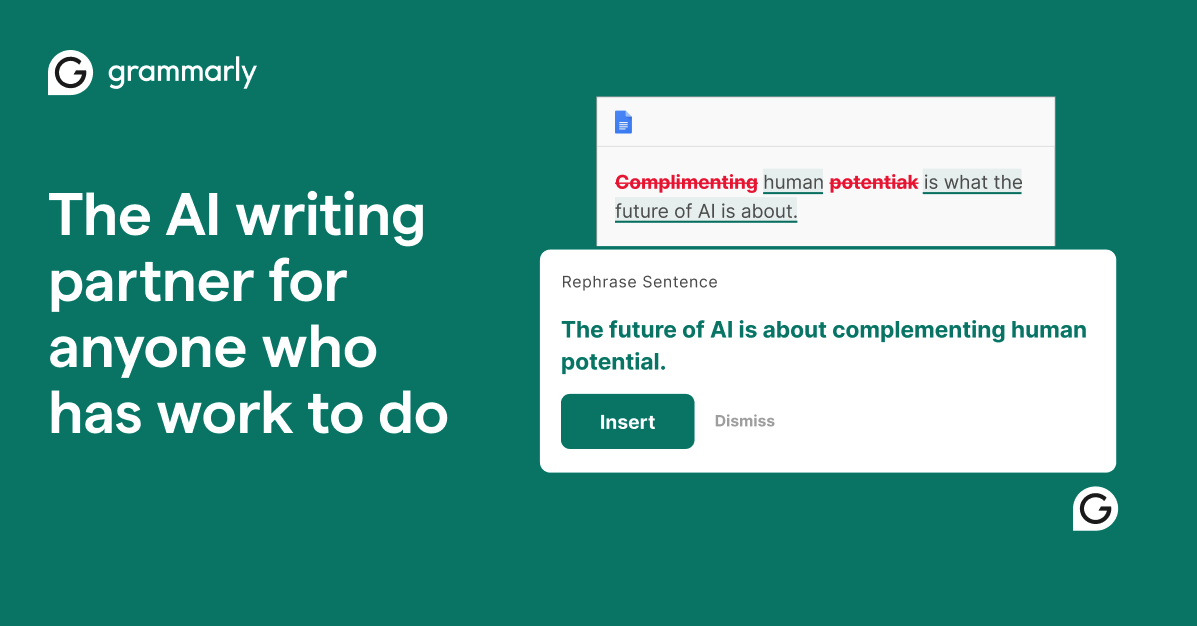
The core workflow of Grammarly begins when users sign up and install the platform, which is compatible with multiple devices and applications. Once set up, it functions seamlessly across writing platforms, offering real-time feedback and suggestions. Users simply write their content as they normally would, and Grammarly analyzes the text for grammar mistakes, clarity issues, and tone discrepancies. Each time it detects a possible error or suggests an improvement, it offers actionable advice, which can often be implemented with a single click. This user-friendly interaction allows writers to receive immediate suggestions without disrupting their creative flow.
Grammarly’s standout capabilities include real-time proofreading, tone detection, and style alignment with brand guidelines. Its proofreading feature refines grammar, punctuation, and overall clarity, while tone suggestions allow writers to adapt their messages based on the context and audience, ensuring the right tone is conveyed. Moreover, the tool includes a humanizer agent that helps infuse personality into the writing, making it relatable and engaging. Users can also identify AI-generated content with the AI Detector agent, which flags areas needing revision for authenticity. These features collectively enhance the quality of writing, making it cleaner, more professional, and audience-appropriate.
Grammarly primarily serves individuals, teams, and organizations looking to improve their writing quality and efficiency. College students use it to polish essays, professionals rely on it for error-free business communications, and content writers leverage its advanced features to maintain clarity and consistency in their work. Furthermore, teams within organizations benefit from collaborative tools to ensure that all content aligns with company standards and branding, making it suitable for both small startups and large enterprises. Grammarly’s insights not only sharpen skills but also significantly reduce the time spent on writing and editing.
When compared to other writing tools, Grammarly stands out due to its comprehensive set of features and integrations with major platforms like Zendesk, which allows for in-context suggestions. It is distinguished from basic spelling and grammar checkers by its focus on tone, style, and clarity improvements. Additionally, its user experience is refined over years of development, establishing it as a leader in the AI writing assistance space. The product is designed to enhance productivity and maintain the integrity of the writer's voice, setting it apart from competitors that may prioritize automated corrections without personalized insights.
Despite its many strengths, Grammarly does have some limitations. Users of the free version might find that it lacks the advanced features available in the Pro subscription, such as full-sentence rewrites or brand tone adjustments. Although the tool is user-friendly, some users may still require a period of adjustment, especially when learning to interpret tone suggestions and applying them effectively. As with any AI-driven tool, there may be instances where the suggestions provided do not align perfectly with user intent, necessitating careful consideration before implementing changes. Furthermore, reliance on a digital tool can sometimes limit the development of individual writing skills, as users may become accustomed to deferring to the software for corrections instead of honing their skills independently.
Who it's for
Works with
What Grammarly can do
10 capabilities, verified from the product.
- Paragraph rewrites
- Tone suggestions
- Proofreading
- AI Detector agent
- Humanizer agent
- Contextual tone adjustment
- Over 2,000 AI text generation prompts
- Real-time feedback on writing
- Seamless integration across platforms
- Collaborative tools for teams
Jobs people hire it for
- 01Draft clear and concise business emails
- 02Proofread academic papers for submission
- 03Generate engaging social media posts
- 04Maintain brand consistency in marketing content
- 05Enhance clarity in team collaboration documents
Pros & cons
Where it shines
- Offers comprehensive grammar and style checking capabilities
- User-friendly interface with real-time suggestions
- Supports a wide range of writing contexts and platforms
- Includes features for improving tone and voice
- Provides valuable AI-generated content detection mechanisms
Where it falls short
- Advanced features are only available in paid plans
- Free version may not offer comprehensive feedback
- Users may require time to adapt to the tool's suggestions
- AI-generated suggestions may not always align with user intent
- Dependence on the tool could hinder individual writing skill development
Pricing
Free
$0
Basic writing assistance with grammar and tone checks.
Pro
$12 USD/member/month
Enhanced writing features with advanced suggestions and customization.
Enterprise
Contact Sales
Comprehensive tools for larger organizations with dedicated support.
Free tier + $12 member/month (billed annually) Pricing can change — always confirm on the vendor's site.
Frequently asked about Grammarly
What features does Grammarly offer for free?
Grammarly's free tier includes basic proofreading for grammar and clarity, tone detection, and the option to generate text using 100 AI prompts.
What are the benefits of the Pro plan?
The Pro plan offers full-sentence rewrites, advanced tone adjustment, brand consistency suggestions, and access to over 2,000 AI prompts to enhance writing productivity.
How does Grammarly ensure data privacy?
Grammarly prioritizes user privacy by not selling user content or using it for advertising. It does not allow third-party service providers to train their models on user data.
Is Grammarly suitable for teams and organizations?
Yes, Grammarly offers features tailored for teams and organizations, including collaborative tools, customizable roles, and permissions, ensuring consistent writing quality across the board.
How does Grammarly integrate with other platforms?
Grammarly integrates seamlessly with various applications, such as Zendesk, allowing users to receive writing assistance directly within their existing workflows.
Can I use Grammarly on my mobile device?
Grammarly is primarily designed for web use and as a browser extension but can be accessed on mobile devices through compatible applications.
What is the AI Detector agent?
The AI Detector agent identifies AI-generated text within your writing and suggests areas that may need revision for authenticity and clarity.
What should I consider before choosing Grammarly?
Consider the range of features you need, whether you wish to invest in the Pro plan for advanced functionalities, and how well Grammarly can integrate into your existing writing platforms.
Ready to try Grammarly?
1,604 people checked it out on the directory — see it in action on the official site.
Keep exploring
Similar tools in Writing & Content
Writing & ContentGrammarly
AI writing assistance everywhere you type — grammar, tone, clarity, and full rewrites.
 Writing & Content
Notion AI
AI built into your workspace — write, summarize, and answer questions across all your docs.
 Writing & Content
Jasper
The AI marketing platform for on-brand content at scale — campaigns, blogs, and copy.
 Writing & Content
Plot Factory
An online story planner for creating, organizing, and writing stories.