
DiffusionBee
Easiest way to generate AI art on your computer with Stable Diffusion.
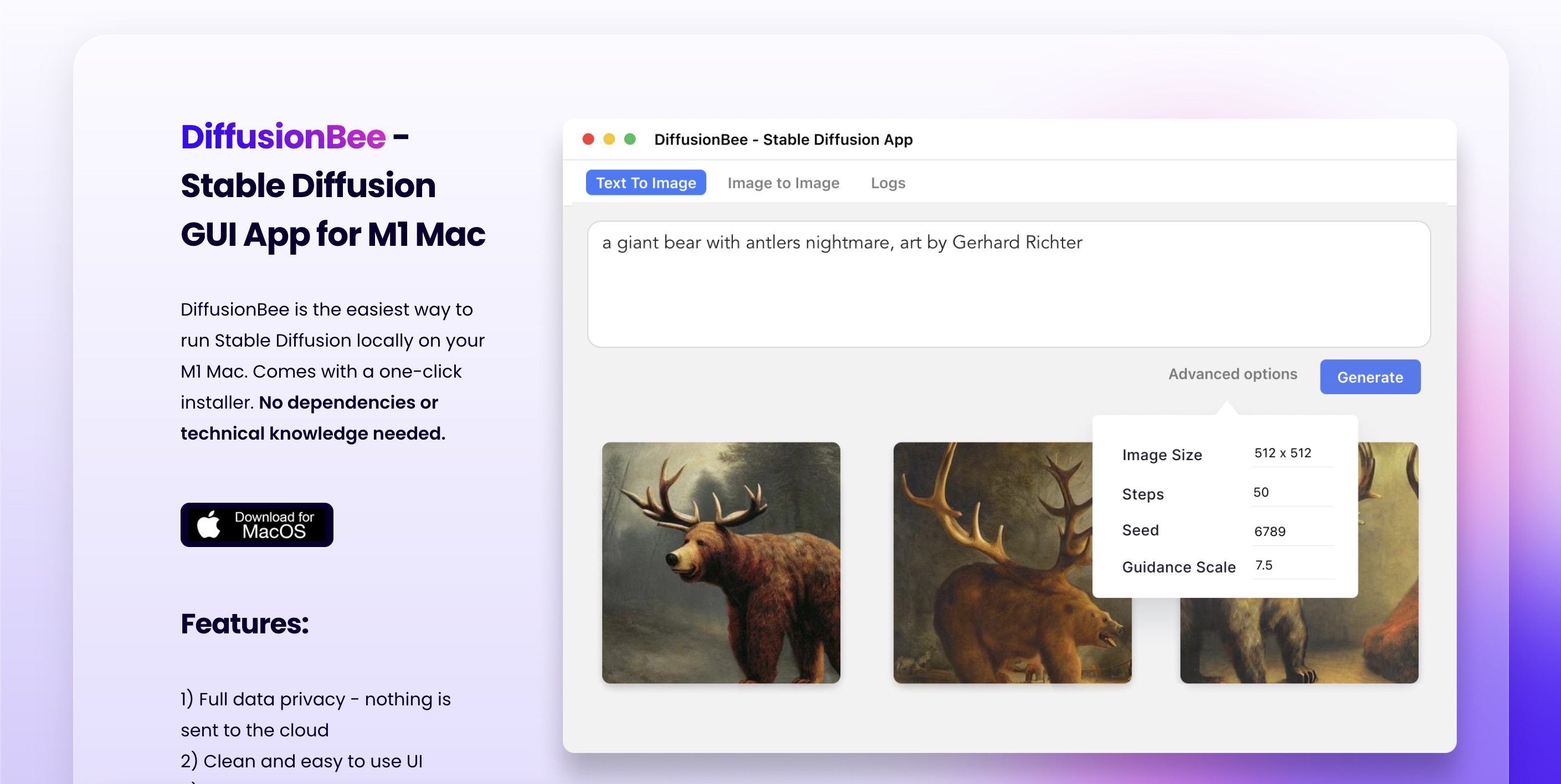
What is DiffusionBee?
DiffusionBee is the fastest and easiest toolbox to run AI apps locally with Stable Diffusion. This application offers a comprehensive suite of tools for generating AI art, allowing you to create stunning images from text prompts, transform existing images, and utilize various video tools for animations.
The application provides functionalities such as Generative Fill for editing images by adding or removing objects, an Image Upscaler to enhance image quality, and the ability to generate multiple variants of existing images. Users can also train custom models on their datasets entirely offline, ensuring that prompts and generated content remain secure on their devices.
Designed for ease of use, DiffusionBee empowers creativity with advanced capabilities, enabling seamless blending of human input and AI technology. It is particularly effective for artists looking to harness the power of AI to augment their creative process without the need for an internet connection.
Who it's for
What DiffusionBee can do
8 capabilities, verified from the product.
- Text to Image generation
- Generative Fill for editing images
- Image Upscaler for enhanced quality
- Video tools for animations
- Image To Image transformation
- Generate image variants
- Train custom models locally
- Create images using control images
Jobs people hire it for
- 01Creating AI-generated artwork from text prompts
- 02Editing images by adding or removing elements
- 03Enhancing image quality for better resolution
- 04Generating animated videos with AI
- 05Training custom image models for specific styles
Pros & cons
Where it shines
- Runs completely offline for privacy
- User-friendly interface for quick access to tools
- Compatible with both Apple silicon and Intel-based machines
- Supports training of custom models with ease
- Fast image generation on capable hardware
Where it falls short
- Requires macOS 13.1 or higher
- Performance can be slow on older Intel machines
- Limited to MacOS which may restrict some users
Pricing
See the official website for current pricing. Pricing can change — always confirm on the vendor's site.
Frequently asked about DiffusionBee
Where are the images generated?
Images are generated locally on your computer. Nothing is sent to the cloud.
How much time does it take to generate an image?
On an 8GB M1 MacBook Air, DiffusionBee takes around 30 seconds to generate an image. Higher specs can increase speed.
Can I freely use the generated images?
Yes, you can freely use the generated images as long as you comply with the CreativeML Open RAIL-M license.
What are the minimum system requirements for DiffusionBee?
DiffusionBee needs macOS 13.1 or higher. Machines with Apple silicon are recommended for optimal performance.
Ready to try DiffusionBee?
1,674 people checked it out on the directory — see it in action on the official site.
Keep exploring
Similar tools in Image Generation
Midjourney
The image generator artists reach for — stunning, stylized visuals from text prompts.
 Image Generation
Stable Diffusion
The open-source image model you can run, fine-tune, and ship anywhere.
Ideogram
Text-to-image generation that actually nails typography, logos, and text inside images.
 Image Generation
AI Photo Filter
Transform your photos into unique artworks with AI filters.