
Creatio Studio
AI-powered no-code platform to automate workflows and build applications effortlessly.
What is Creatio Studio?
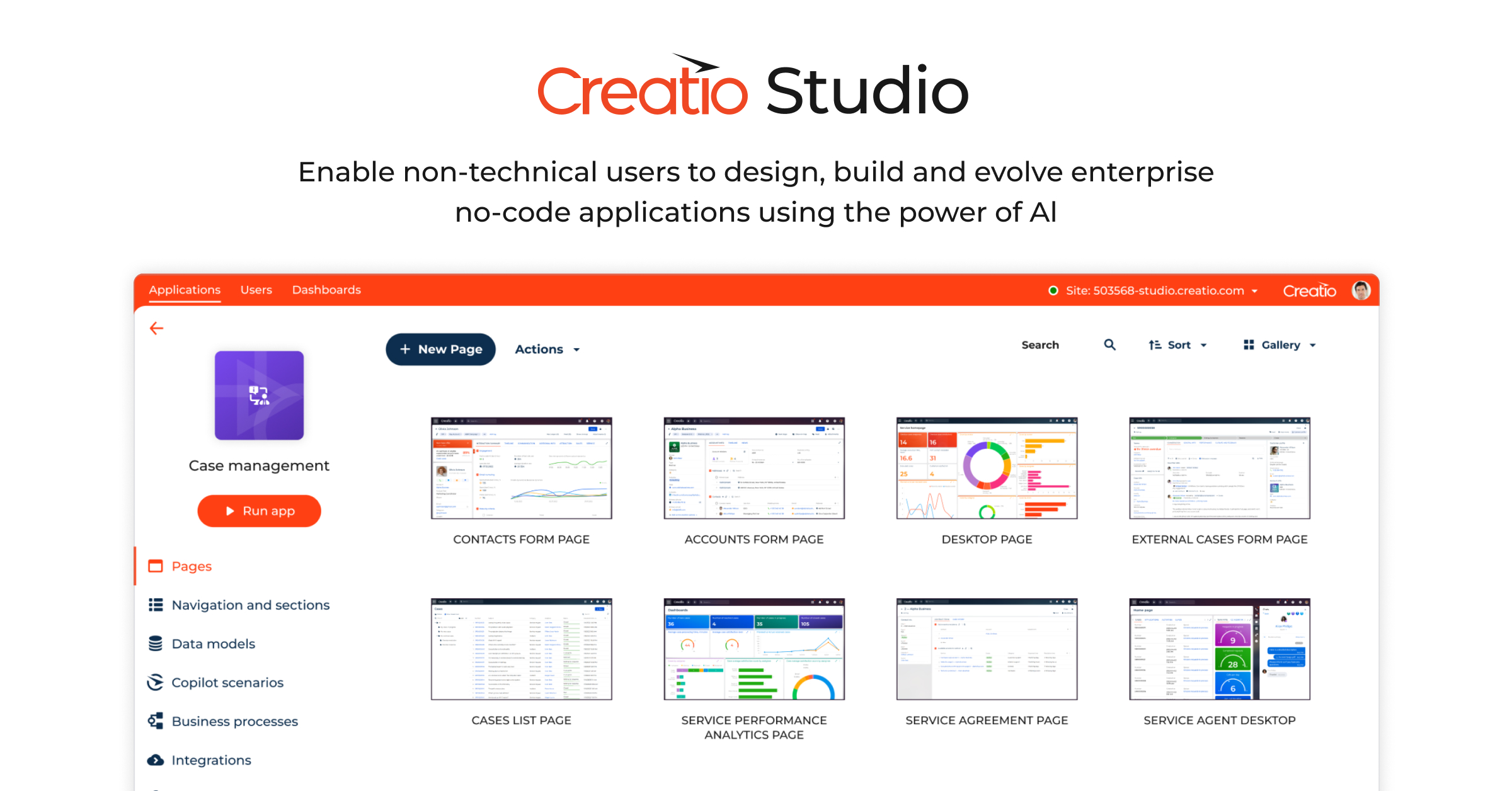
Creatio Studio is an AI-powered, no-code platform designed for users to automate workflows and build applications with maximum flexibility and ease. The platform addresses the challenges of traditional software development methods by empowering both technical and non-technical users to create complex applications without writing a single line of code. With its intuitive user interface and visual designers, Creatio Studio significantly reduces the timeline associated with deploying new software solutions, thereby allowing organizations to adapt quickly to market changes and user requirements.
Central to its functionality, Creatio Studio leverages AI-driven development that accelerates application creation through natural language prompting. Users can devise applications from scratch, enhance user interfaces with AI-assisted tools, and seamlessly configure business processes by harnessing the power of artificial intelligence. The platform is built on a composable architecture, enabling the assembly and reuse of components, which further streamlines the app-building process. This user-centric design not only enhances productivity for existing teams but also facilitates a more agile approach to application development.
The standout capabilities of Creatio Studio include robust no-code design features that allow users to create user interfaces using powerful layout tools and pre-built libraries. These tools ensure responsive views for a cohesive user experience. Additionally, users can design data models quickly with visual representations and effortlessly automate workflows to reduce manual operations. The platform supports seamless integrations, permitting connection with external systems, thereby creating an interconnected ecosystem that eliminates data silos. Furthermore, users have access to a variety of pre-built templates for business processes that simplify the implementation of automation workflows.
Creatio Studio is tailored for a diverse range of audiences such as digital transformation leaders, business analysts, and enterprise teams seeking to enhance their operational efficiency through automation. Typical scenarios where Creatio Studio excels include automating customer service workflows, streamlining marketing campaigns, and enhancing sales processes. For organizations within various industries such as banking, retail, and manufacturing, Creatio Studio serves as a versatile tool that significantly increases productivity and operational capabilities.
In terms of competitive positioning, Creatio Studio is recognized as a leader in the low-code platforms space, particularly noted for its effectiveness for citizen developers. The platform’s unique offerings, especially in artificial intelligence capabilities and governance automation, set it apart from traditional coding environments, making it easier for users at all skill levels to construct sophisticated applications. Although Creatio Studio is feature-rich, potential users should be aware of any learning curves associated with fully utilizing the platform's expansive capabilities.
Despite its advantages, Creatio Studio does come with some limitations. Companies may experience a need for ongoing training to ensure that team members are proficiently utilizing all features available. The platform also demands an understanding of no-code development best practices to maximize efficiency fully. Organizations should assess how these factors align with their goals for scaling automation capabilities and consider their specific use cases to ensure alignment with the platform’s strengths.
Who it's for
What Creatio Studio can do
8 capabilities, verified from the product.
- AI-driven application creation
- No-code visual designers
- Integrated data model structuring
- Automated workflow management
- Seamless external system integrations
- Interactive report and dashboard creation
- Pre-built business process templates
- Custom and pre-built integrations
Jobs people hire it for
- 01Automate customer service workflows
- 02Streamline marketing campaign processes
- 03Enhance sales process automation
- 04Create data-driven interactive dashboards
- 05Build custom applications without coding knowledge
Pros & cons
Where it shines
- Empowers non-technical users with a no-code approach
- AI-driven development accelerates app building
- Extensive library of pre-built components for reusability
- Strong governance features for compliance and data security
Where it falls short
- Learning curve for new users unfamiliar with no-code principles
- Ongoing training may be required for full feature utilization
- Performance may vary based on integration complexity
- Dependency on AI functionality for optimal performance
Pricing
Value-based pricing with the ability to add apps and components as needed Pricing can change — always confirm on the vendor's site.
Frequently asked about Creatio Studio
What is Creatio Studio?
Creatio Studio is an AI-powered, no-code platform that allows users to automate workflows and build applications without any coding knowledge. It utilizes visual design tools and AI-driven functionalities to empower both technical and non-technical users to create complex applications rapidly.
What are the key features of Creatio Studio?
Key features of Creatio Studio include AI-driven application creation, no-code visual designers, data model structuring, automated workflow management, seamless external system integrations, interactive report creation, and access to a library of pre-built business templates.
Who is the target audience for Creatio Studio?
Creatio Studio is designed for a variety of users including digital transformation leaders, business analysts, and enterprise teams looking to enhance operational efficiency through effective automation solutions.
Does Creatio Studio require coding knowledge?
No, Creatio Studio is explicitly designed for users without coding knowledge, allowing them to create applications and automate workflows using an intuitive no-code interface.
What industries can benefit from using Creatio Studio?
Creatio Studio can benefit various industries including banking, retail, manufacturing, and any sector that seeks increased productivity and operational efficiency through automation.
What types of integrations does Creatio Studio support?
Creatio Studio supports a variety of integrations, allowing users to connect their applications to external systems to create unified workflows, though specific integrations are not detailed on the page.
Is there a free trial available for Creatio Studio?
Yes, Creatio Studio offers a free 14-day trial for users to explore its functionalities before making a commitment.
What are the pricing options for Creatio Studio?
Creatio Studio operates on a value-based pricing model, allowing users to add applications and components dynamically based on their needs.
Ready to try Creatio Studio?
1,551 people checked it out on the directory — see it in action on the official site.
Keep exploring
Similar tools in Coding & DevTools
 Coding & DevTools
Cursor
The AI-first code editor — chat with your codebase and let agents write multi-file changes.
 Coding & DevTools
GitHub Copilot
Your AI pair programmer — code completions, chat, and agents inside your editor.
 Coding & DevTools
v0
Vercel's AI that turns prompts into production-ready React and Next.js UI.
 Coding & DevTools
E2B
The Enterprise AI Agent Cloud for secure AI workflows