What is Chronicle?
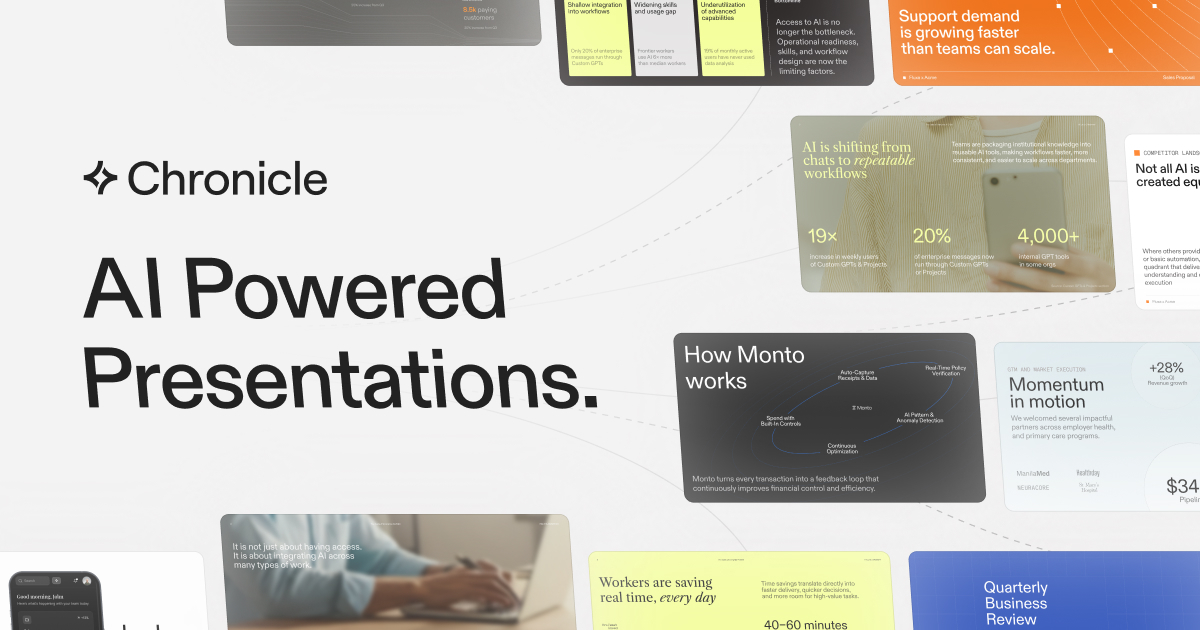
Chronicle is a state-of-the-art AI presentation software designed to turn raw data, notes, documents, and business context into polished, fully editable presentations. In a landscape where creating impactful presentations can often be time-consuming and complex, Chronicle simplifies this process by leveraging AI technology to streamline the presentation creation workflow. From first concepts to finished decks, it helps users construct visually stunning slides that not only convey information but also engage audiences effectively.
The core functionality of Chronicle revolves around its ability to ingest various input formats like notes, outlines, or existing decks. Users can paste these raw materials directly into the application, where Chronicle will analyze and synthesize them into a cohesive presentation. Unlike traditional presentation software that limits creativity through rigid templates, Chronicle employs a freeform canvas that allows users to customize layouts and visuals extensively. This flexibility empowers users to craft slides that align with their unique branding and messaging.
Standout features of Chronicle include impressive slide generation that transforms ideas into professional-standard visuals quickly. Users can expect templates from established designers across top-tier firms like Apple and McKinsey, ensuring that the output not only meets but exceeds industry standards. Through real-time collaboration, team members can work simultaneously on projects, sharing templates and managing permissions, which enhances productivity and aligns team efforts. Additionally, Chronicle preserves enterprise-level security, ensuring that the content remains protected throughout the presentation process. The integration of brand guidelines further allows teams to maintain consistent visual identity across all slides without losing creative control.
Chronicle is particularly suited for professional teams across diverse sectors, including sales, marketing, product management, business operations, consulting, and creative agencies. It enables organizations to create tailored proposals, pitch decks, project updates, and research reports with ease. Its intuitive interface and powerful AI capabilities attract users who need to produce high-stakes presentations quickly, profession-ready, and without the usual burdens of manual editing. Many users have switched from other platforms, reporting that Chronicle significantly enhances their ability to engage and impress audiences.
In comparison to other presentation tools, Chronicle stands out for its combination of AI-driven capabilities and design sophistication. Traditional tools often require significant manual intervention and offer limited flexibility, while Chronicle empowers users with a responsive platform that adapts to their unique presentation needs. This innovative approach results in beautifully crafted presentations that facilitate storytelling through well-designed slides, offering an advantage in competitive business contexts. Though there are strong competitors in the presentation software space, Chronicle’s AI-driven efficiency and design-first philosophy give it a distinctive edge.
While Chronicle boasts numerous strengths, potential users should also be aware of its limitations. As of now, there isn't a wealth of detailed information on advanced integrations with other software tools, which may limit its utility in highly customized tech stacks. Additionally, some users may initially find the interface challenging as they adjust to the freeform editing capabilities. Finally, while the application is designed to enhance productivity, users may still require time to become adept at maximizing its full potential, particularly in aligning the design aspects with their organization’s brand guidelines.
Who it's for
What Chronicle can do
8 capabilities, verified from the product.
- Turns raw notes and documents into presentations
- Uses AI to generate on-brand slide designs
- Offers a freeform canvas for extensive customization
- Supports real-time collaboration among teams
- Facilitates quick export to PPT and PDF formats
- Integrates brand guidelines for consistent visuals
- Provides professional templates from top designers
- Offers enterprise-grade security for data protection
Jobs people hire it for
- 01Create interactive pitch decks from quick brainstorming sessions
- 02Generate polished business updates for executive meetings
- 03Transform raw research data into engaging reports
- 04Design tailored sales proposals in minutes
- 05Compile project plans using existing meeting notes
- 06Craft team presentations that reflect brand identity
Pros & cons
Where it shines
- Chronicle's AI-powered slide generation is fast and efficient, allowing users to create quality presentations in minutes.
- The platform's freeform editing canvas provides flexibility that many traditional slide tools lack.
- Users have access to a range of professional templates designed by experts, enhancing presentation quality.
- Real-time collaboration features improve teamwork and streamline the review process for presentations.
- Maintaining brand consistency is straightforward with easy setup for brand guidelines.
Where it falls short
- There may be a learning curve for users unfamiliar with freeform editing tools compared to traditional slide software.
- Features and integrations with other tools are not extensively detailed, potentially limiting some workflows.
- The product may not yet support advanced customization options that some power users might desire.
- Limited information on specific pricing tiers and payment options may lead to ambiguity for potential users.
Pricing
Free trial available with no detailed pricing structure disclosed. Pricing can change — always confirm on the vendor's site.
Frequently asked about Chronicle
What is Chronicle used for?
Chronicle is an AI presentation maker designed to create professional, interactive decks quickly by converting documents, notes, and data into polished presentations.
Is there a free trial available for Chronicle?
Yes, Chronicle offers a free trial for users to explore the functionalities before committing.
Can I export my presentations from Chronicle?
Absolutely, you can export your presentations to PPT, PDF formats, or publish them as websites.
Is Chronicle suitable for collaboration?
Yes, Chronicle has built-in real-time collaboration features that allow multiple team members to work together on the same presentation.
How does Chronicle ensure brand consistency in presentations?
Chronicle allows users to set their brand's fonts, colors, and visual rules which ensures every slide aligns with the established brand guidelines.
What types of templates does Chronicle offer?
Chronicle provides templates from renowned designers at leading organizations which can help in creating high-quality presentations suitable for various business needs.
Is my data secure with Chronicle?
Yes, Chronicle employs enterprise-grade security measures to ensure that your content remains private and protected.
What differentiates Chronicle from other presentation tools?
Chronicle combines advanced AI capabilities with a focus on visual design quality, providing a flexible, user-friendly interface unlike many traditional presentation software.
Ready to try Chronicle?
2,038 people checked it out on the directory — see it in action on the official site.
Keep exploring
Similar tools in Writing & Content
 Writing & Content
Grammarly
AI writing assistance everywhere you type — grammar, tone, clarity, and full rewrites.
 Writing & Content
Notion AI
AI built into your workspace — write, summarize, and answer questions across all your docs.
 Writing & Content
Jasper
The AI marketing platform for on-brand content at scale — campaigns, blogs, and copy.
 Writing & Content
Plot Factory
An online story planner for creating, organizing, and writing stories.