
What is Buffer AI Assistant?
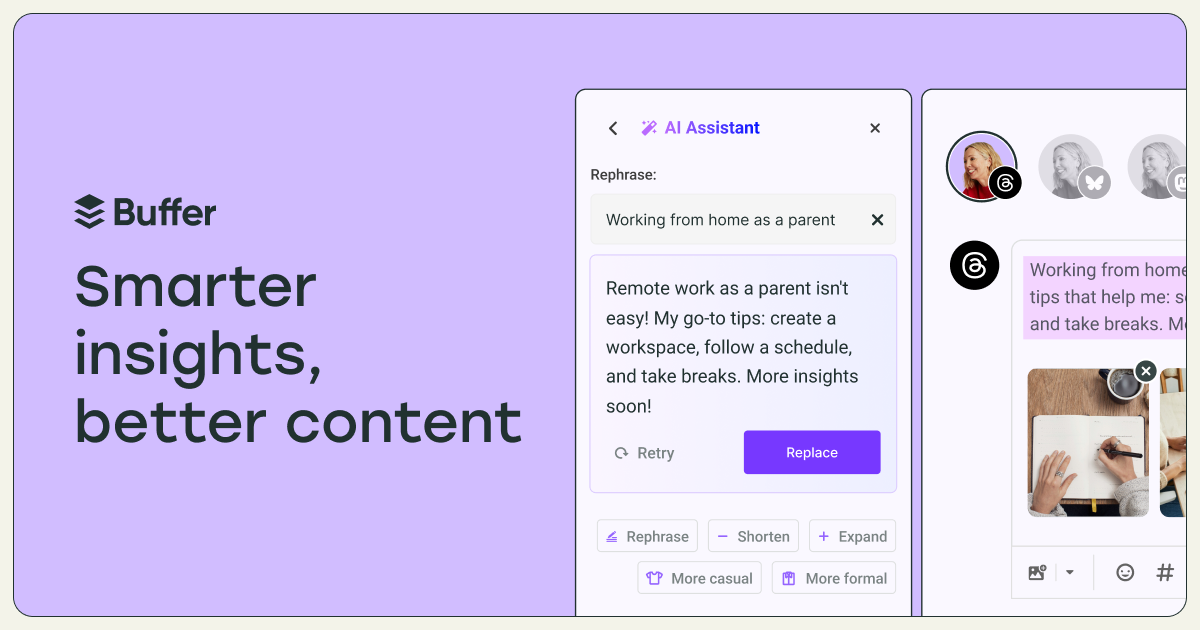
Buffer's AI Assistant aids in brainstorming ideas, rewriting content, and crafting posts specific to various social media platforms. It allows users to generate engaging content quickly and optimally tailored for channels like LinkedIn, Instagram, and X (formerly Twitter).
With features for instant content ideas, smart repurposing of posts, and effortless editing, users can create and manage their social media presence more efficiently. The tool promotes a consistent social media strategy by enabling conversion of one post into multiple formats designed for different audiences.
This tool is available for free, providing an option for users to enhance their creative process with AI without any limitations. Users can adjust the tone and style of their posts, ensuring that the content fits their brand's voice and meets platform-specific requirements.
Who it's for
What Buffer AI Assistant can do
5 capabilities, verified from the product.
- Generate content ideas instantly
- Repurpose existing posts into different formats
- Optimize content for various social media platforms
- Adjust tone and structure with a single click
- Create tailored social media posts quickly
Jobs people hire it for
- 01Generate fresh content ideas
- 02Repurpose posts for different channels
- 03Optimize social media posts for engagement
Pros & cons
Where it shines
- User-friendly interface for quick content creation
- AI-generated suggestions help overcome writer's block
- Flexibility to adjust tone and style of posts easily
Where it falls short
- Limited to social media content only
- Requires an internet connection to use
Pricing
Free to use with no limits upon signing up for a Buffer account Pricing can change — always confirm on the vendor's site.
Frequently asked about Buffer AI Assistant
How does Buffer's AI Assistant work?
Buffer's AI Assistant uses advanced language models to generate engaging social media content based on user prompts. It can create ideas, repurpose posts, and summarize content using algorithms that analyze social media trends.
Can I adjust the tone of the AI-generated posts?
Yes, users can modify the tone to be more casual or formal, shorten or expand posts, and tweak the structure to fit their brand's voice.
Is the AI Assistant free to use?
Yes, users can utilize Buffer's AI Assistant without any limits by signing up for a free Buffer account.
Do I have to use AI Assistant with Buffer?
No, the AI Assistant is optional and does not automatically alter posts unless activated in the post composer.
Ready to try Buffer AI Assistant?
2,302 people checked it out on the directory — see it in action on the official site.
Keep exploring
Similar tools in Marketing & SEO
 Marketing & SEO
Surfer
AI-driven SEO visibility platform for organic growth
 Marketing & SEO
GiftHuntr
Find the perfect gift in seconds using AI-generated suggestions.
 Marketing & SEO
SEO Content AI
Maximize Your SEO Results with AI-Driven Content Solutions
 Marketing & SEO
SEO GPT
Free AI tool for creating optimized SEO content with 300+ formats.