- Views
- 2,200
- Upvotes
- 110
- Launched
- —
What is Air?
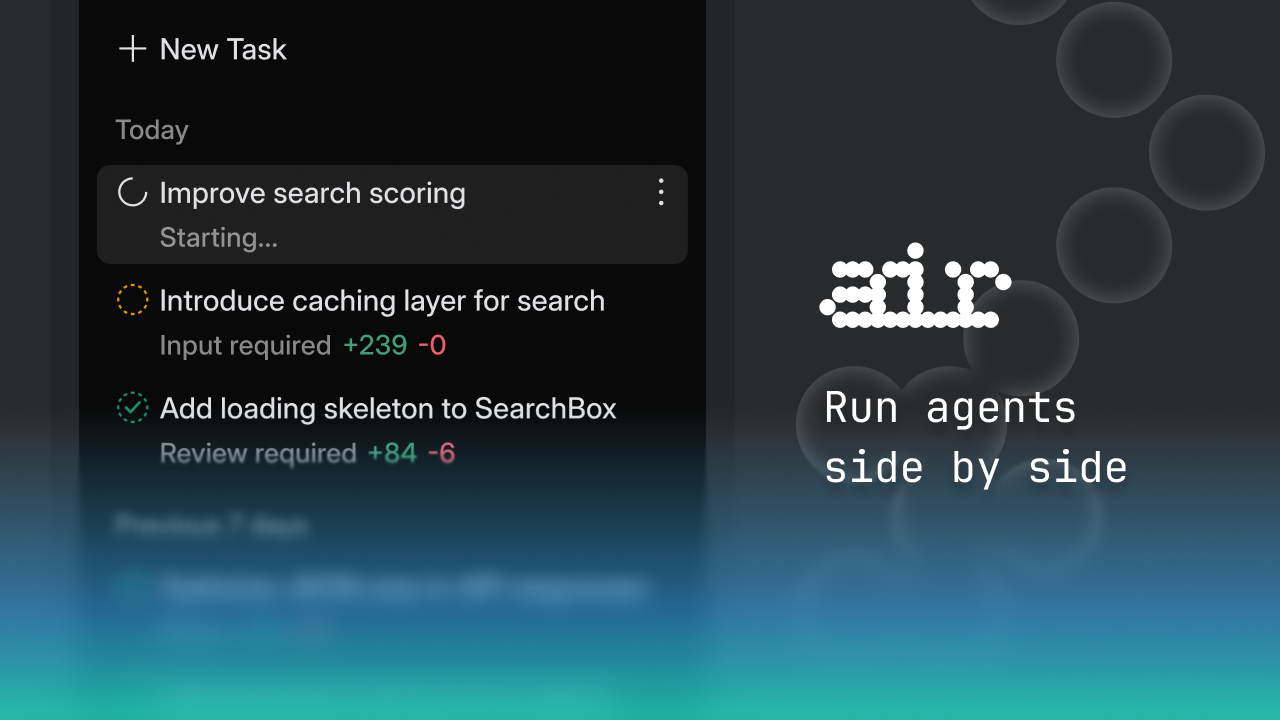
JetBrains Air is an innovative Agentic Development Environment designed to optimize workflow by utilizing multiple independent task execution agents simultaneously. The environment supports key agents such as Codex, Claude Agent, Gemini CLI, and Junie, allowing developers to multitask without the usual interruptions or interdependencies that can occur when executing multiple tasks in traditional development environments. Air aims to tackle the challenges associated with context switching, where developers typically lose productivity by frequently shifting their focus between different projects and tools. By decoupling tasks and enabling independent operation, JetBrains Air seeks to enhance developer efficiency and engagement.
The core workflow in JetBrains Air emphasizes seamless multitasking through the concurrent operation of its integrated agents. Each agent can perform specific tasks autonomously, thereby allowing developers to manage multiple streams of work in parallel without requiring constant oversight or manual intervention. This functionality is particularly beneficial in scenarios where developers need to juggle different aspects of a project, such as writing code, debugging, and documentation, all at once. The design of Air generates a more fluid interaction with development tasks, allowing for an uninterrupted flow of productivity while maintaining a clear oversight of all ongoing processes through its agentic framework.
Among the standout capabilities of JetBrains Air are its support for multi-agent environments and individual task loops, enabling tasks to run in isolation. This means that errors or delays in one agent’s task will not impact others, which is a significant improvement over conventional integrated development environments that often require one task to finish before another can commence. The integrated agents are engineered not only for independent execution but also for collaboration where necessary, leveraging their unique strengths to provide customized assistance based on a developer's context and needs. This fosters a unique environment where creativity can flourish, as developers can experiment and explore new ideas without the constraints typically imposed by linear workflows.
JetBrains Air is particularly suited for software developers, data scientists, and engineers who often deal with complex projects requiring various concurrent processes. For instance, a software team developing a web application could use the Air environment to manage code generation, testing, and interface design tasks through different agents tailored to each component. This capability allows teams to maintain agility while progressing through their development cycles, ultimately leading to quicker delivery of robust software solutions.
In the context of its competition, JetBrains Air positions itself at the forefront of the Agentic Development Environment category. While traditional IDEs typically focus on providing a single-threaded approach to development, Air's multi-agent system offers a novel paradigm that addresses the needs of modern software development teams. By facilitating concurrent processes and minimizing task overlap, JetBrains Air provides a distinctly improved approach to tackling the increasingly complex challenges of software development today.
Notably, potential users of JetBrains Air should consider its unique operational model. While the advantages of multitasking and agent independence are compelling, the effectiveness of this environment may also depend on how well a developer can utilize and coordinate the different agents available. New users may face a learning curve as they adapt to managing multiple agents and understanding how to best leverage their collaborative capabilities. Overall, JetBrains Air presents an advanced solution for those looking to enhance their development workflows and optimize productivity through innovative multitasking strategies.
Who it's for
What Air can do
8 capabilities, verified from the product.
- Multitasking with multiple agents
- Codex, Claude Agent integration
- Independent task loops for agents
- Seamless agent collaboration
- Reduced context switching
- Enhanced productivity in development
- Autonomous task execution
- Fluid interaction with development tasks
Jobs people hire it for
- 01Manage parallel coding and testing tasks
- 02Organize documentation while coding
- 03Automate repetitive workflows with agents
- 04Simultaneously debug and enhance features
- 05Facilitate collaboration on different project components
Pros & cons
Where it shines
- Supports multitasking through independent agents
- Enables concurrent execution of complex tasks
- Reduces productivity loss from context switching
- Promotes efficiency in managing multiple workflows
Where it falls short
- Potential learning curve for new users
- Requires effective management of agents
- Dependent on each agent's capabilities and stability
- Complexities in coordinating multiple task executions
Pricing
See the official website for current pricing. Pricing can change — always confirm on the vendor's site.
Frequently asked about Air
What is JetBrains Air?
JetBrains Air is an Agentic Development Environment designed to optimize developer workflows by allowing multiple independent task execution agents to run simultaneously without interfering with each other.
How does JetBrains Air enhance productivity?
By utilizing a multi-agent system, JetBrains Air enables developers to multitask more efficiently, reducing the disruptions and productivity losses typically associated with context switching in traditional development environments.
Who is JetBrains Air designed for?
JetBrains Air is primarily aimed at software developers, data scientists, and engineers who need to manage complex projects with various concurrent processes.
What are the key agents used in JetBrains Air?
JetBrains Air features several key agents, including Codex, Claude Agent, Gemini CLI, and Junie, each designed to execute specific tasks independently.
Is there a learning curve associated with using JetBrains Air?
Yes, new users may experience a learning curve as they adapt to managing multiple independent agents and learning how best to leverage their combined capabilities.
Can JetBrains Air integrate with other tools?
The specific integrations for JetBrains Air are not mentioned, indicating that it may focus more on providing an in-house environment that emphasizes agent collaboration.
What limitations should I be aware of when using JetBrains Air?
While JetBrains Air offers significant benefits in multitasking and productivity, it can involve complexities in coordinating tasks and managing the capabilities of different agents.
What platforms does JetBrains Air support?
JetBrains Air is accessible via the Web, allowing for a flexible and versatile workspace for users.
Ready to try Air?
2,200 people checked it out on the directory — see it in action on the official site.
Keep exploring
Similar tools in Coding & DevTools
 Coding & DevTools
Cursor
The AI-first code editor — chat with your codebase and let agents write multi-file changes.
 Coding & DevTools
GitHub Copilot
Your AI pair programmer — code completions, chat, and agents inside your editor.
 Coding & DevTools
v0
Vercel's AI that turns prompts into production-ready React and Next.js UI.
 Coding & DevTools
E2B
The Enterprise AI Agent Cloud for secure AI workflows